In this guide, we will demonstrate the step-by-step process of programming keys for SEA-DOO (BRP) jet-skis using OBDSTAR MarineMaster tool. Whether you are a technician or a jet-ski enthusiast, this process will help you understand how to easily add a new key and configure key usage for your jet-ski’s immobilizer system.
What You’ll Need:
OBDSTAR MarineMaster A+B
Main cable
M043 Dedicated Cable
A new key for programming
Steps
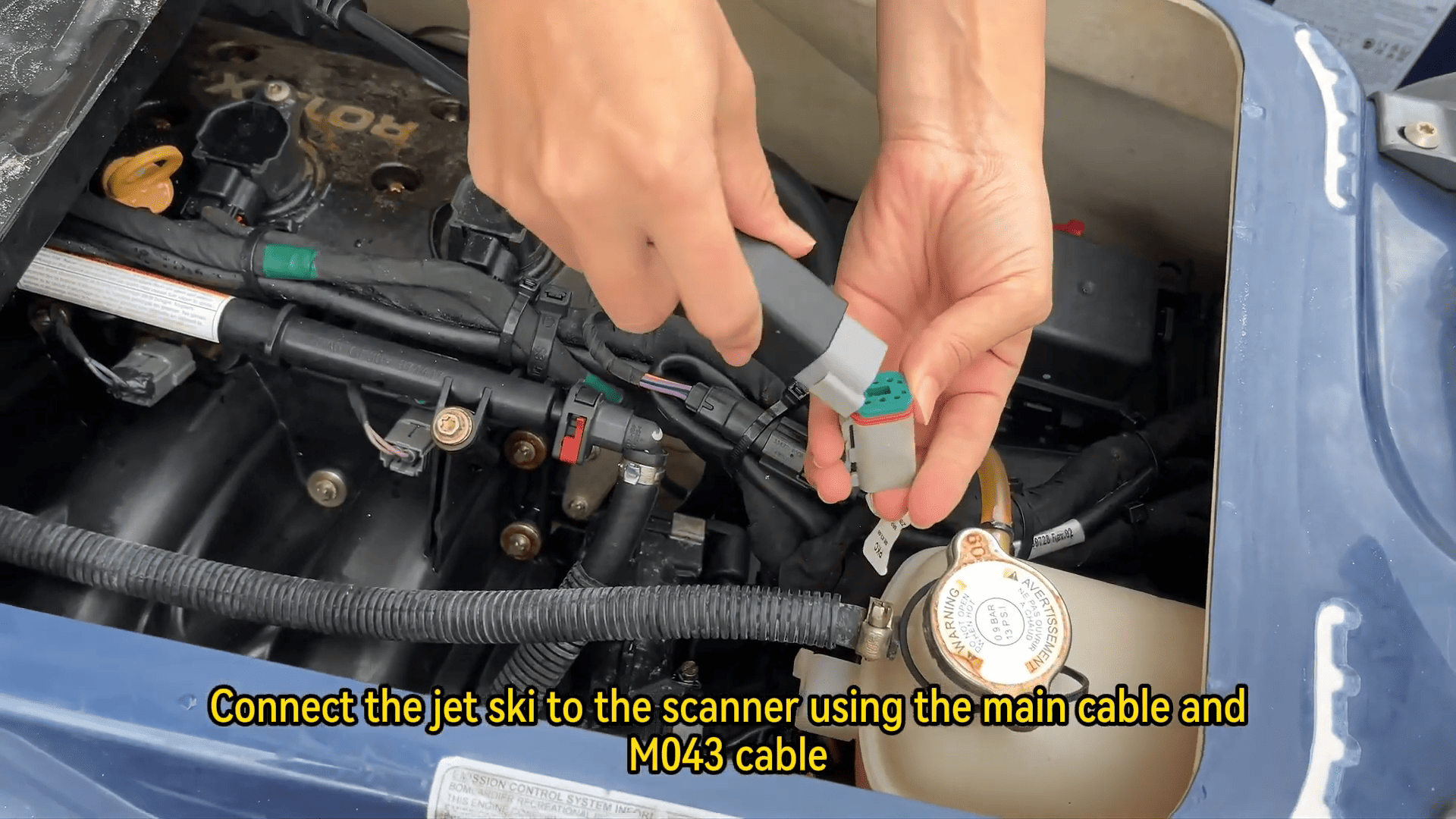
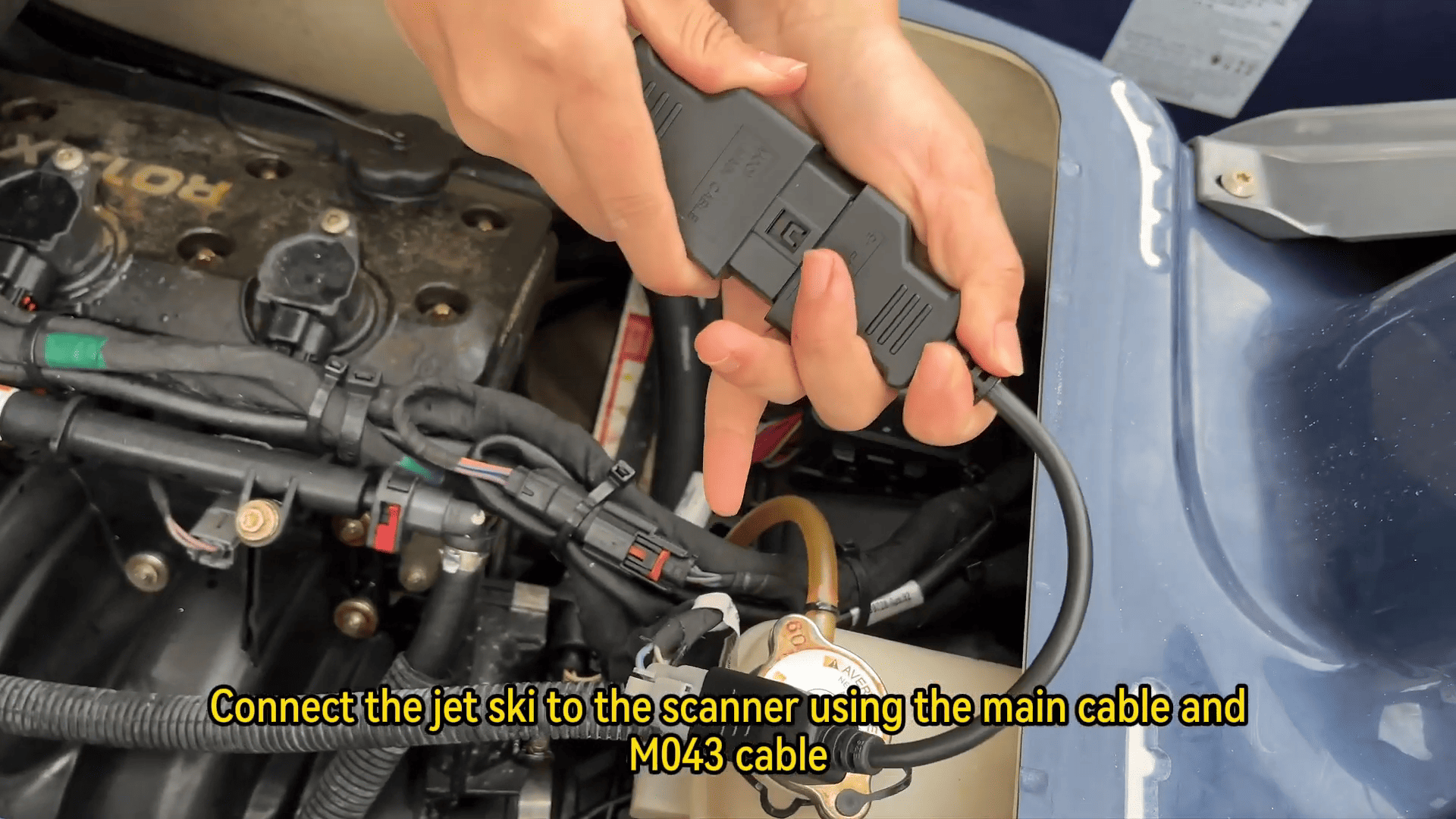
1. Connect the Jet-Ski to the Scanner:
First, connect MarineMaster A+B to the jet-ski using the main cable and the M043 cable.
2. Access the IMMO System:
Tap [IMMO] on MarineMaster A+B interface to begin the key programming process.
3. Select the Correct Module:
Locate SEA-DOO (BRP) in the vehicle selection menu.
Choose the latest software version and select the ECM Module to continue.
4. Read ECU Information:
Once connected, read the ECU information to view essential details, such as the production date and engine serial number.
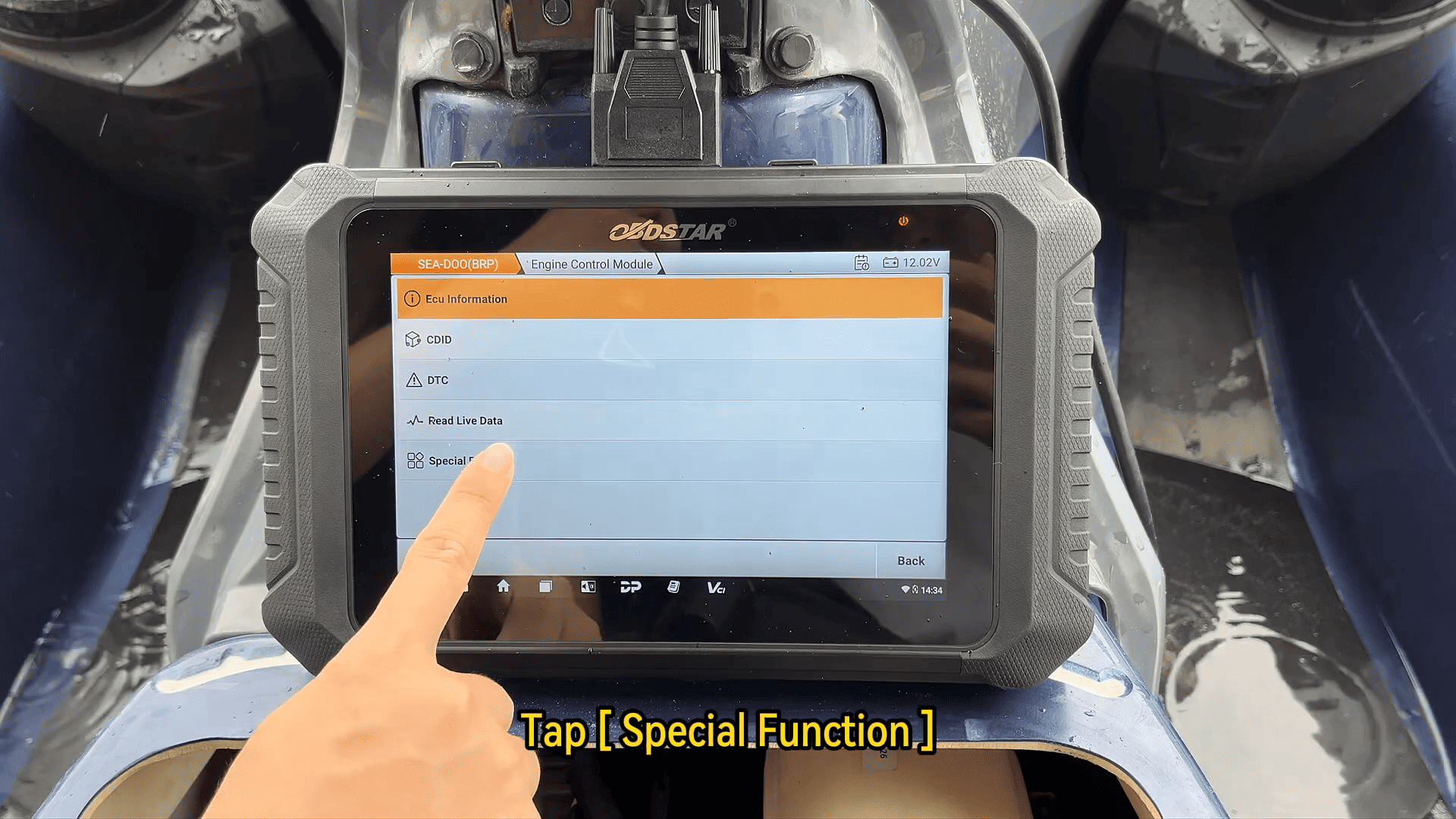
5. Navigate to Special Function:
Tap [Back] to return to the main menu.
Tap [Special Function], then tap [Agree] to proceed.
6. Activate Key Configuration:
Scroll through the options to find Key Configuration and tap [OK].
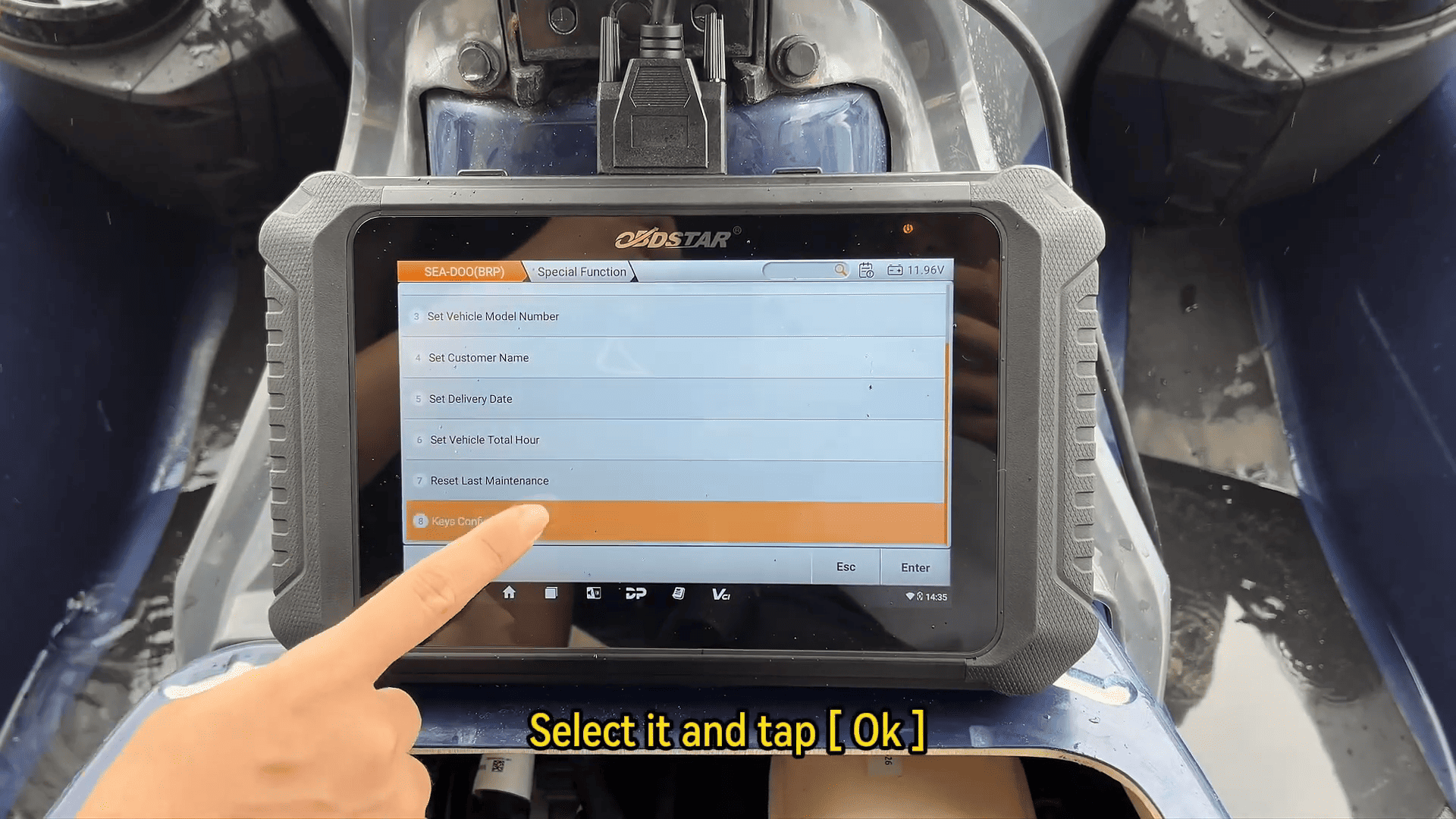
Tap Anti-Theft System to activate or deactivate the immo function, depending on your needs.
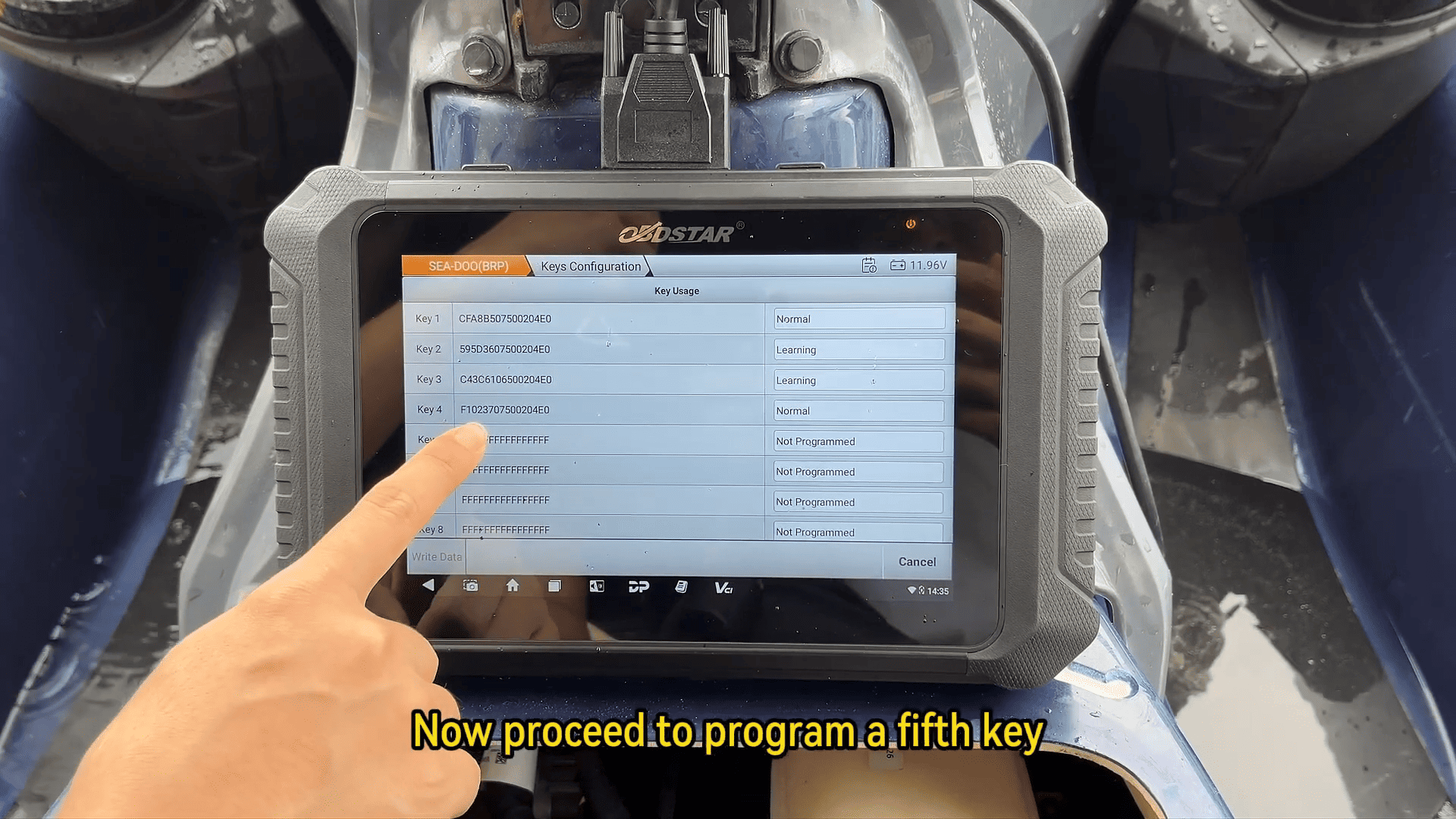
7. Check Current Key Count:
Tap [Cancel] and then select Key Usage.
Here, you can see how many keys are currently programmed for this jet-ski. For example, this unit may have four keys programmed already.
8. Program a New Key:
Tap [Cancel] to go back and select Add Key.
Choose Normal to add the new key.
Follow the on-screen prompt to insert the new key and turn on the ignition switch.
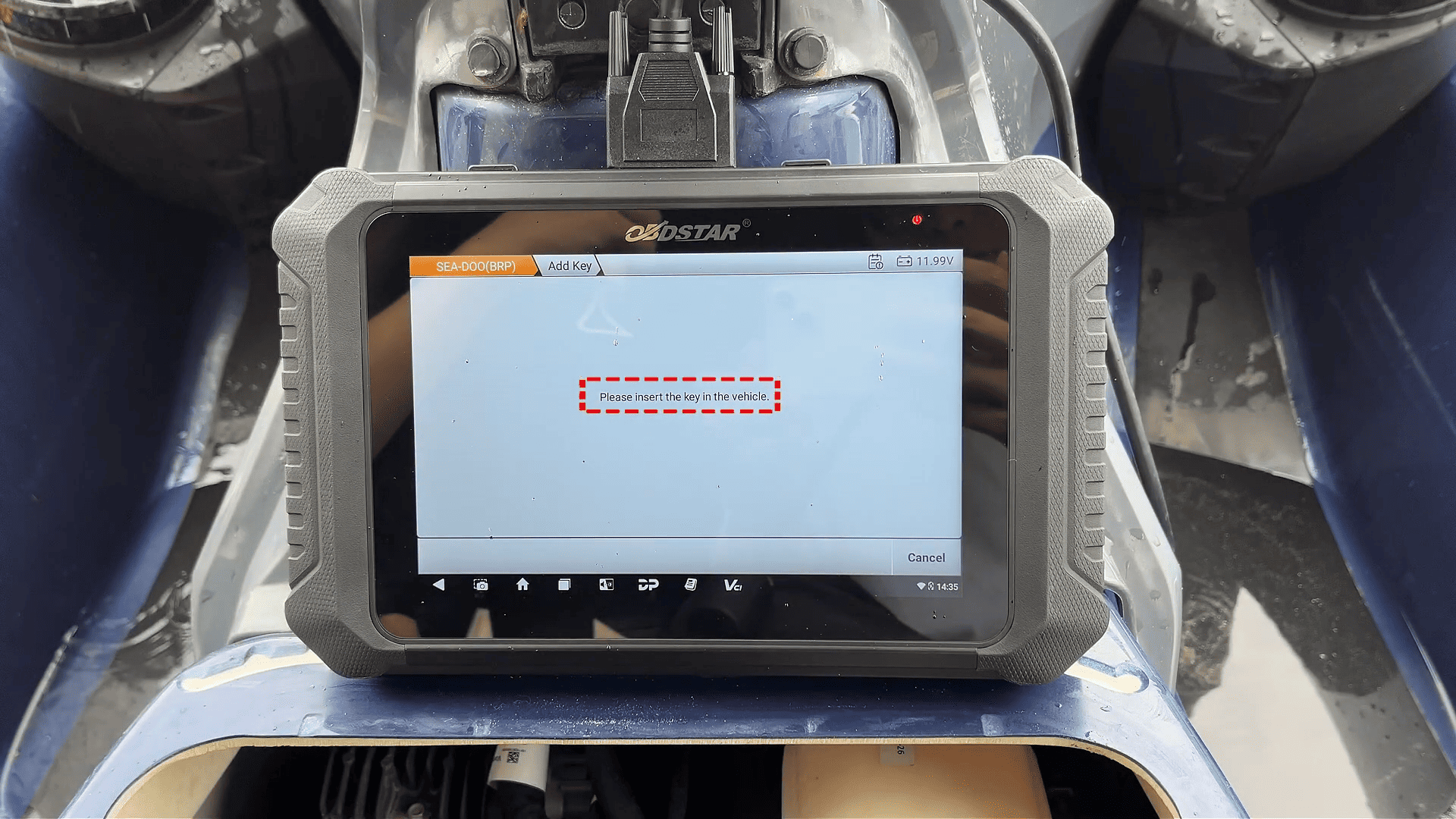
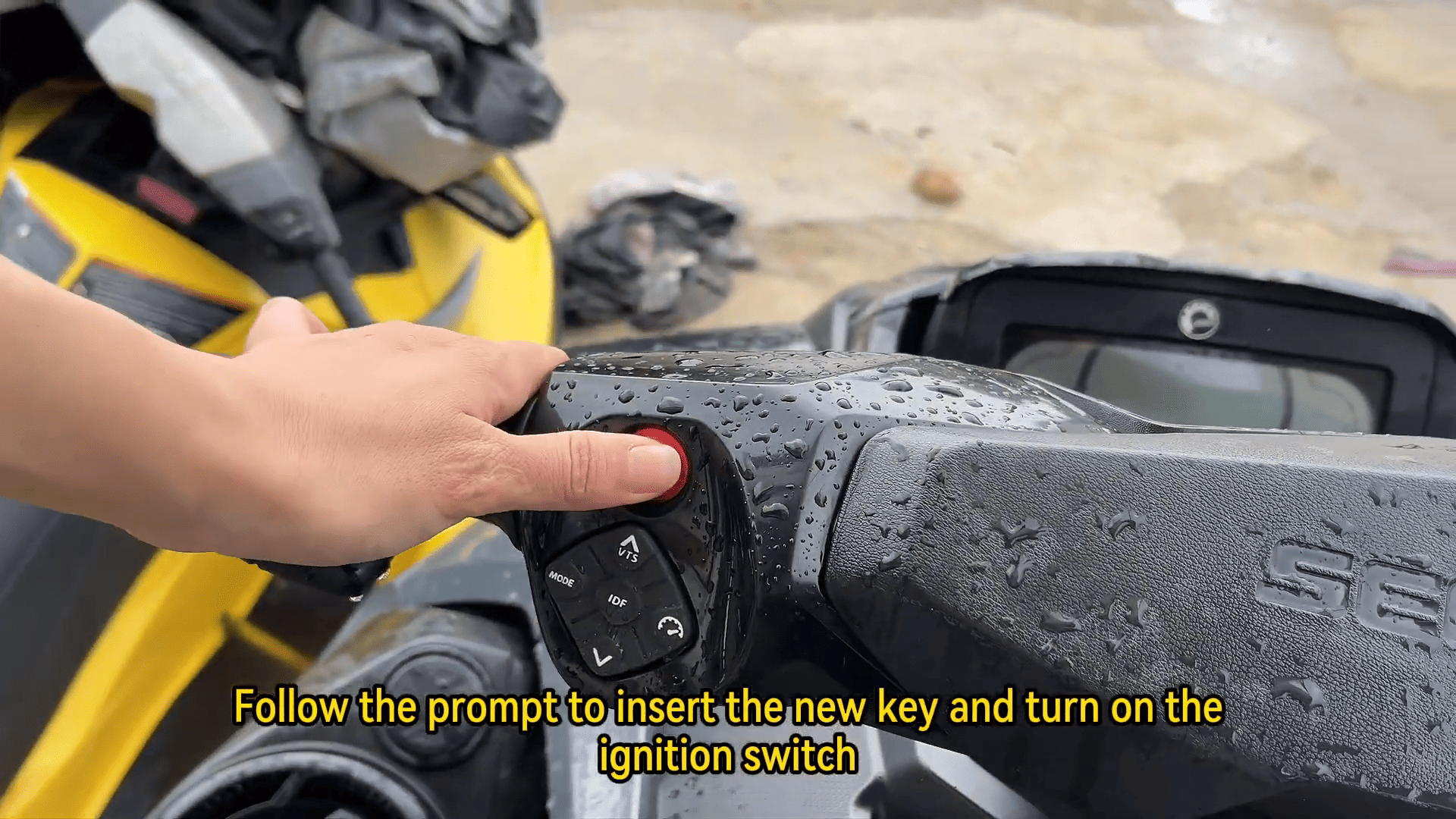
When prompted, remove the key and insert it again. Tap [OK] to continue.
9. Adjust Key Learning Level:
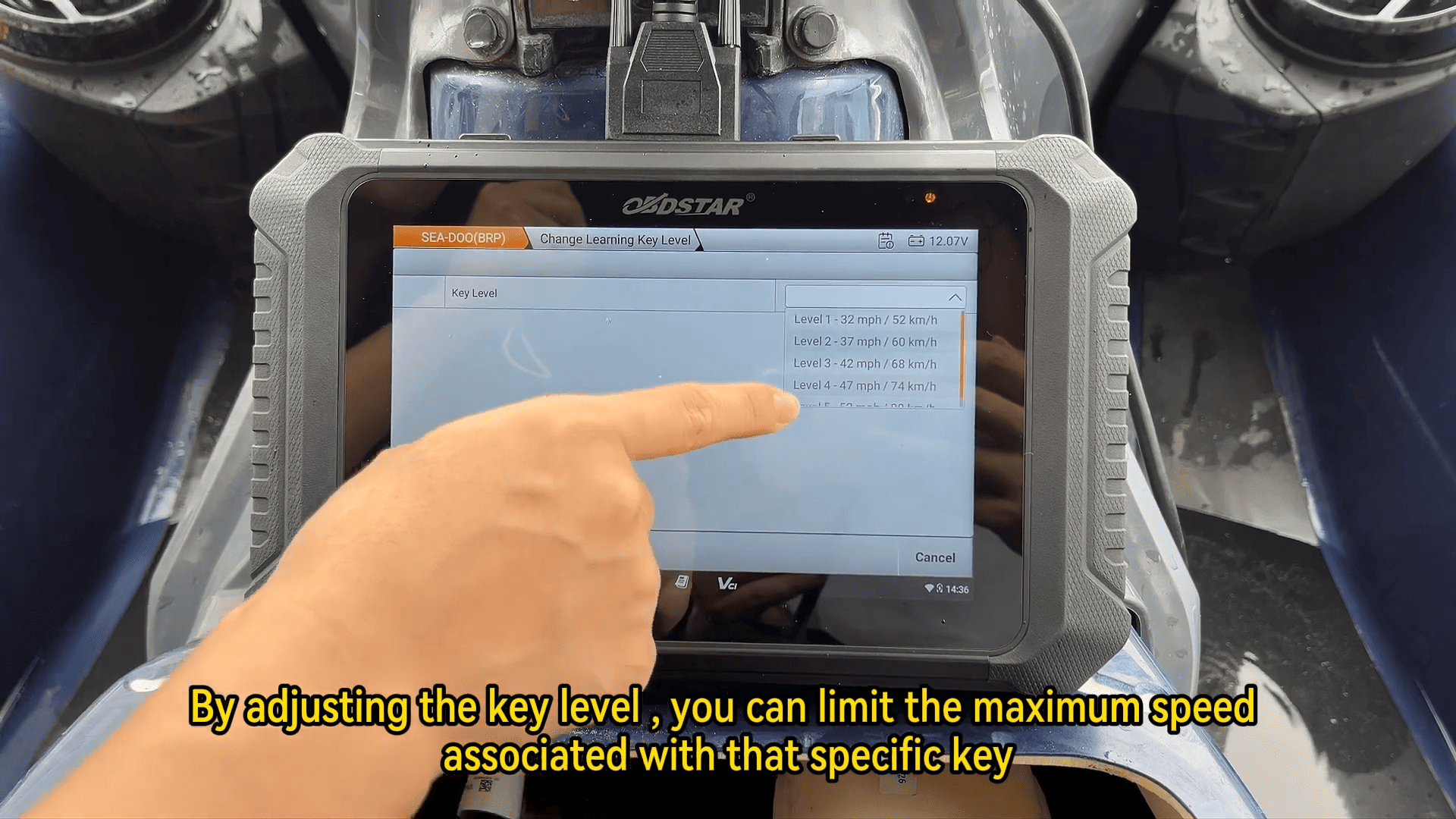
Scroll down to find Change Learning Key Level.
Select it to adjust the key’s learning level. By doing so, you can limit the maximum speed associated with that specific key, allowing you to configure different keys with different speed restrictions if needed.
Conclusion:
Using OBDSTAR MarineMaster Jet Ski, programming a new key for your SEA-DOO (BRP) jet-ski is straightforward and efficient. By following these simple steps, you can easily add a new key and customize key functions, including the immo system and key level adjustments.
This process ensures that your jet-ski is ready for use with properly programmed keys, adding extra convenience and security. For more advanced programming functions and to handle more jet-ski models, OBDSTAR MarineMaster provides a comprehensive and reliable solution for marine technicians and enthusiasts alike.