
Many users ask how to share KD Coins/Points or help activate functions for another account when they don’t have enough balance themselves. This guide explains the process clearly and step by step.
What Are KD Coins?
KEYDIY KD Coins are virtual points used to:
Activate special functions
Enable vehicle-related licenses
Pay for certain services inside the KD system
KD Coins cannot be purchased freely. They are mainly earned by:
Generating new KD keys using a KD device
Completing real-name authentication (one-time reward)
How to Activate Functions for Someone Else Using KD Coins
If a user doesn’t have enough KD Coins or balance, another user can activate functions on their behalf.
Steps to Activate a License for Another Account:
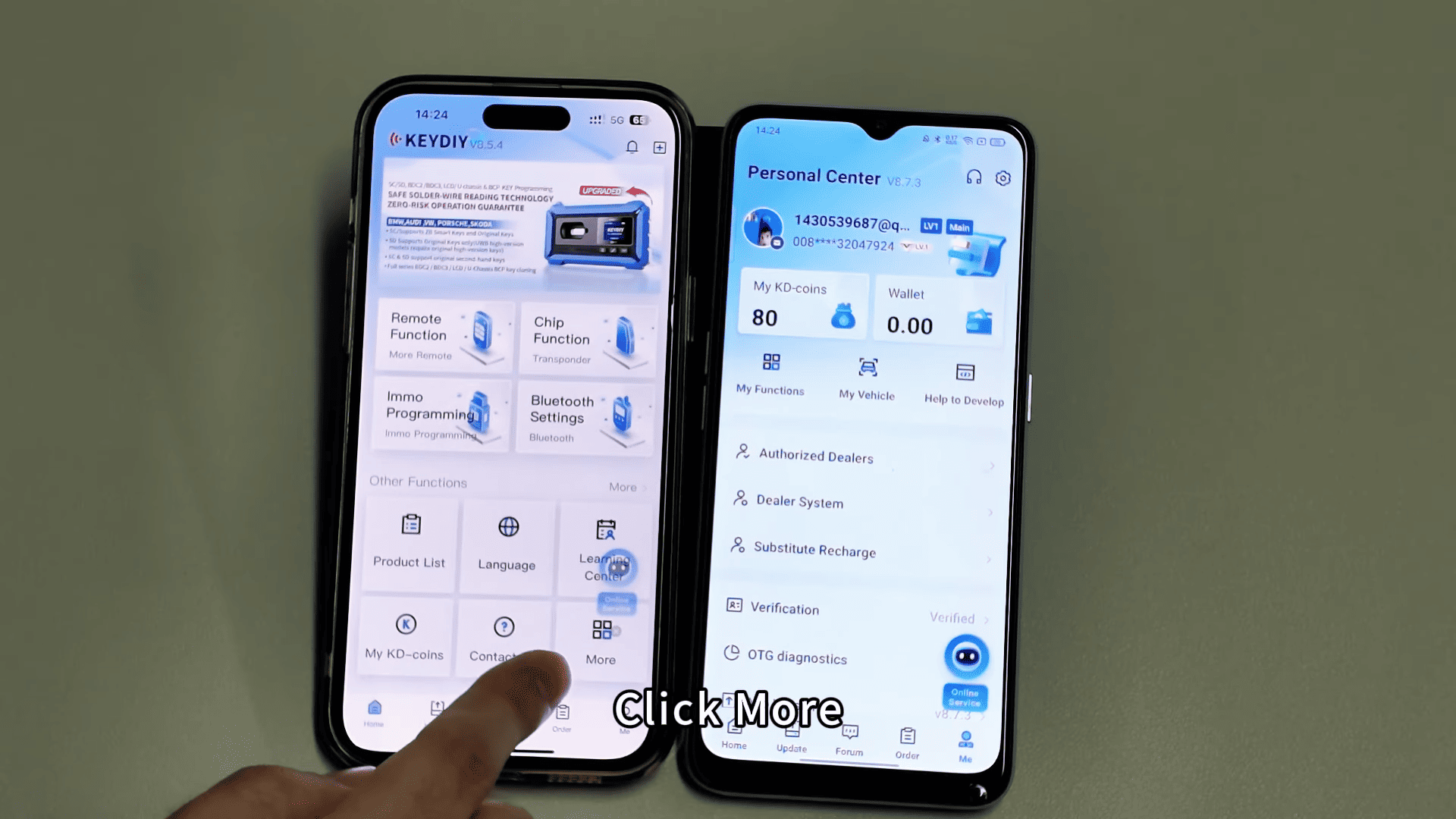
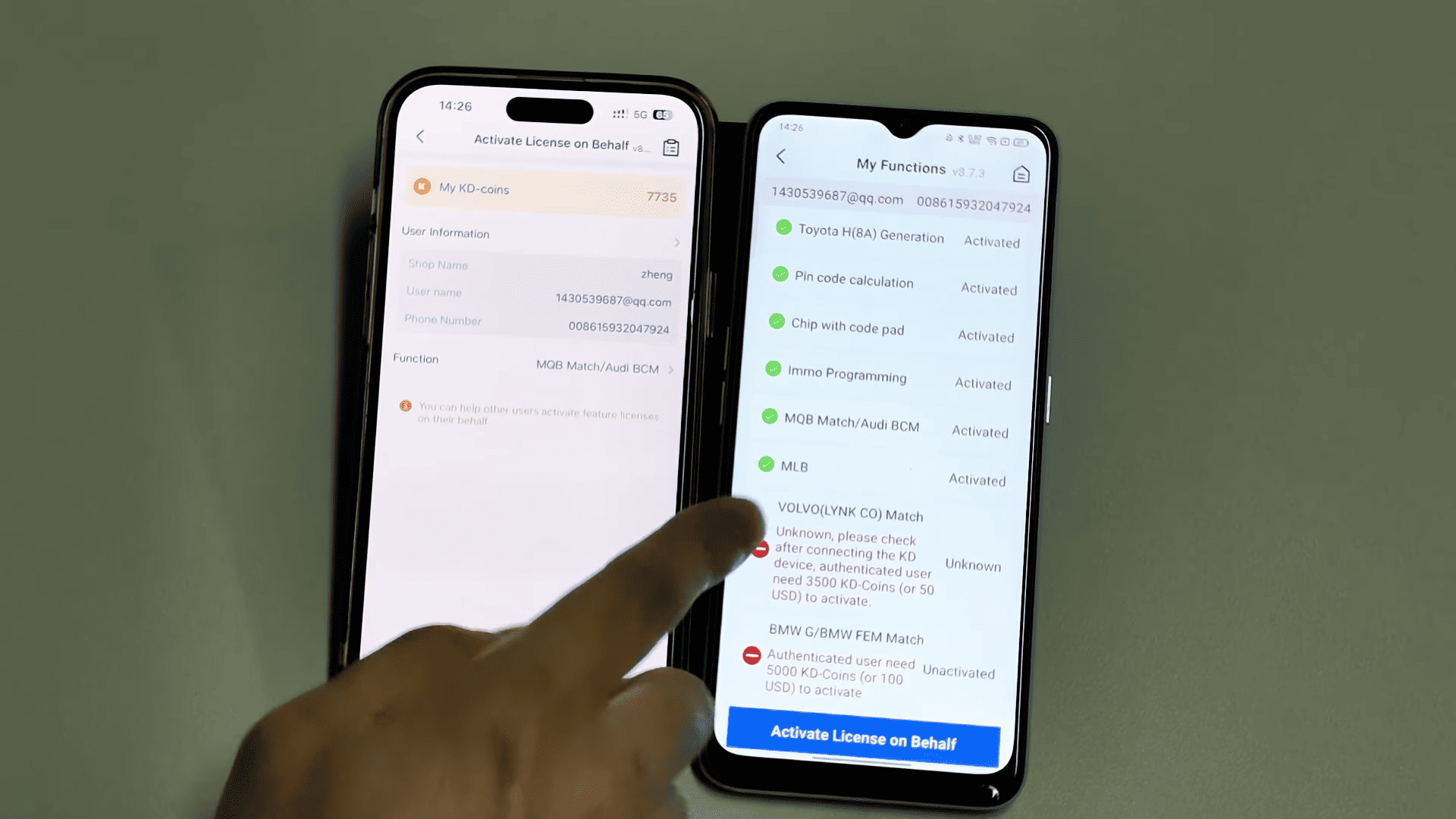
Open the KD app on a phone that has sufficient KD Coins
Go to More → Activate License on Behalf
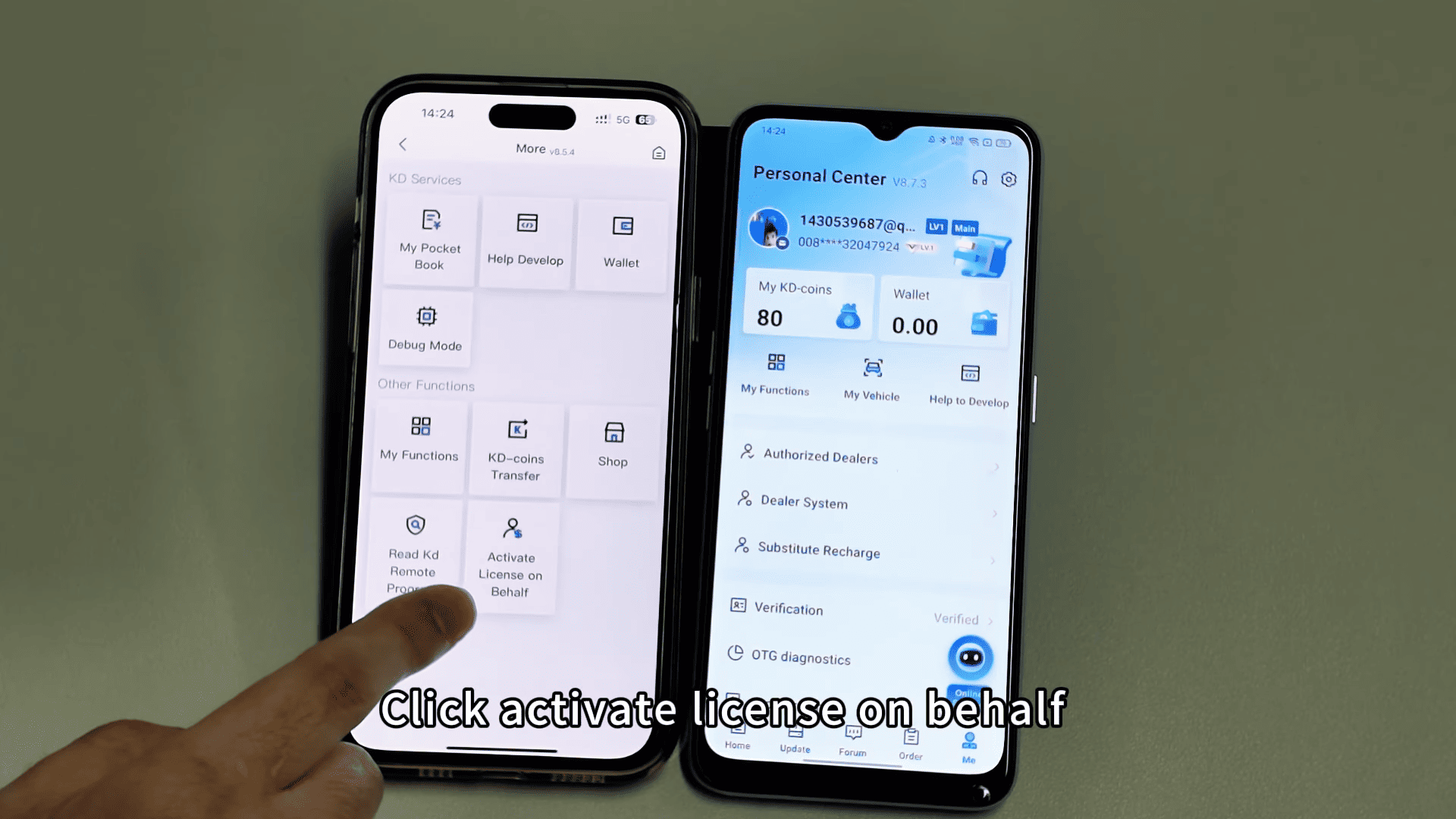
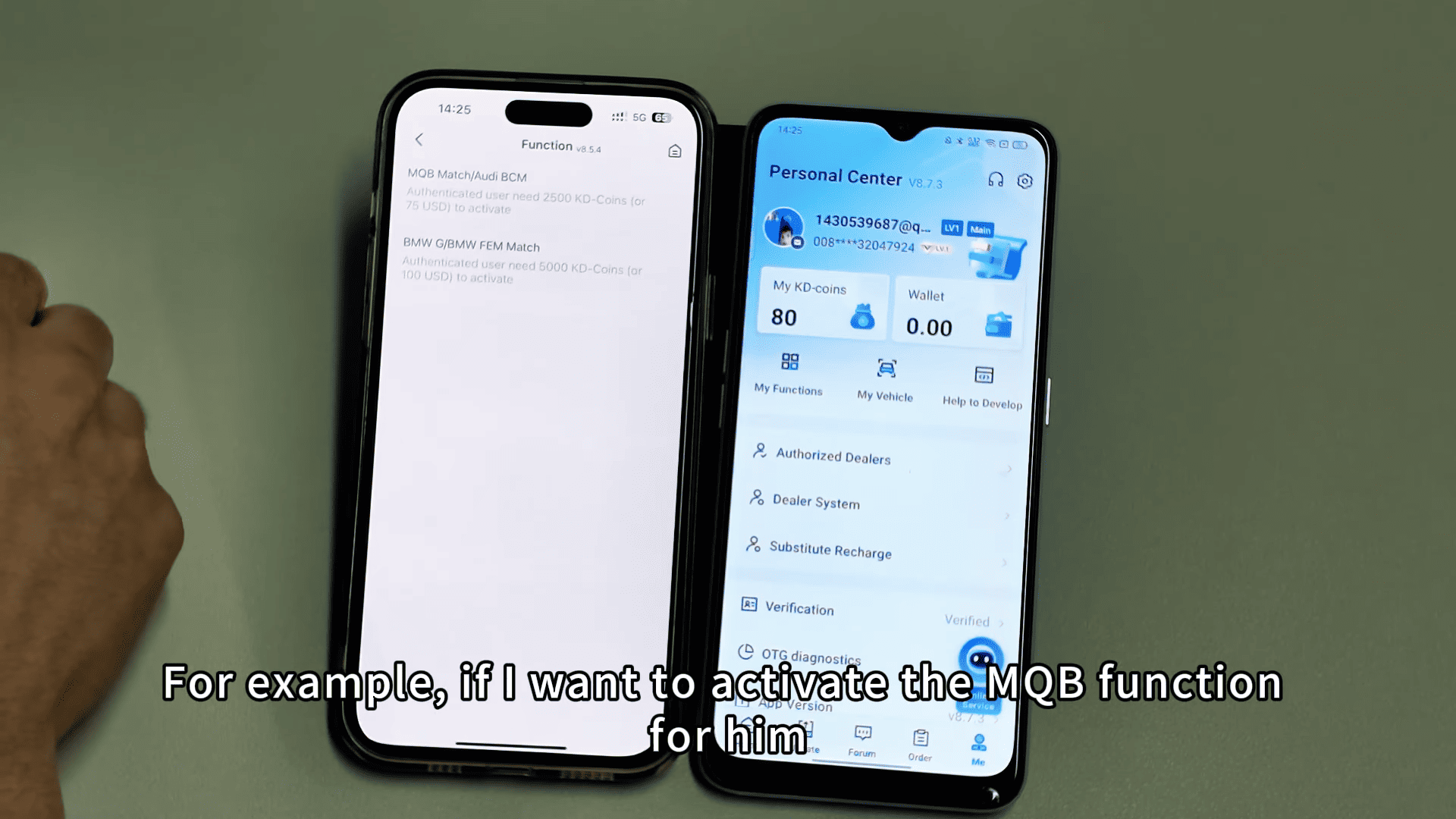
Enter the recipient’s registered mobile phone number
Select the functions you want to activate (e.g. MQB, BMW)
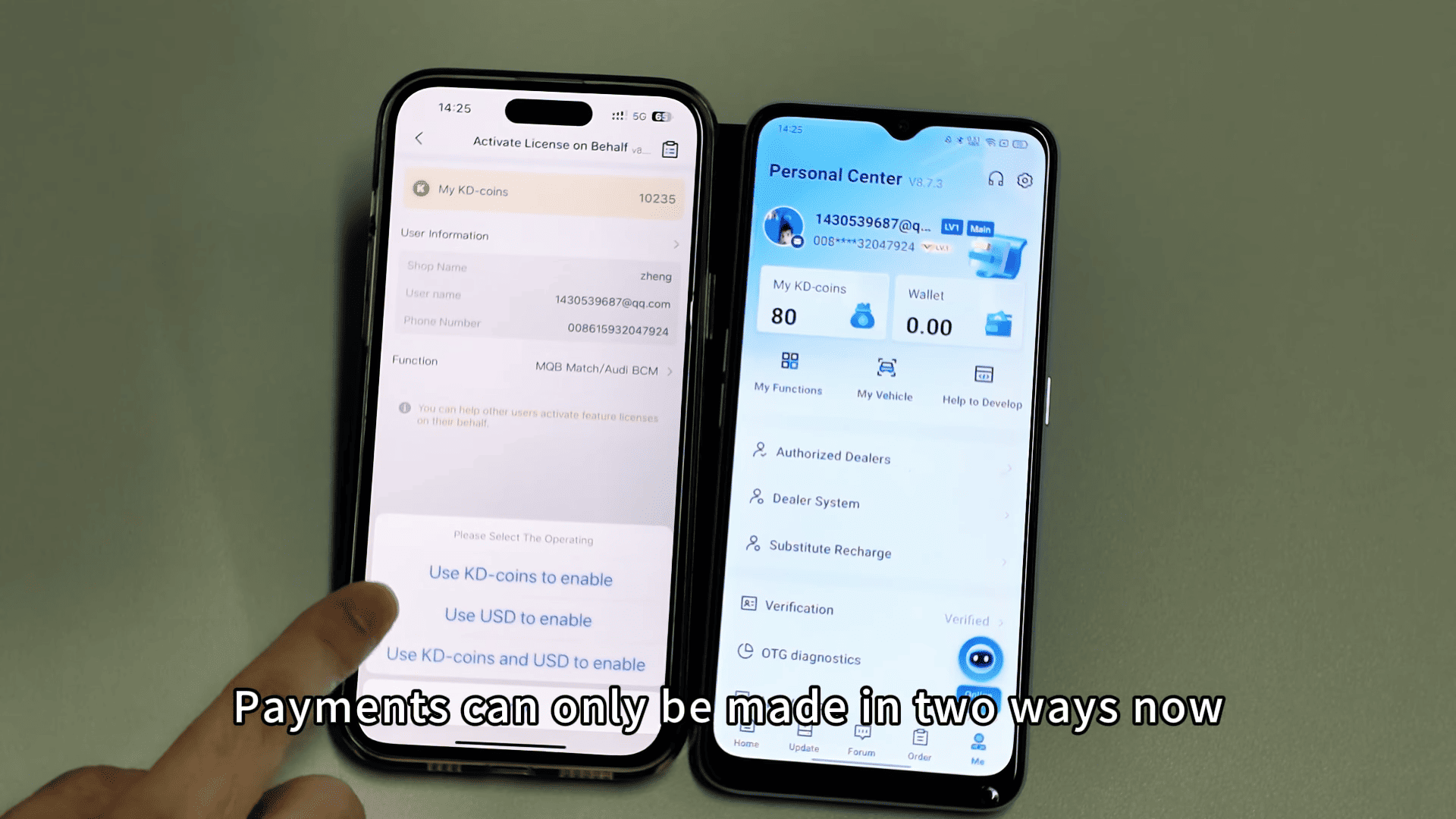
Choose KD Coins or USD as the payment method
Confirm activation
Once completed:
The function is activated immediately
Keydiy KD Coins are deducted from the helper’s account
This method is commonly used by:
Dealers
Locksmiths
Friends or colleagues using KD devices
How to Transfer KD Coins (Points) to Another Account
KD Coins can also be transferred directly to another user.
Steps to Transfer KD Coins:
Open the KD app
Select KD-Coins Transfer
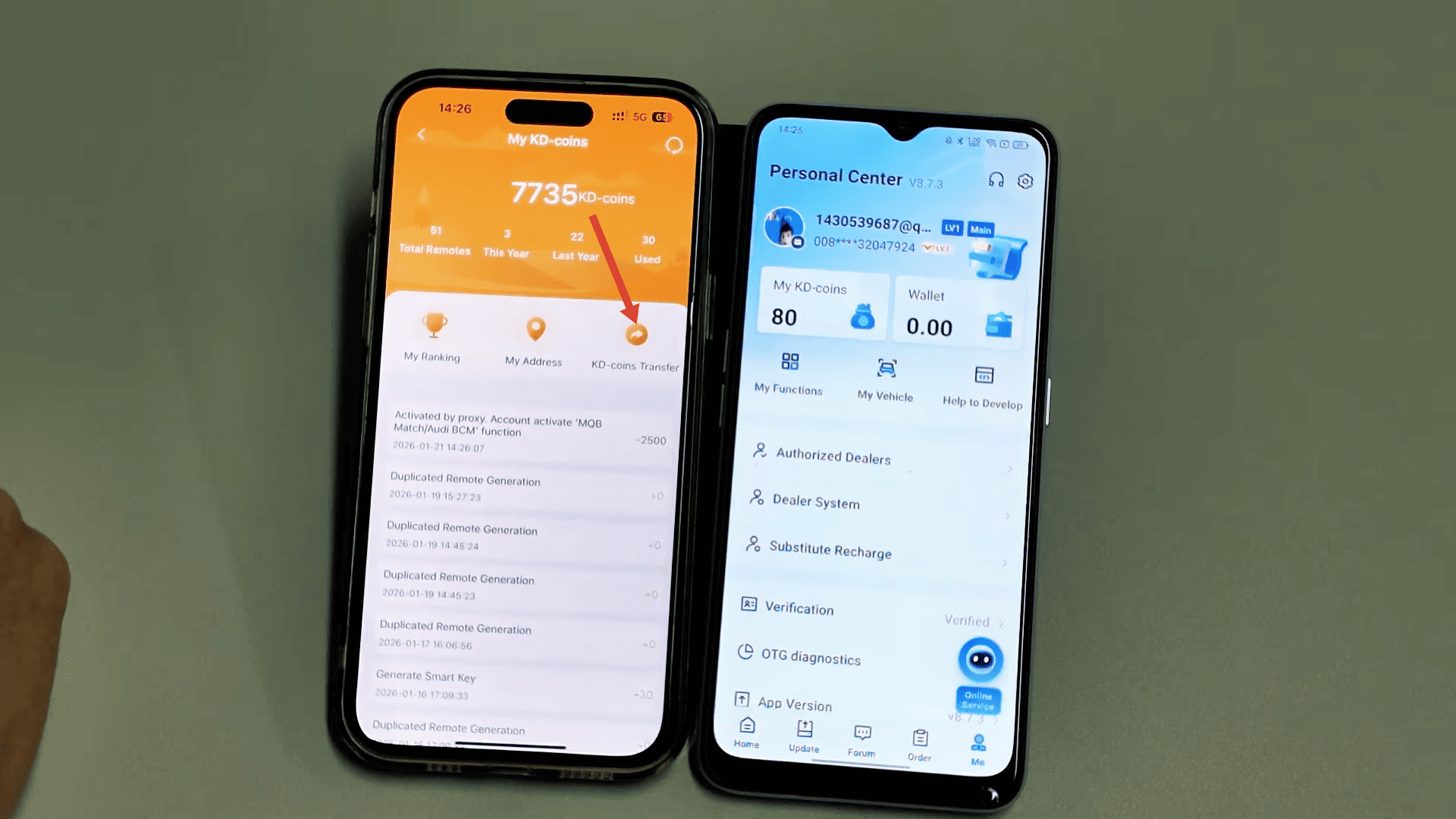
Enter the recipient’s mobile phone number
Input the number of KD Coins to transfer
Confirm the transaction
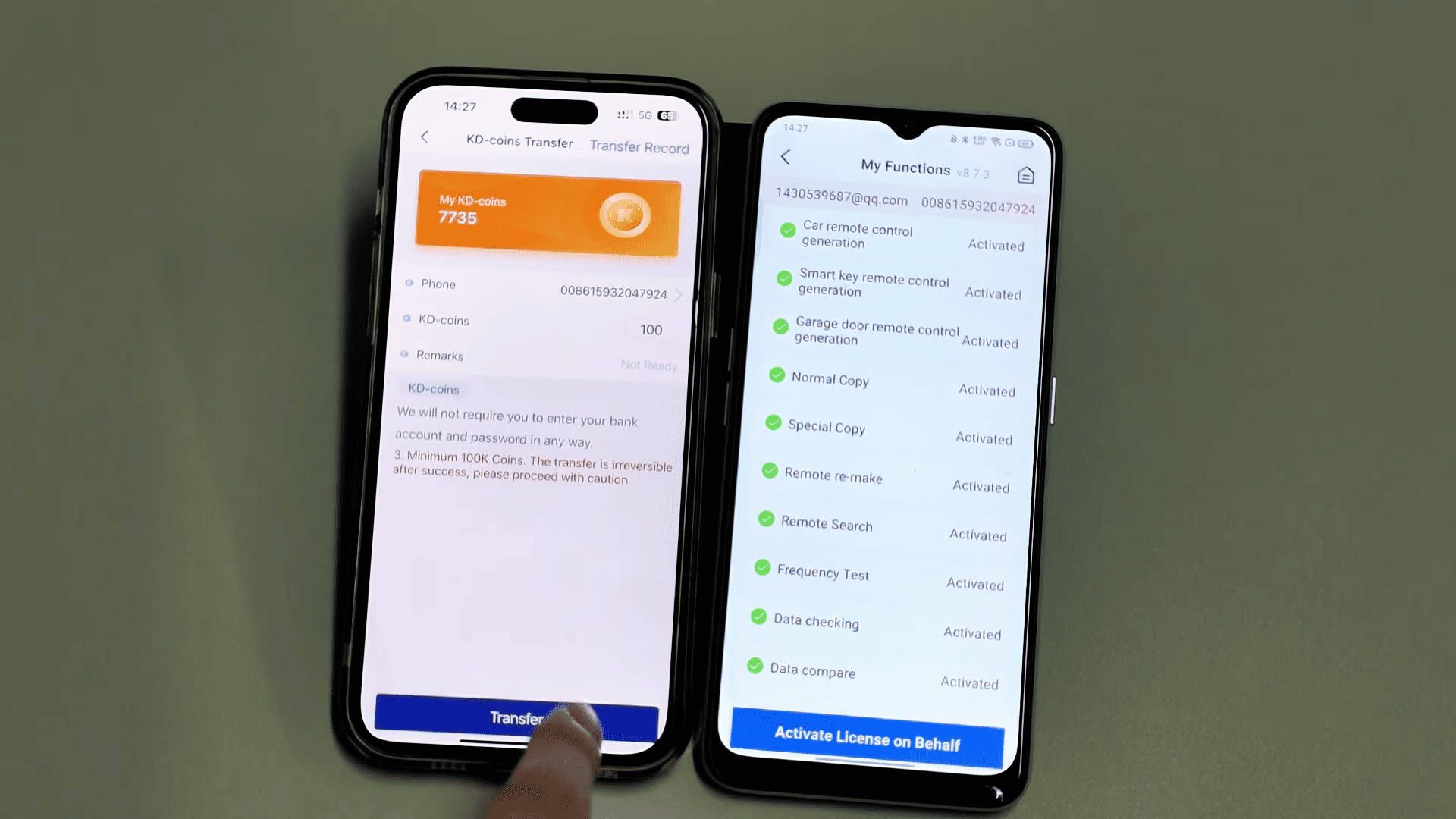
After confirmation:
The sender’s KD Coins are deducted
The recipient receives the KD Coins instantly
This is useful when:
A customer needs coins to activate features
You want to help someone top up their KD balance
Important Notes About KD Coins Sharing
KD Coins transfers are account-based, verified by phone number
Transfers and activations are instant
Always double-check the phone number for security
iPhone currently does not support wallet top-up
Android supports top-up via Google account only
Final Thoughts
Sharing KEYDIY KD Coins or activating functions on behalf of others makes the KD ecosystem more flexible and user-friendly. Whether you’re a dealer, locksmith, or advanced user, these features help you support customers quickly without delays.
Read Also:
http://blog.cardiagtool.co.uk/how-to-solve-keydiy-kd-x4-vag-5c-5d-function-login-reminder-error/