
This post provides a streamlined workflow for programming the new KEYDIY FGB Series (FGB08 & FGB25) keys for Volkswagen 5D immobilizer systems using KD-X4 device.
Preparation & Prerequisites
Device: KEYDIY KD-X4.
Keys: KEYDIY FGB08 or FGB25 PCB and an original car key.
Vehicle Data: Ensure vehicle data has been read and the Service Code is generated before starting.
Note on New Keys: Only the last button on a new FGB key will emit a frequency signal until programming is complete.
Step-by-Step Programming Guide
1. Read Original Key ID
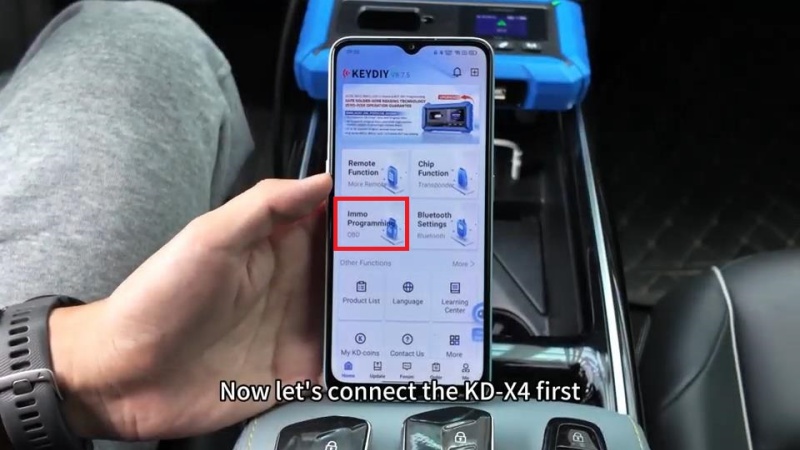
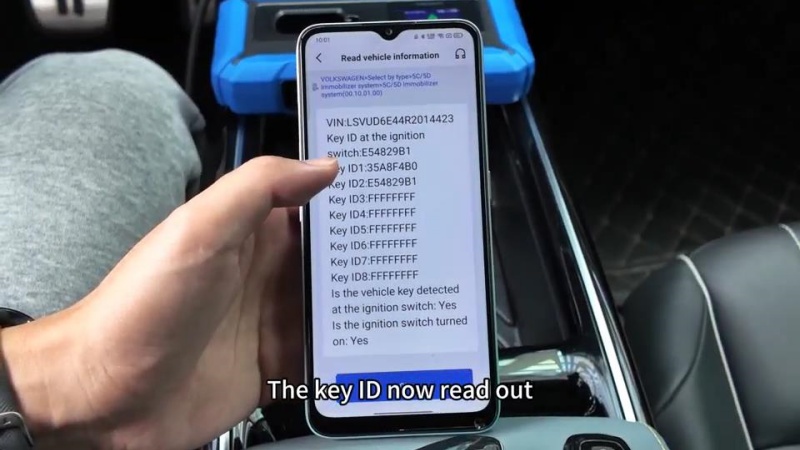
- Connect the KDX4 and enter Immo Programming > Volkswagen > 5C/5D Immobilizer System> Start execution > Read vehicle information
- Place the original key in the vehicle’s induction area (e.g., the front cup holder) to read and record the Original Key ID.


2. Generate Dealer Keys
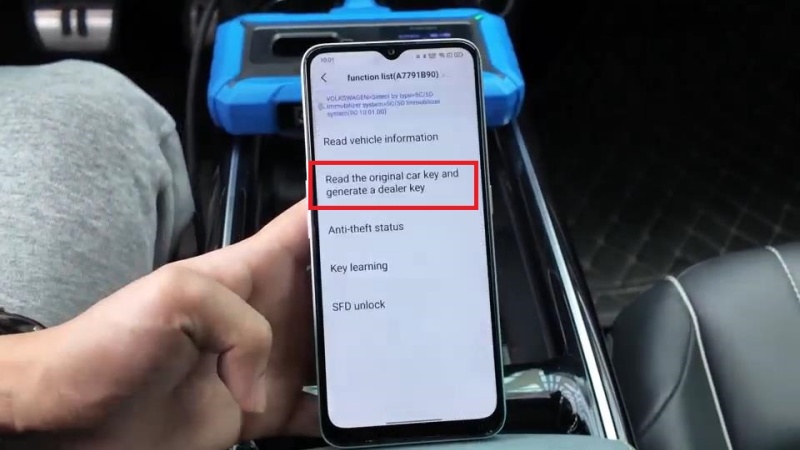
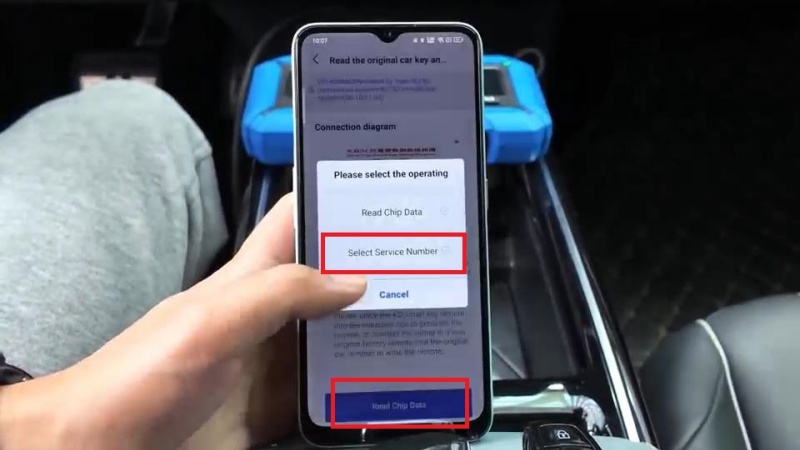
- Read the original car key and generate a dealer key > Read chip data > Select service number
- Place the new KD key on the KD-X4 key programmer induction area.
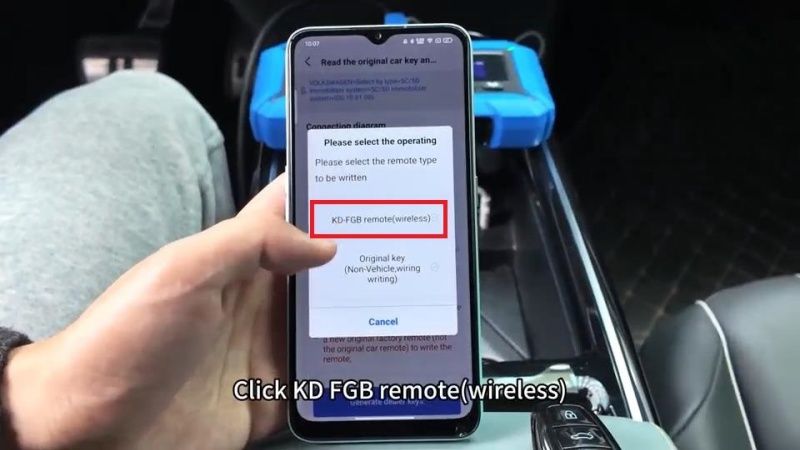
- Select: KD-FGB remote(wireless) > Choose the correct frequency (e.g., 433/434 MHz).
- Wait until writing is successful. To program next key, just repeat the same operations.

3. Set Key ID
Tips: To ensure seamless integration, you must clone the original key’s ID onto the new KD keys.
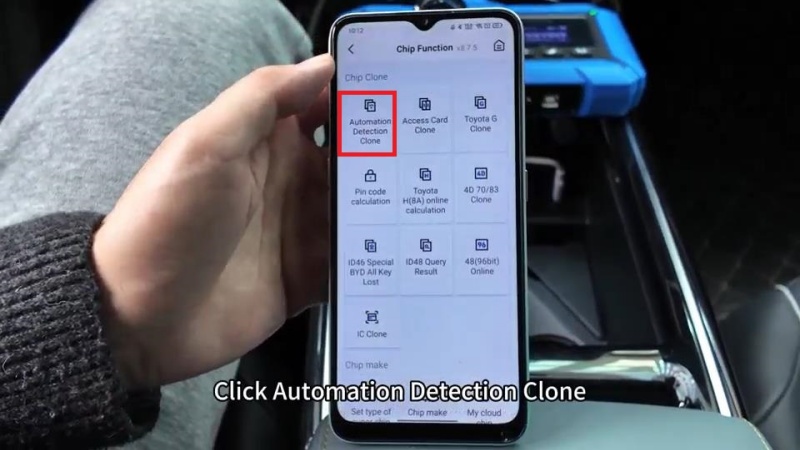
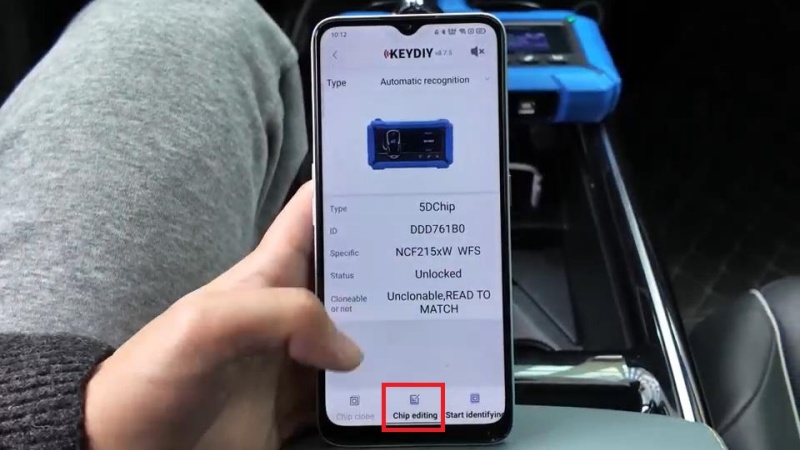
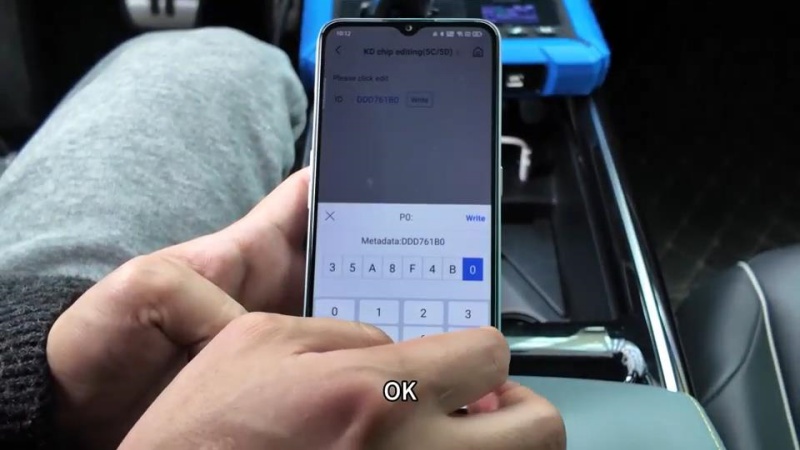
Chip Function > Automation Detection Clone > Start identifying > Chip editing > Enter the original vehicle ID
Write successfully.
4. Key Learning (Final Matching)
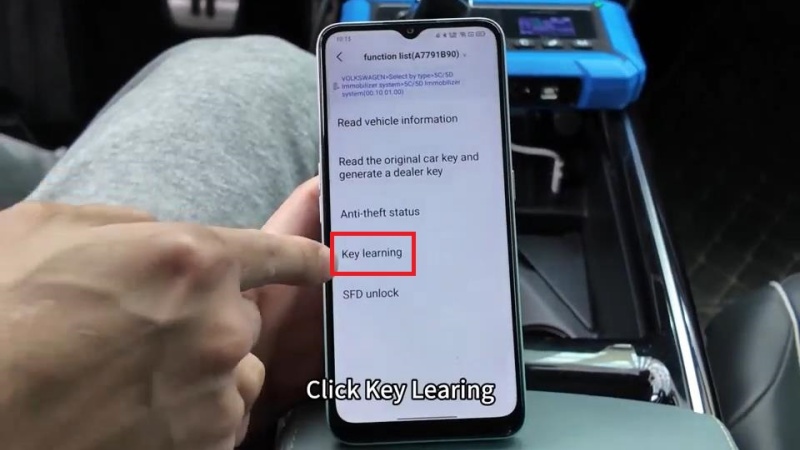
- Access: Key Learning in the Immo menu> Enter the number of keys to be learned > Is this key smart? Yes
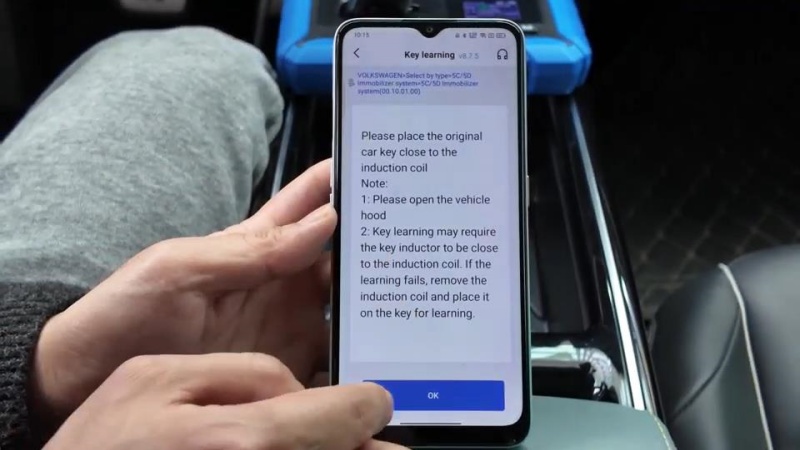
- Open the vehicle’s hood as prompted by the device.
- Follow the on-screen sequence to learn the keys:
- Place the original key in the vehicle’s induction area first.
- Once the dashboard confirms the first key, replace it with the first KD key.
- Repeat for the second KD key.
- Once all keys are matched, turn off the ignition for 5 seconds, then turn it back on to finalize.
Functional Testing
After successful programming, verify the following for all keys:
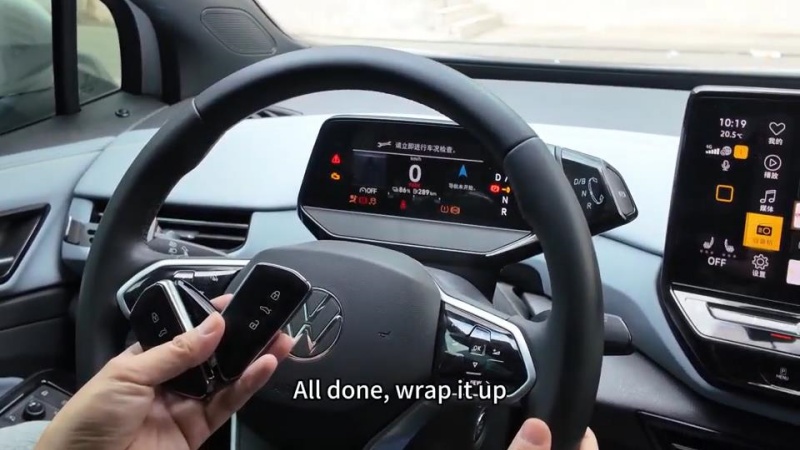
- Remote Functions: Lock and unlock operations for FGB25 and FGB08 models.
- Engine Start: Ensure the vehicle starts normally with the newly programmed keys.
Ready to upgrade your locksmith toolkit? Find KD-X4 Locksmith’s universal tool and the latest FGB Series keys at the best prices. Shop now at www.cardiagtool.co.uk.