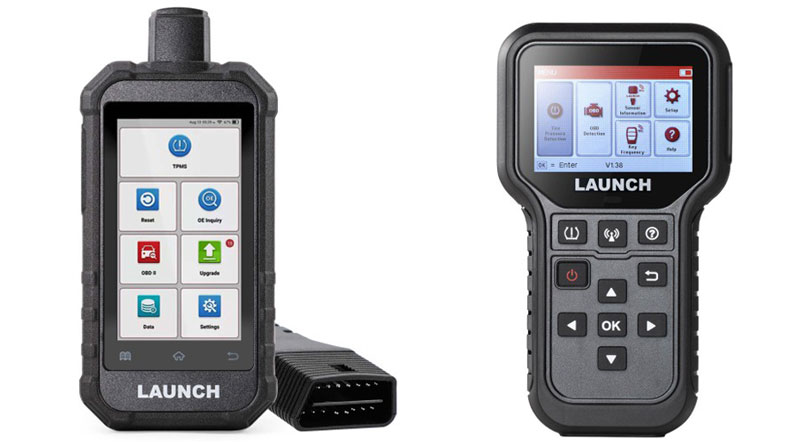
This guide provides step-by-step instructions on programming sensors, along with common troubleshooting tips and frequently asked questions. Works with most LAUNCH diagnostic tools supporting TPMS functions (X431 series, CRP series, etc.).
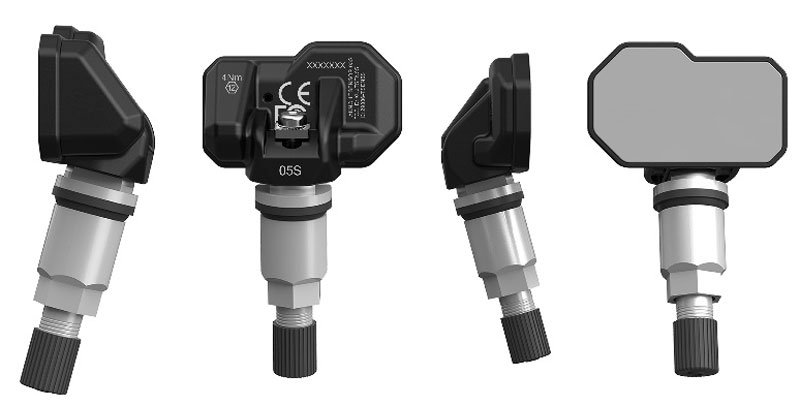
Key Features and Advantages
- Universal Compatibility (315MHz & 433MHz): A dual-frequency integrated design that covers 98% of passenger vehicle models globally.
- Next-Gen Chip Performance: Equipped with the SNP739D81CLE chip, specifically optimized to solve low-frequency adaptation issues found in earlier generations.
- High-Efficiency Programming: Supports unlimited reprogramming. Batch programming is now significantly faster, supporting up to 4 sensors simultaneously (X431 CRT5011E requires APP V1.50/ Creader TPMS 5011 V2 requires V10.54 or higher).
- Durable and Precise Build: Features a high-precision valve core to prevent air leaks and a frosted silver aluminum alloy stem with a 30-degree adjustable angle for easy installation.
- Long-Lasting Reliability: Designed with a battery life of 4–5 years (approx. 100,000 km) and a robust 345mAh battery capacity.
Technical Specifications
| Feature | Specification |
| Operating Frequency | 433 MHz / 315 MHz |
| Battery Life | 4-5 Years / 100,000 km |
| Battery Capacity | 345 mAh |
| Pressure Range | 0 – 800 kPa |
| Programming Time | ~25 seconds per sensor |
| Max Batch Programming | 4 Sensors |
Technical Comparison: LAUNCH TSENSOR Series
| Model | Appearance | Chipset Model | Programming Time | Max. Simultaneous Programming |
| TSENSOR-03 | Standard | SNP739D01CLE | 45 Seconds / Sensor | 1 Sensor |
| TSENSOR-05 | Standard | SNP739D01CLE | 45 Seconds / Sensor | 1 Sensor |
| TSENSOR-05S | Newest | SNP739D81CLE (Gen 2) | 25 Seconds / Sensor | 4 Sensors (Req. App V1.50+) |
| TSENSOR-05N | Premium | NXP NTM88H135T1 | 8 Seconds / Sensor | 8 Sensors (Req. App V1.25+) |
| TSENSOR-B | Bluetooth | SNP74601CLE | N/A (Bluetooth) | No Programming Required |
Frequently Asked Questions (FAQs)
Q1: Activation Failure
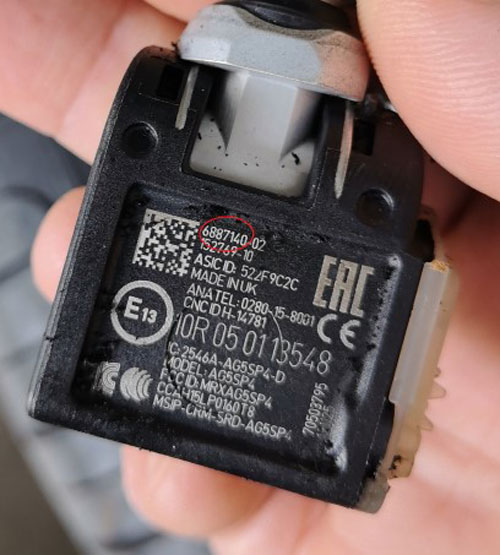
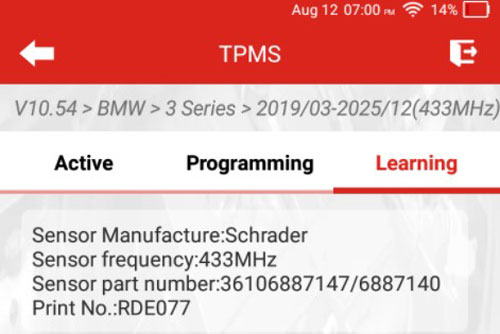
- Verify OE Number: Match the original sensor’s OE number with the device menu before activation. (e.g., BMW 3 Series OE: 407004CB0B) .
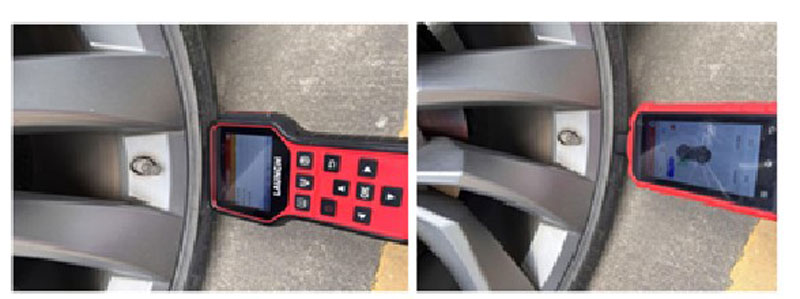
- Check Hardware: If the menu is correct and the sensor is in the optimal position (1–5cm from antenna) but still fails, replace the sensor.
Q2: System Access Issues
- Cause: Often due to a faulty TPMS module or circuit problems.
- Solution: Use LAUNCH X-431 tool to scan for TPMS fault codes and inspect the module/circuitry.
Q3: Wrong Installation Order
- Solution: Re-activate sensors in order: Front Left → Front Right → Rear Right → Rear Left. Read the IDs and perform the “Learning” process again.
- Tip: Mark sensors with waterproof labels during programming to prevent mix-ups.
Q4: Porsche TPMS Light Stay On
- Cause: Pressure deviation from the set value.
- Solution: Check the “Tire Pressure Deviation” UI on the dashboard. Inflate or deflate tires according to the specific deviation values shown.
Q5: TPMS Self-Learning Guide
- Preparation: Lock the vehicle for 20 minutes with the key at least 5 meters away.
- Action: Perform a road test at speeds above 30km/h until values display.
- Note: BMW, Tesla, and Porsche may require a dashboard reset before the road test.