

Activating and updating your Xhorse Condor XC-Twins Key Cutting Machine is designed to be a streamlined, standalone process. Because the machine features a fully integrated Android system, built-in dual-band WiFi, and a responsive touchscreen, you do not need a PC, external cables, or an Xhorse upgrade kit. Everything—including system software, firmware, databases, and application layers—is updated directly on the machine itself for free, for life.
Here is the step-by-step procedure to get your machine activated and completely up to date.

Part 1: Initial Activation Procedure
Before using the machine for the first time, it must be bound to your Xhorse account. This activates your lifetime warranty and unlocks free data downloads.
Step 1: Power On and Connect to WiFi
Plug the AC power cable into a stable power source and switch on Condor XC-Twins.
Click “START TO SET”

On the main interface, navigate to Settings > WLAN Settings.
Turn on WiFi, select your workshop’s network, enter the password, and click on “Connect”. Ensure the connection is stable.
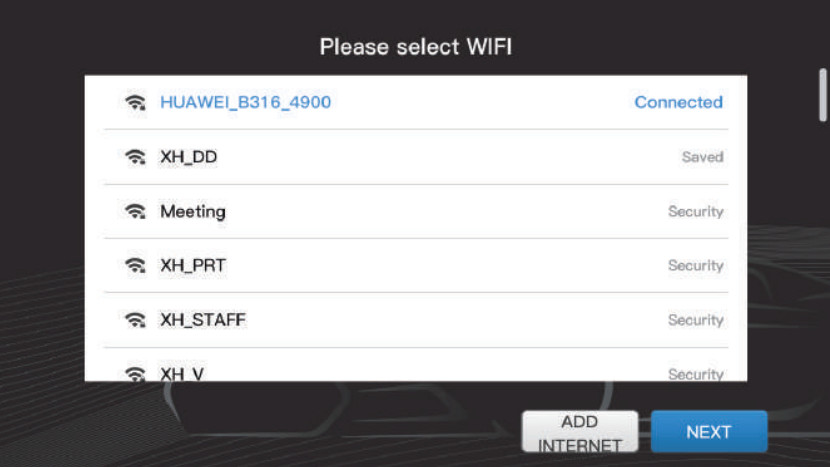
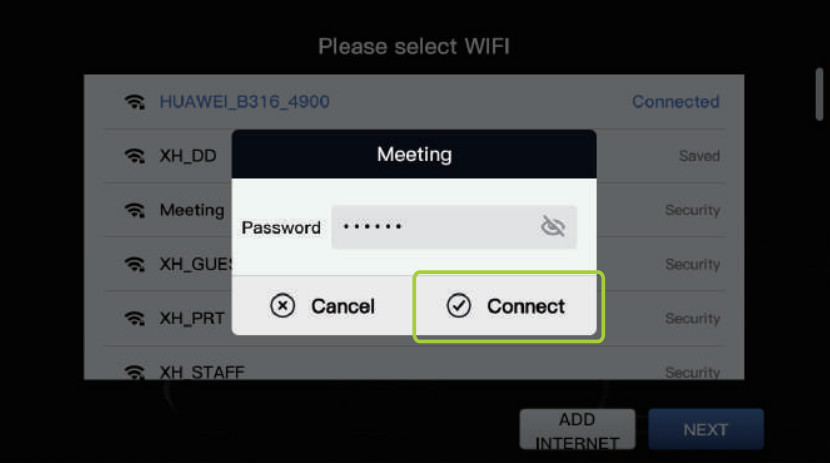
Step 2: Log In / Register Your Xhorse Account
From the main menu, tap on the User Office (or Account) icon
If you already have an account (used with your Key Tool Max, VVDI, etc.), enter your registered cell phone number (with correct country code) or email and password to log in.
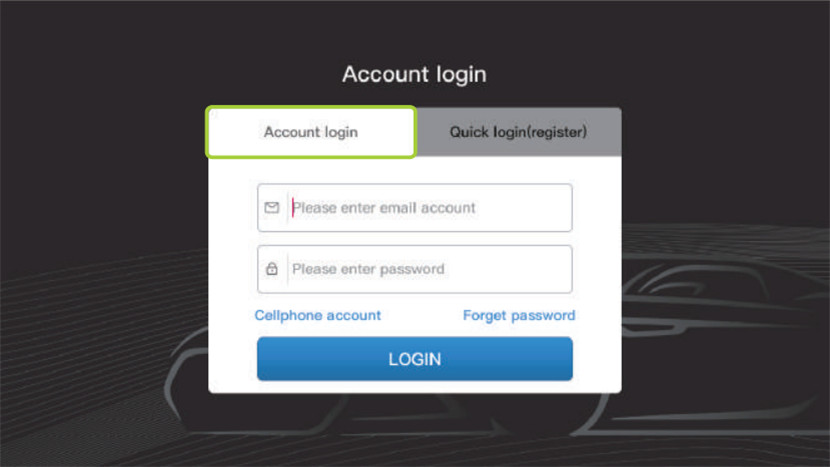
If you are new to Xhorse, tap Quick login (register), select your region, enter your phone number/email, and tap Send Code. Enter the verification code received via SMS/Email to complete registration.
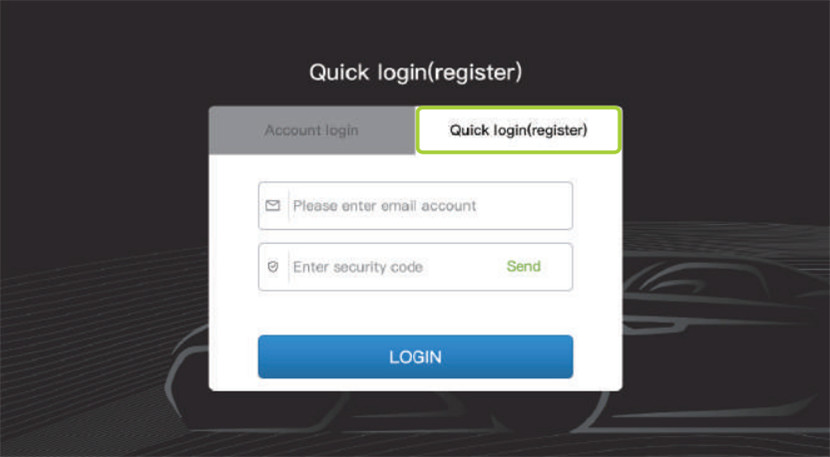
Step 3: Bind the Machine to Your Account
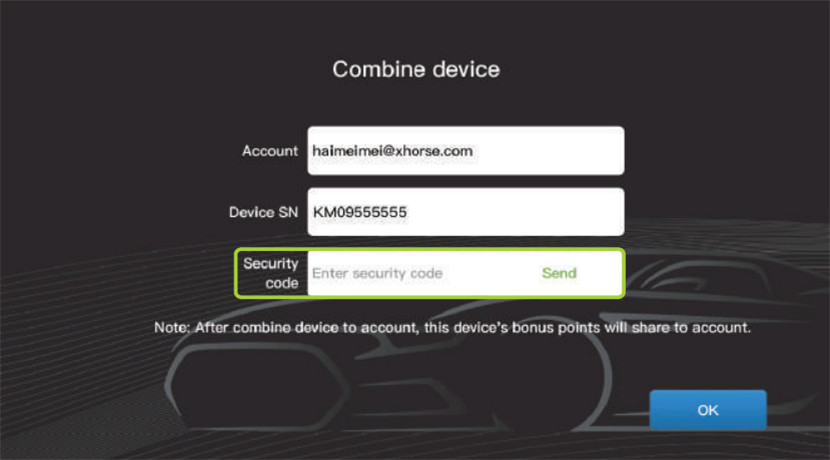
Once logged in, go back to the account menu and tap Combine Device.
The machine will display account and its serial number. Click Send to get the security code.
If prompted, a security code will be sent to your phone/email. Type it into the screen to finalize the binding process. Your Condor XC-Twins is now permanently activated.
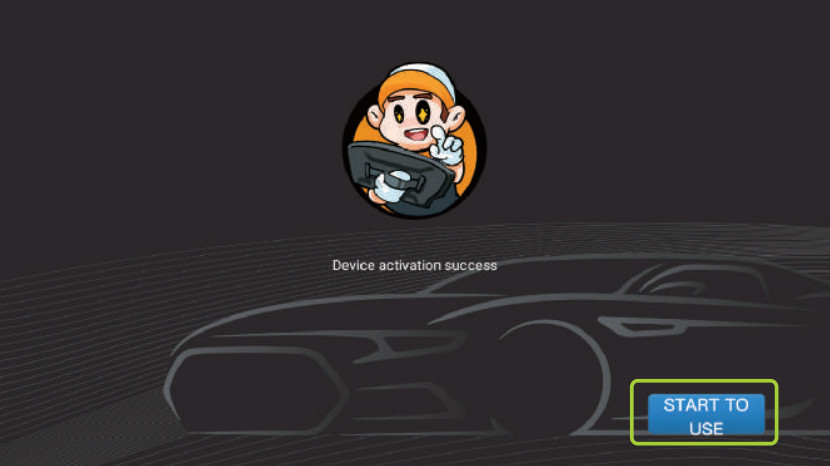
Once Condor XC-TWINS Key Cutting Machine is successfully activated, click “START TO USE”.
Part 2: How to Update Everything Within the Machine
Condor XC-Twins splits its updates into different layers (Database, Software, Firmware, System, and App), but all of them are managed from a single central menu.
Step-by-Step Update Execution
Ensure the machine is connected to a strong WiFi signal and remains connected to AC power throughout the process. Do not flip the power switch during an update.
On the home screen, locate and tap the Update icon.
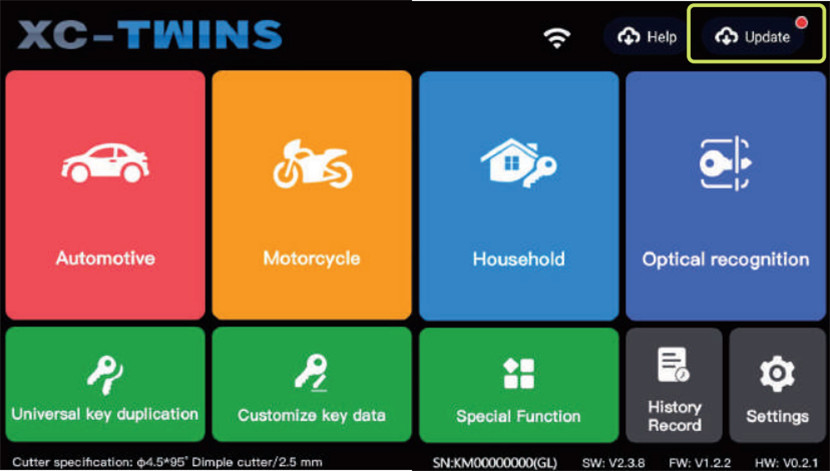
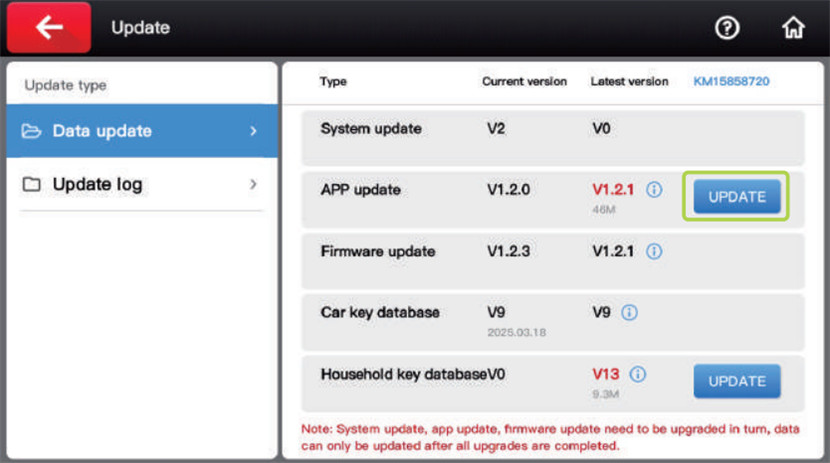
The machine will instantly query the Xhorse cloud servers and display a list of available updates across categories below:
- Database: car key database, household key database, etc.
- Firmware: The low-level operational code controlling the physical motors, dual-cutters, AI camera, and pressure sensors.
- System / App: The Android user interface, menu layouts, and Xhorse application features.
To update everything at once, tap the Update All button at the bottom of the screen. Alternatively, you can tap Update next to individual components (e.g., if you only want to download a quick database update).
Xhorse Condor XC-TWINS machine will display a progress bar as it downloads and extracts the files.
Crucial Note on Firmware Updates:
When a Firmware Update is executing, the machine’s internal control boards are being reflashed. The screen may flash, and you will hear the cutting head/axes home themselves or make clicking adjustments. Do not turn off the machine or touch the screen until the display explicitly says “Update Successful” or reboots to the home screen.
Read also:
XHORSE CONDOR XC-TWINS VS XC-MINI PLUS II: HOW TO CHOOSE?
http://blog.cardiagtool.co.uk/xhorse-condor-xc-twins-vs-xc-mini-plus-ii-how-to-choose/