

To change the language on KEYDIY KD-X4 5-in-1 key programmer, you can select your preferred language during initial setup or adjust it through the connected mobile app or PC software.
Steps to Change the Language
1. Initial Setup Prompt:
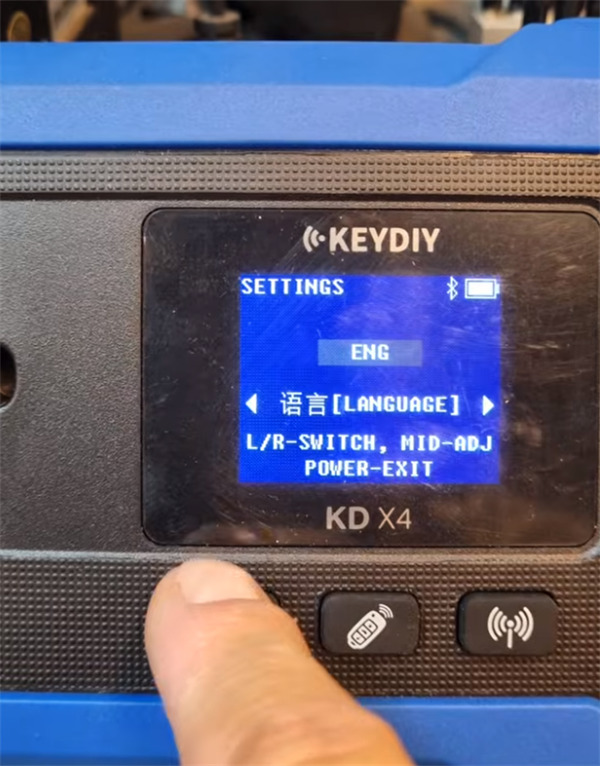
On first use of KD-X4 device, the device or setup screen will prompt you to pick your preferred language from the available options (supporting up to 19 languages).
- English
- Simplified Chinese
- Vietnamese
- Russian
- French
- Spanish
- German
- Polish
- Romanian
- Slovenian
- Italian
- Turkish
- Brazilian Portuguese
- Persian
- Thai
- Japanese
- Korean
- Arabic
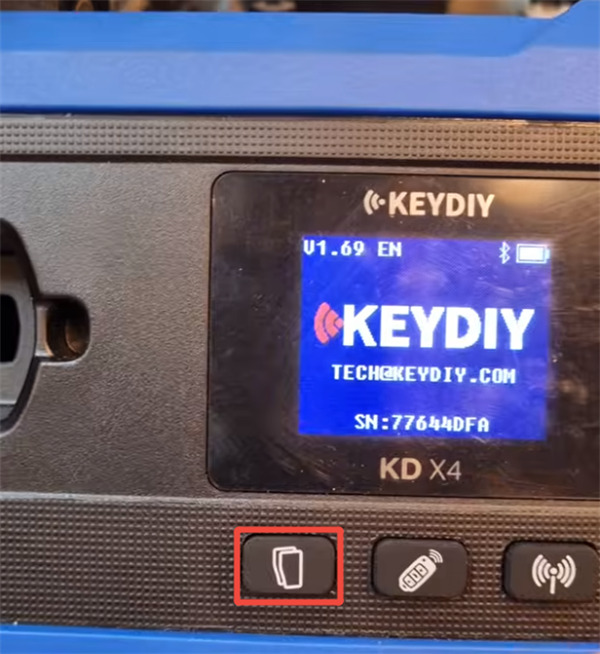
Use the first button on KD-X4 device to set up
2. Via Smartphone App:
Download and install the official KEYDIY app on your smartphone or tablet.
Enable Bluetooth on your mobile device and pair it with your KEYDIY KD-X4.
Open the app settings or profile menu to change the display and system language.
3. Via PC Software:
Install the official KEYDIY PC software on your computer.
Connect KD-X4 key programmer to your PC using the provided USB cable.
Navigate to the general settings or system preferences in the PC software interface to switch the active language.