

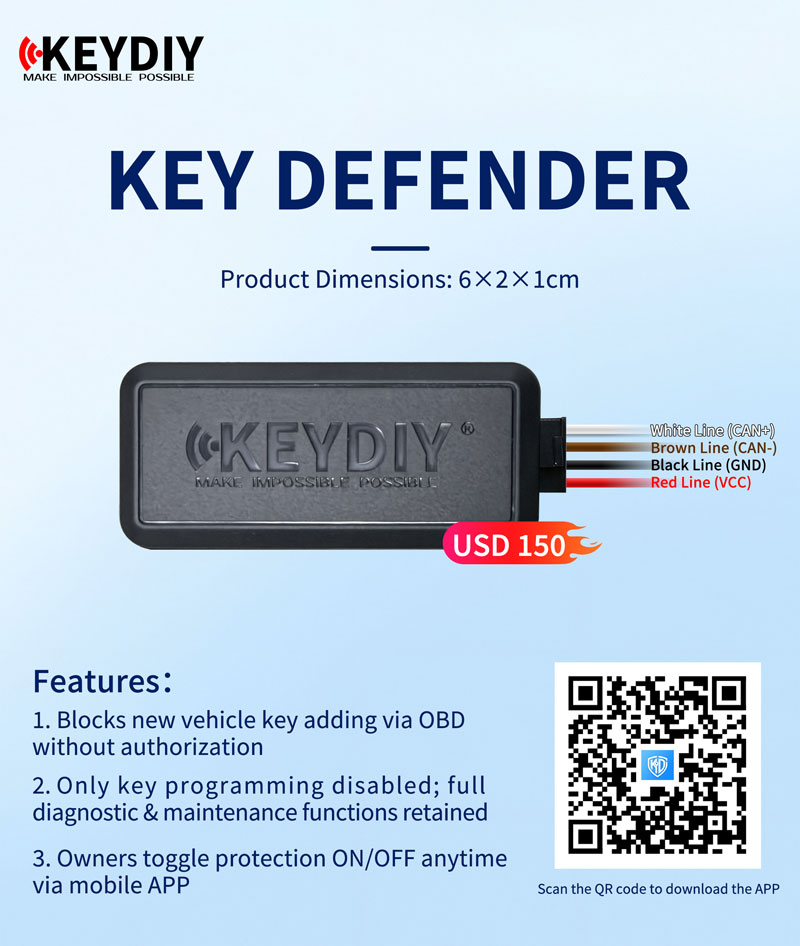
Protect your vehicle against unauthorized key programming with KEYDIY Key Defender. When protection is enabled, the device blocks attempts to program additional keys through the vehicle’s OBD port, adding an extra layer of security against vehicle theft. Its compact size, straightforward installation, and mobile app control make it convenient to use, while normal diagnostic and maintenance functions remain available.
Key Features
- Block Unauthorized Key Programming: Prevent external devices from adding new keys through the OBD port while protection is enabled.
- Smartphone Security Control: Turn key programming protection on or off through the companion mobile app whenever needed.
- Maintain Normal Diagnostics: Restrict key programming without disabling regular vehicle diagnostic and maintenance functions.
- Compact, Concealed Design: Measuring just 6 × 2 × 1 cm, the device can be installed discreetly out of sight inside the vehicle.
Easy Installation and App-Based Control
1. Connect the Wiring
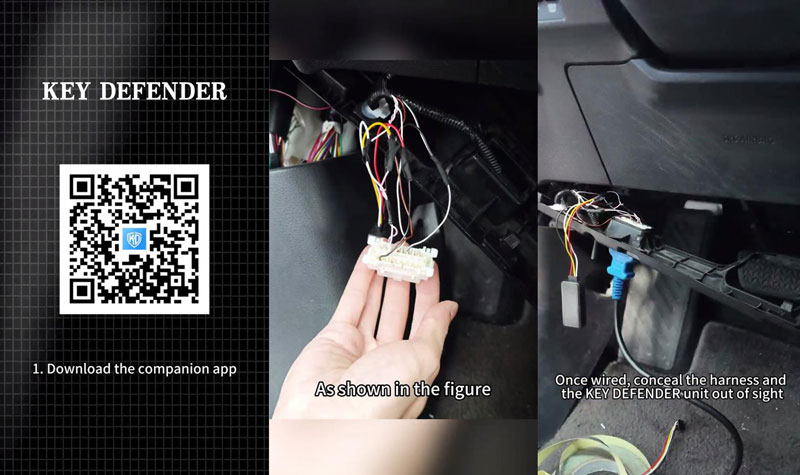
Download and install the companion mobile app. Connect the Key Defender to the vehicle’s power supply, ground, and CAN lines. Once installation is complete, conceal the device and wiring harness in a suitable location.
2. Pair and Bind the Device
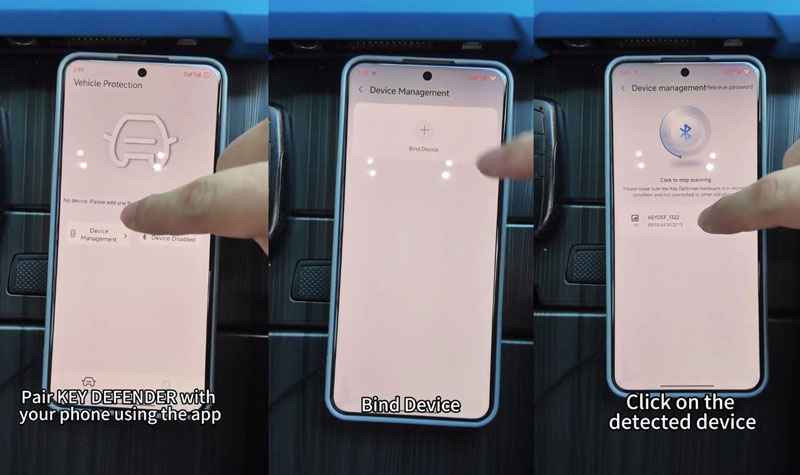
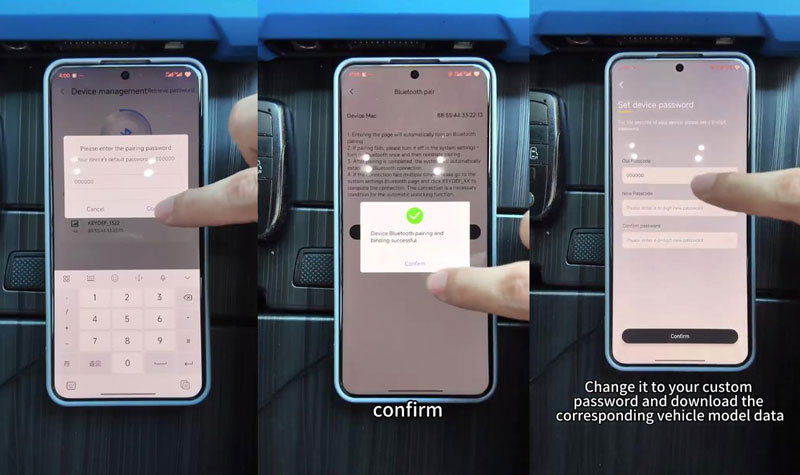
Open the app and navigate to Device Management >> Bind Device >> Click to start scanning. Select the detected Key Defender, enter the default password 000000, and wait for the device pairing and binding process to finish.
3. Set Your Password and Download Vehicle Data
Change the default password to your own password for added security. Then download the corresponding vehicle model data through the app.
4. Enable Key Programming Protection
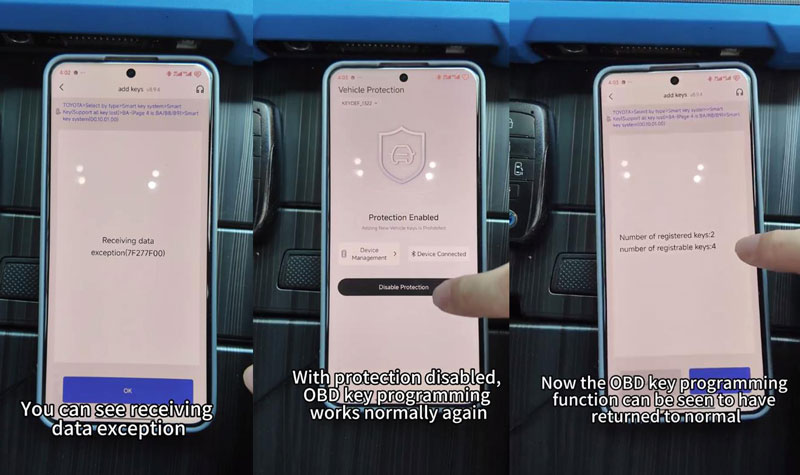
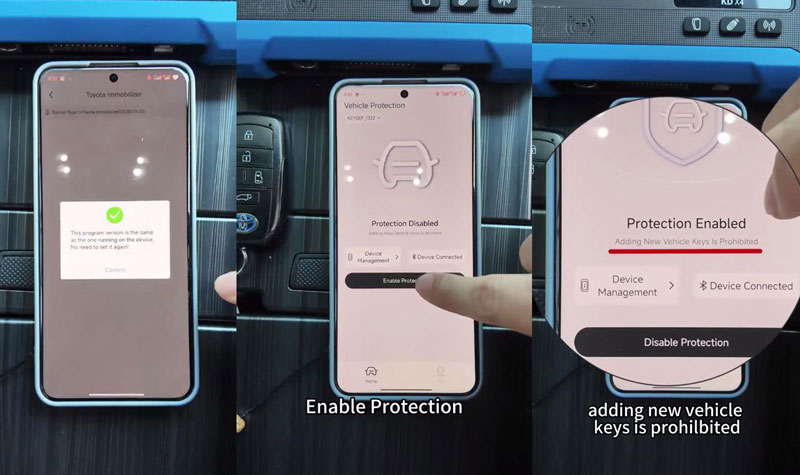
In the app, select Enable Protection >> Confirm to activate protection. Once enabled, the Key Defender blocks external attempts to program new keys through the OBD port. An attempted key programming session may display the error message “Receiving data exception (7F277F00)”.
5. Disable Protection When Key Programming Is Required
If you need to perform normal OBD key programming, disable protection through the mobile app. This allows OBD key programming to be carried out again.
Get the KEYDIY Key Defender
Price: €135
Add convenient, app-controlled protection against unauthorized OBD key programming with KEYDIY Key Defender. Contact your supplier to confirm availability and compatibility with your vehicle model.
Technical Specifications
Product Specifications
| Item | Details |
|---|---|
| Product Name | KEYDIY Key Defender |
| Price | £117 (USD 150) |
| Dimensions | 6 × 2 × 1 cm |
| Control Method | Mobile app |
Correct Wiring Connections
| Wire Color | Connection |
|---|---|
| White | CAN-HIGH (CAN+) |
| Brown | CAN-LOW (CAN−) |
| Black | Ground (GND) |
| Red | Power Positive (VCC) |