
Both CGDI CG100X Programmer and CG70 Airbag Reset Tool now offer full support for repairing the encrypted Tesla airbag module 1512876-00-E (R7F701330). This update allows technicians to clear crash data automatically, eliminating the need to send the module to the manufacturer.

Automated Airbag Repair Workflow
CGDI tools feature an integrated algorithm designed to autonomously reset crash data. The standard procedure is as follows:
- Read data from the 95M01 EEPROM.
- Execute automated crash data correction.
- Unlock and read the 1330A MCU.
- Write the repaired data back to the module.
Method 1: Repair Using CGDI CG100X
Preparation:
- Software: Ensure CG100X software is updated to V2.0.4.0 or higher.

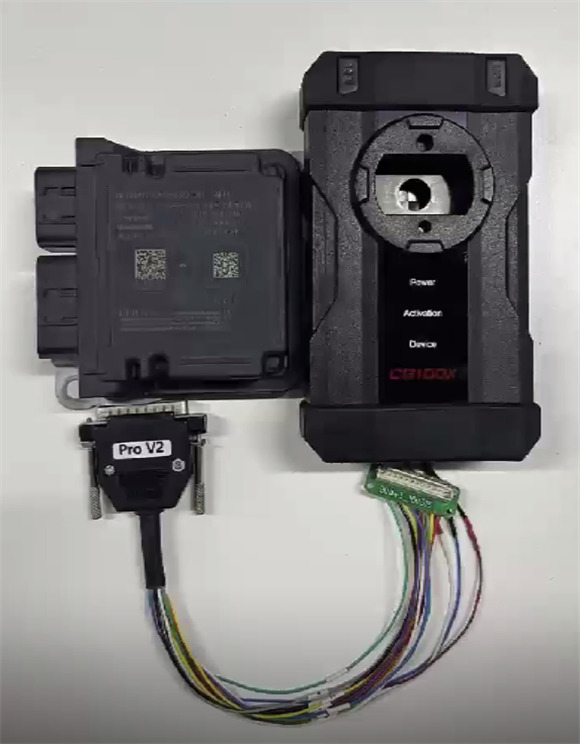
- Hardware: CG100X Programmer, CG100X PRO V2 Harness, D1 Adapter, and the Tesla 1512876-00-E airbag module.
Step-by-Step Guide:
- Disassemble: Remove the airbag shell carefully.
- Connect: Properly connect CG100Xto the airbag module using PRO V2 Adapter Cable and CG100X D1 Adapter.
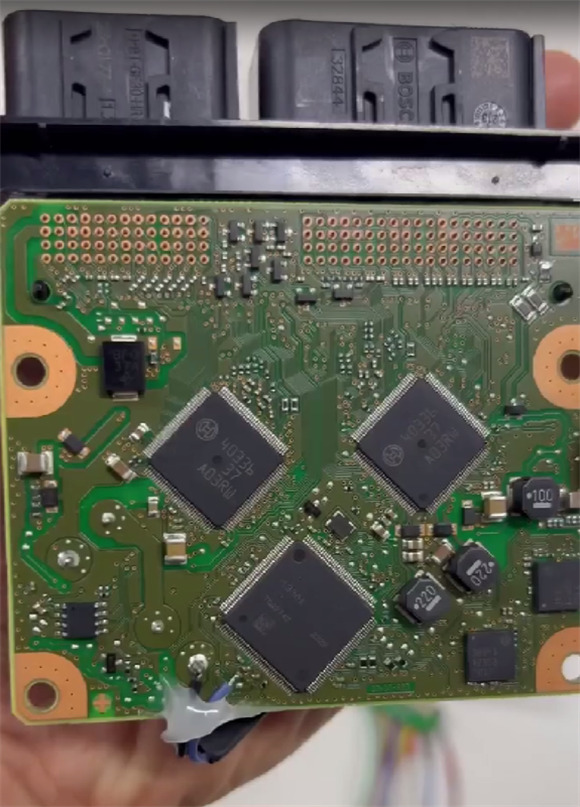
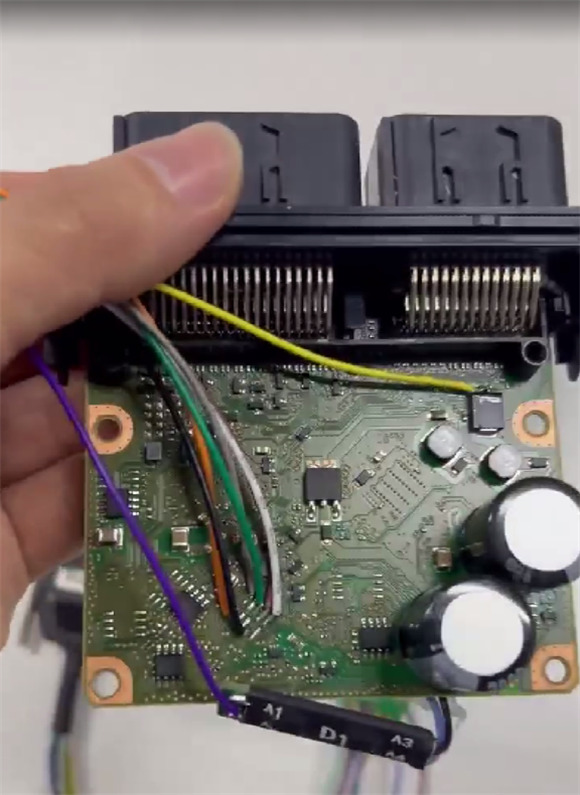

- Navigate: Go to: Airbag -> American car -> Tesla -> 1512876-00-E -> R7F701330 (encrypted) -> Start operation.
- Process: The software will automatically read the chip ID, decrypt the data (as the chip is encrypted), enter BOOT mode, erase the chip, and write the new data.
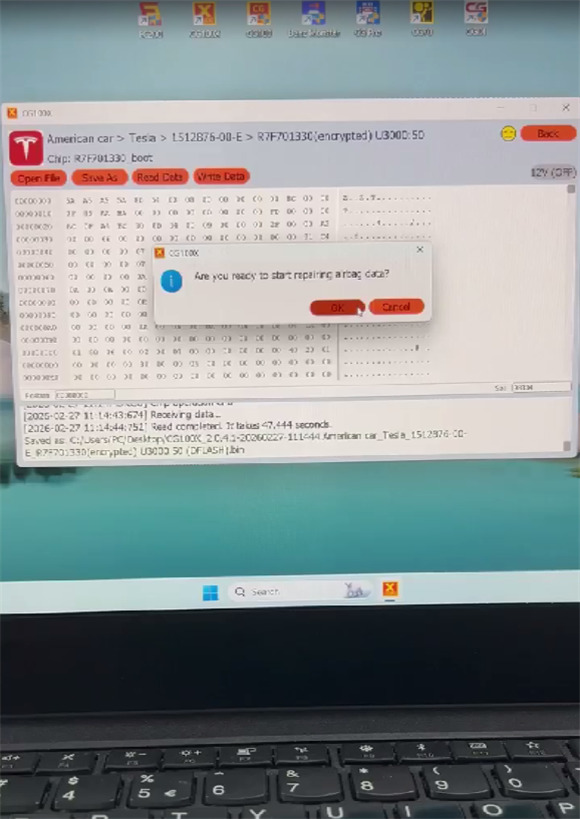
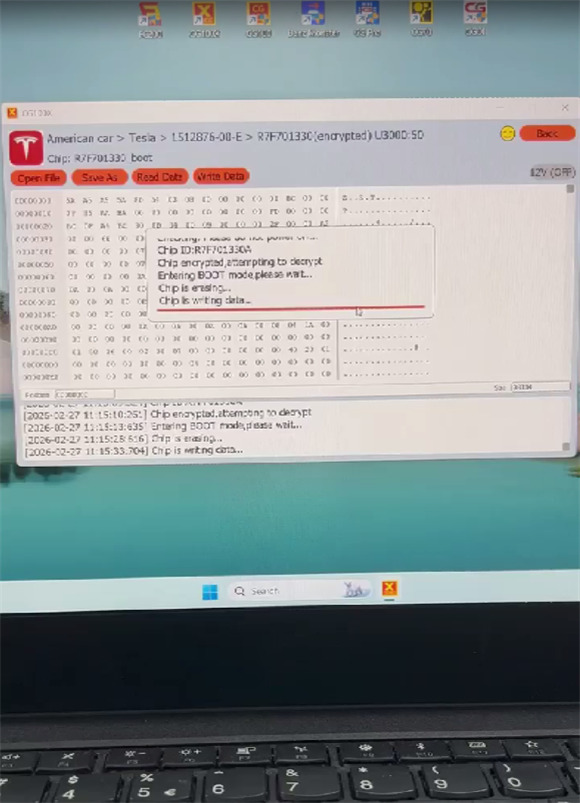
- Completion: Once the process finishes, the message “The data was repaired successfully” will appear.
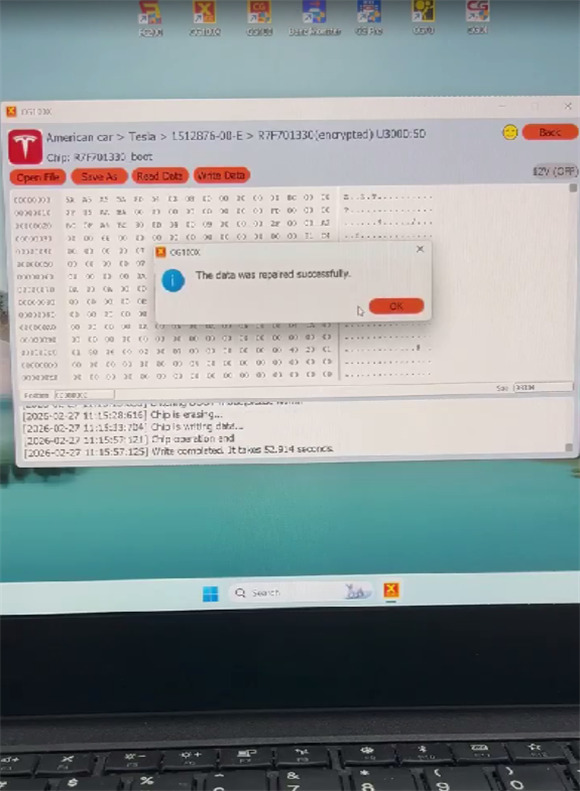
- Read the DTCs again to confirm the fault code has been cleared.


Method 2: Repair Using CGDI CG70 Airbag Reset Tool
Preparation:
- Software: Ensure CG70 software is updated to V1.2.1.0 or higher.

- Hardware: CG70 tool, jumper cables, and the Tesla airbag ECU.
Step-by-Step Guide:
Connect: Attach the jumpers to the correct ports on the Tesla airbag ECU.
Power Up: Connect CG70 harness to the tool, then link CG70 to a computer via USB to supply power.
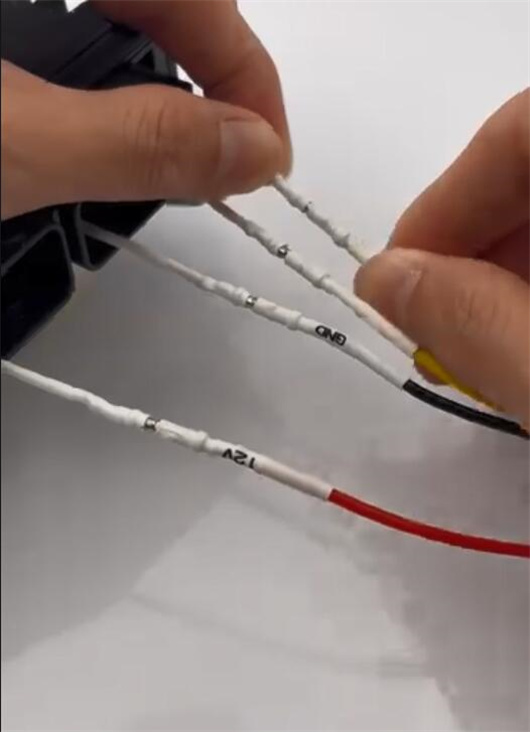
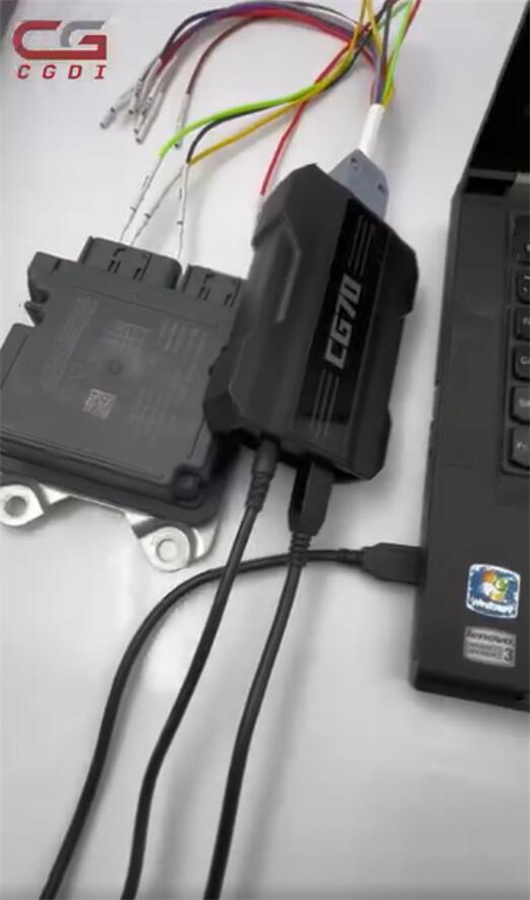
Diagnose: Open CG70 software. Select the corresponding Tesla model and click the “Read DTC” function.
Identify Fault: The system will detect the fault code, for example: B1193:63-AF CRASH Event Storage Full and Locked.
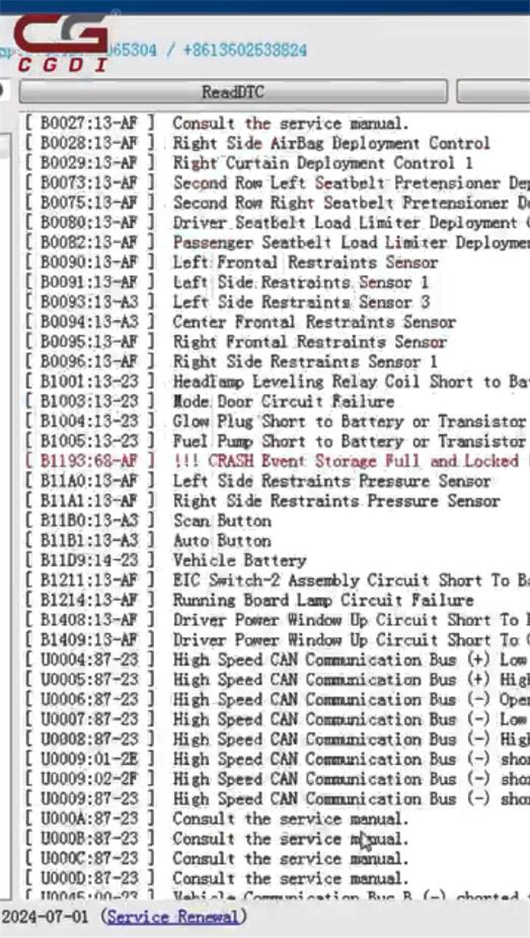
Repair Assistance: To repair this fault code, you must contact CGDI technical support for further processing.
Important Notes:
Do not attempt self-repair. Please contact CGDI technicians for professional assistance.
For the Tesla 1872985-00-A (R7F701330) module, CGDI CG70 currently offers diagnostic support only. Full SRS reset functionality for this specific part number is under development.