


This guide explains how to connect YANHUA NXP29XX Smart Key Reader in both modes.
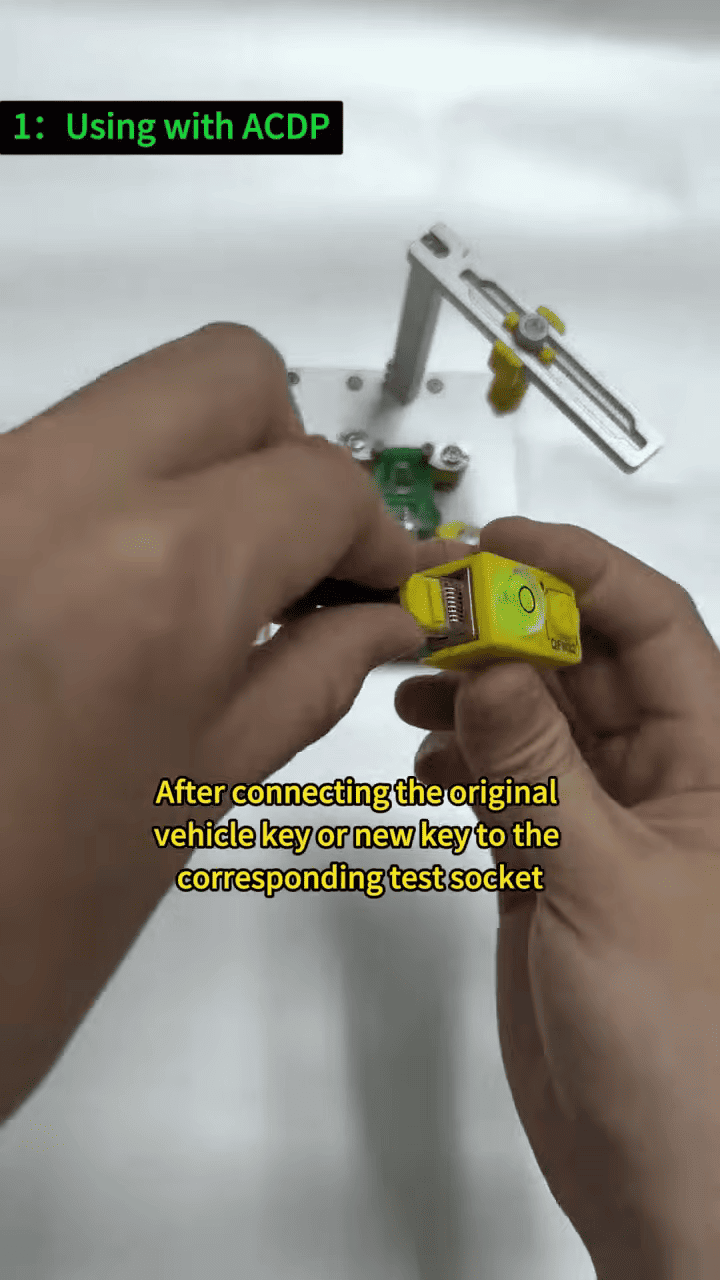
1. Using NXP29XX smart key reader with ACDP
- Connect the original vehicle key or new key to the corresponding test socket.
- Properly connect the ACDP NCF key adapter and the YANHUA Smart Key Reader.
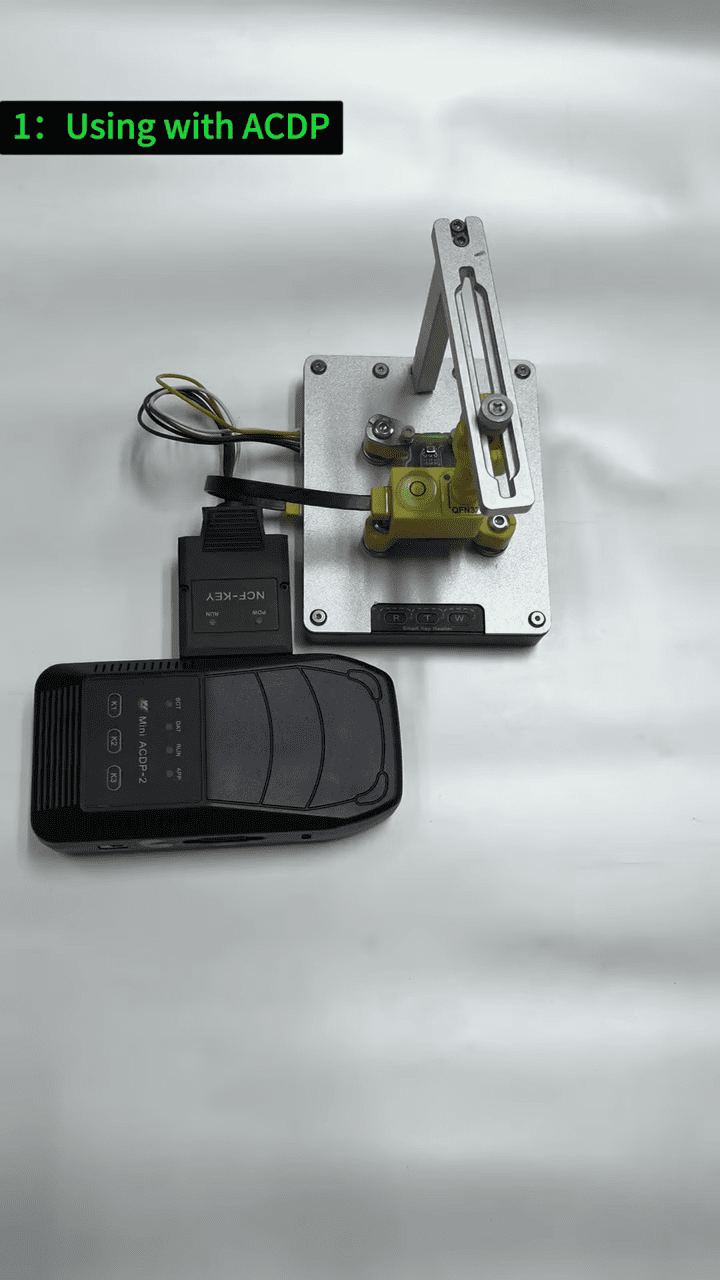
- After being connected, use ACDP to read or write the key chip data.
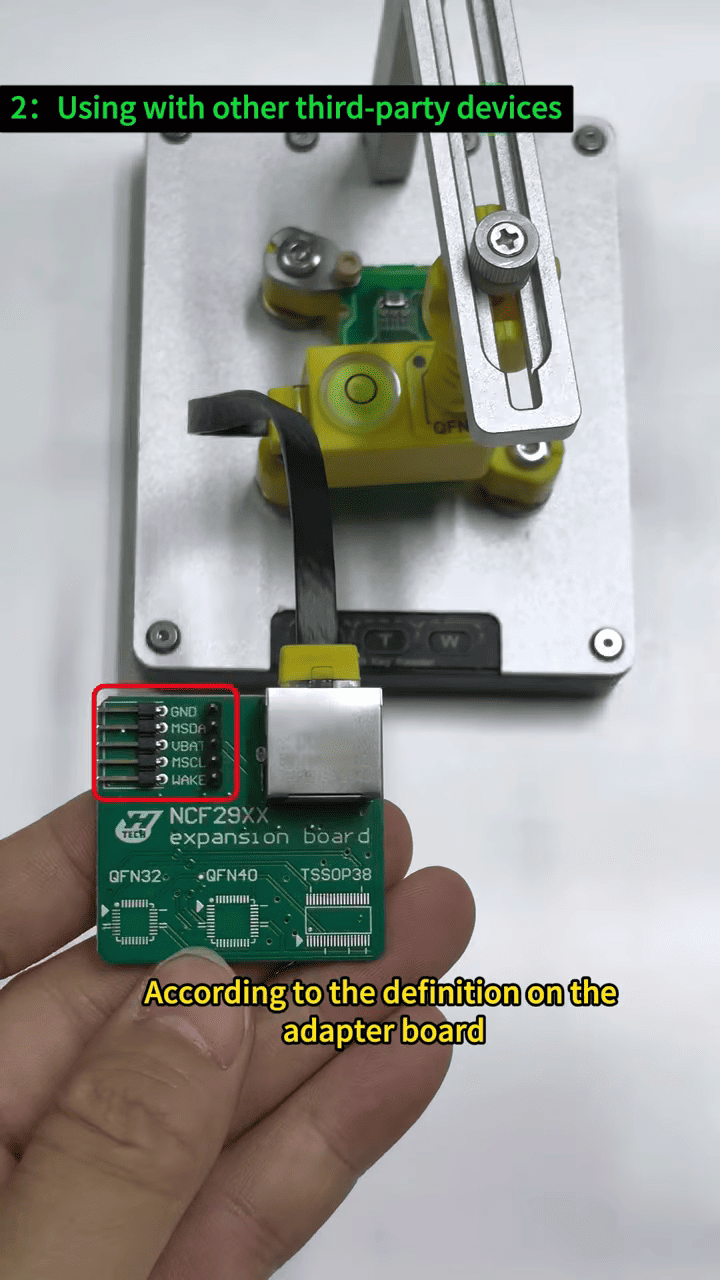
2. Using the NXP29XX Smart Key Reader with Third-Party Devices
- Connect the original vehicle key or new key to the corresponding test socket.
- Connect the test socket to the adapter board using a network cable, following the pin definitions marked on the adapter board, and connect the third-party device according to the required setup.
- Read or write the key chip data using the connected device.
YANHUA NXP29XX supports smart key chip data reading and writing when used with ACDP or compatible third-party devices.