Resetting Volkswagen gearbox data is now faster and safer. Use YANHUA Mini ACDP + YANHUA Module 45 for seamless DQ38x Gen2 (0DE/0GC) mileage and time correction. This professional solution supports 2022+ VW models using a specialized interface board—no soldering required. Achieve precise calibration and reliable data backup in just a few clicks.
Preparation & Connection
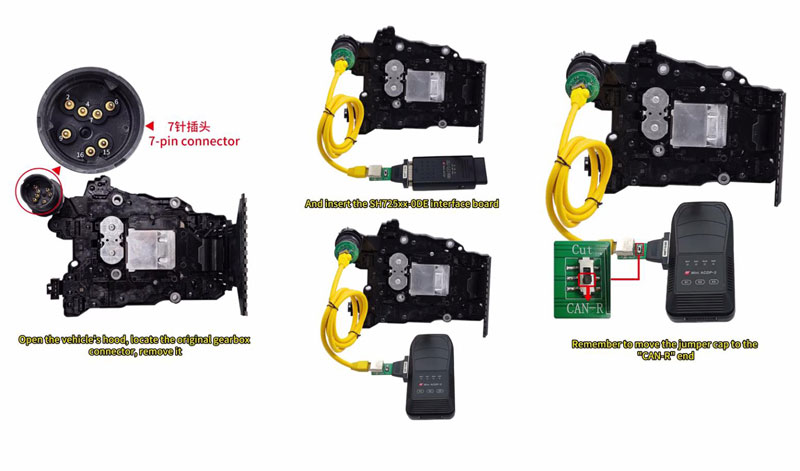
1. Hardware Setup: Locate the original gearbox connector under the hood and replace it with the SH725xx-0DE interface board.
2. Configuration: Move the jumper cap to the “CAN-R” position.
3. Power & Link: Connect the ACDP to the gearbox using a standard 12V adapter (current ≥ 2.5A) and power on the device.
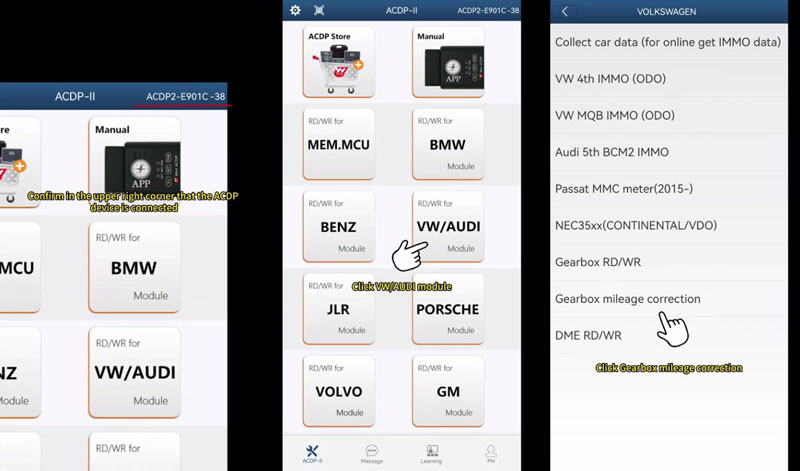
4. App Sync: Open Mini ACDP app and verify the device connection status in the upper right corner.
Operational Steps
Identify System: Navigate to VW/AUDI > Gearbox mileage correction > VW > DQ38x_GEN2(0DE/0GC) > Identify info. Screenshot the current mileage and system runtime for your records.
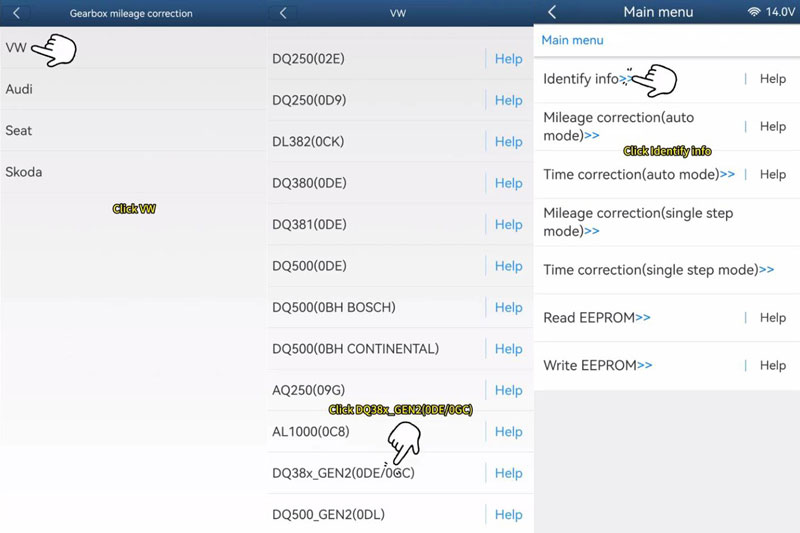
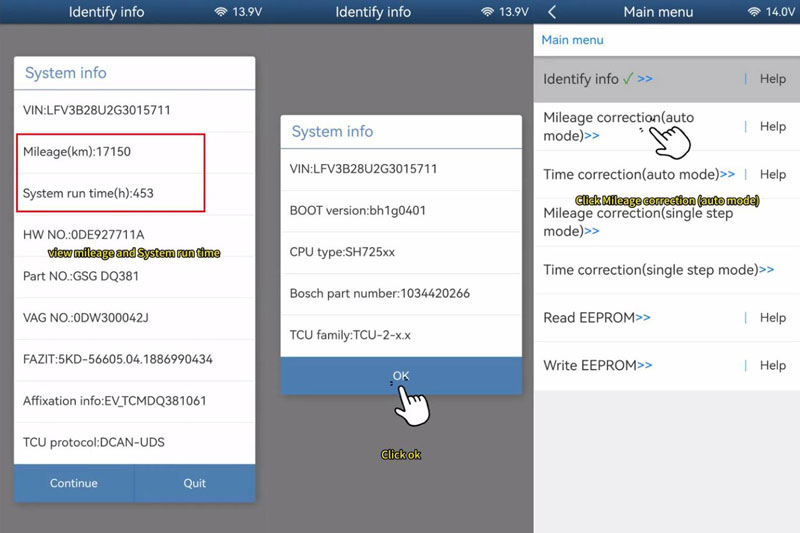
Mileage Correction: Select Mileage correction (auto mode). The app will automatically backup the EEPROM data before allowing you to enter the new mileage value.
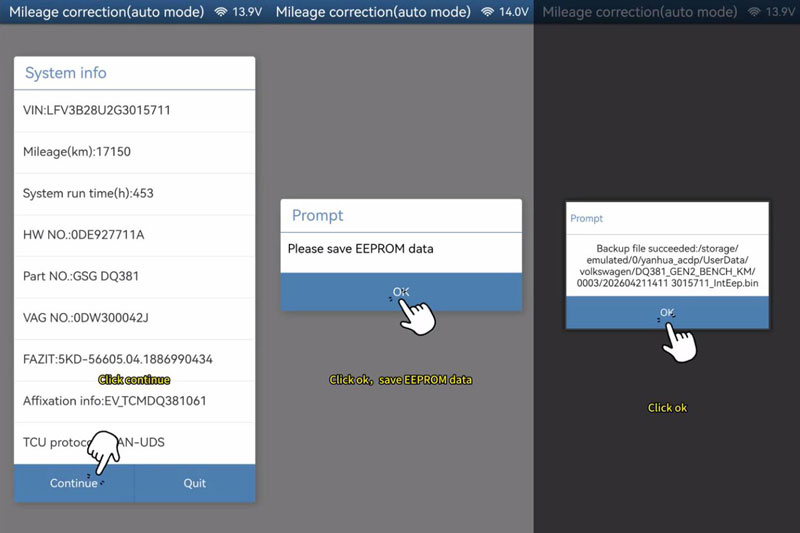
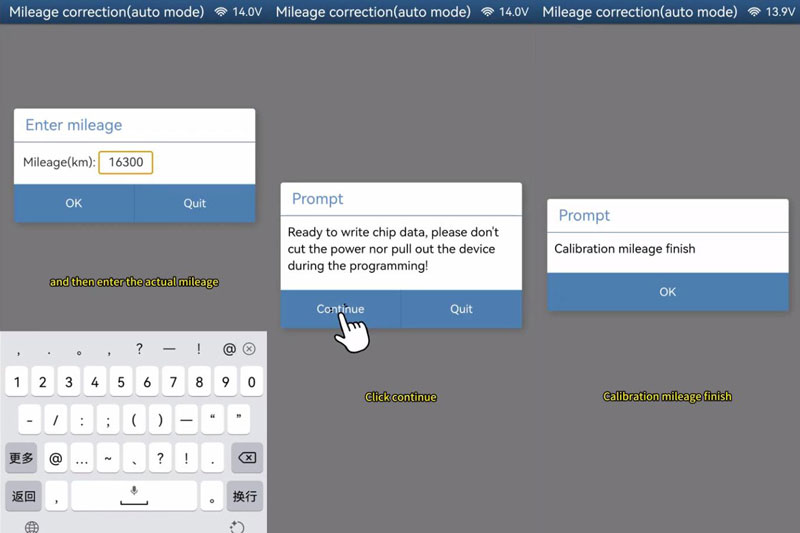
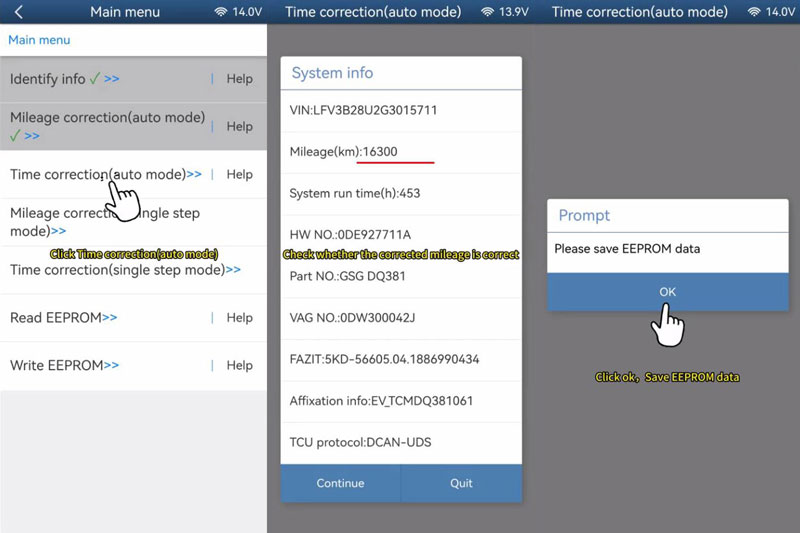
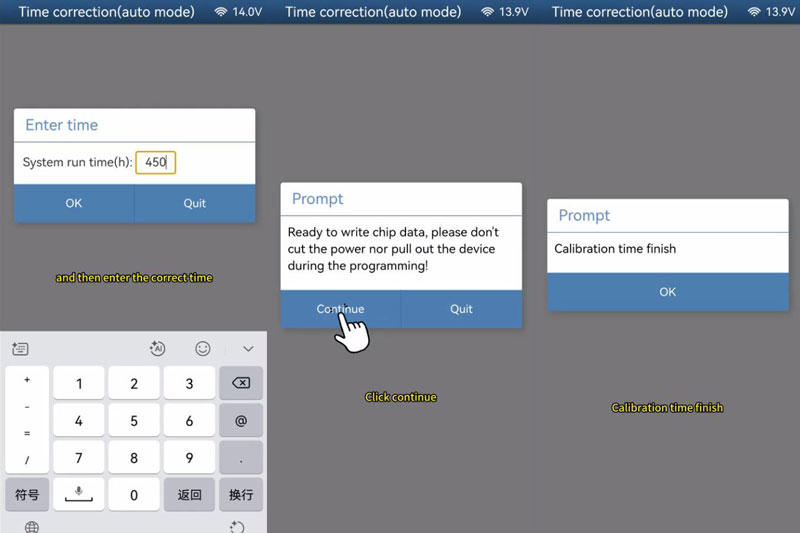
Time Correction: Choose Time correction (auto mode). After another automatic backup, enter the desired system runtime to match the new mileage.
Finalize: Once the “Calibration finish” message appears, verify the new data and disconnect the hardware.
Important: Never disconnect power or remove the device while the app is writing chip data to avoid module damage.