
Learn how to perform ISN reading and ECU cloning for BMW DB48/B58 DME using Yanhua Mini ACDP on bench.
ACDP B48 B58 Bench Interface Board is required, but for locked and unlocked DME models, need to choose the corresponding license.
How to Select the Right ACDP License?
1. Post-June 2020 Locked DMEs:
If the vehicle was manufactured after June 2020, you need B48/B58 interface board with A520 License to work with your ACDP-1 or ACDP-2.
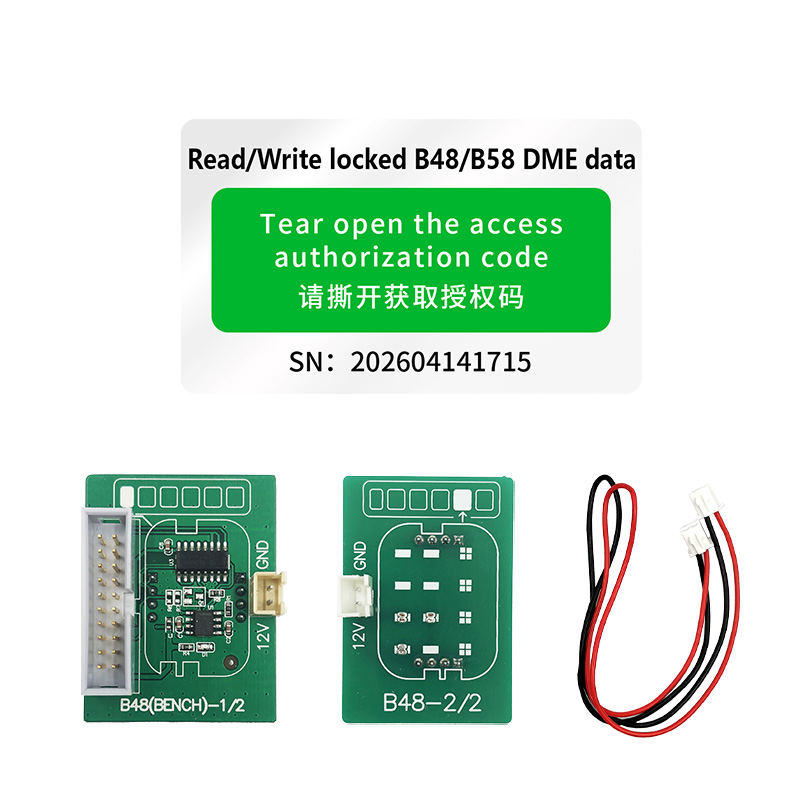
This supports bench ISN reading and data operations for Bosch MD1CP032 (TC299), MD1CS001 (TC298), MG1CS024 (TC298), MG1CS049 (TC298), and MG1CS201 (TC298).
If you already own the board, simply purchase ACDP A520 License and supply your serial number to activate it.
2. Pre-June 2020 DMEs (F, G, R Chassis):
For older models (covering B37, B38, B46, B47, B48, B57, B58, N63, and N74):
- Use Module 3 License for ISN reading.
- Use A51C License for full ECU cloning.
How to read ISN and clone ECU for B48 B58 on bench?
1. Connection Method
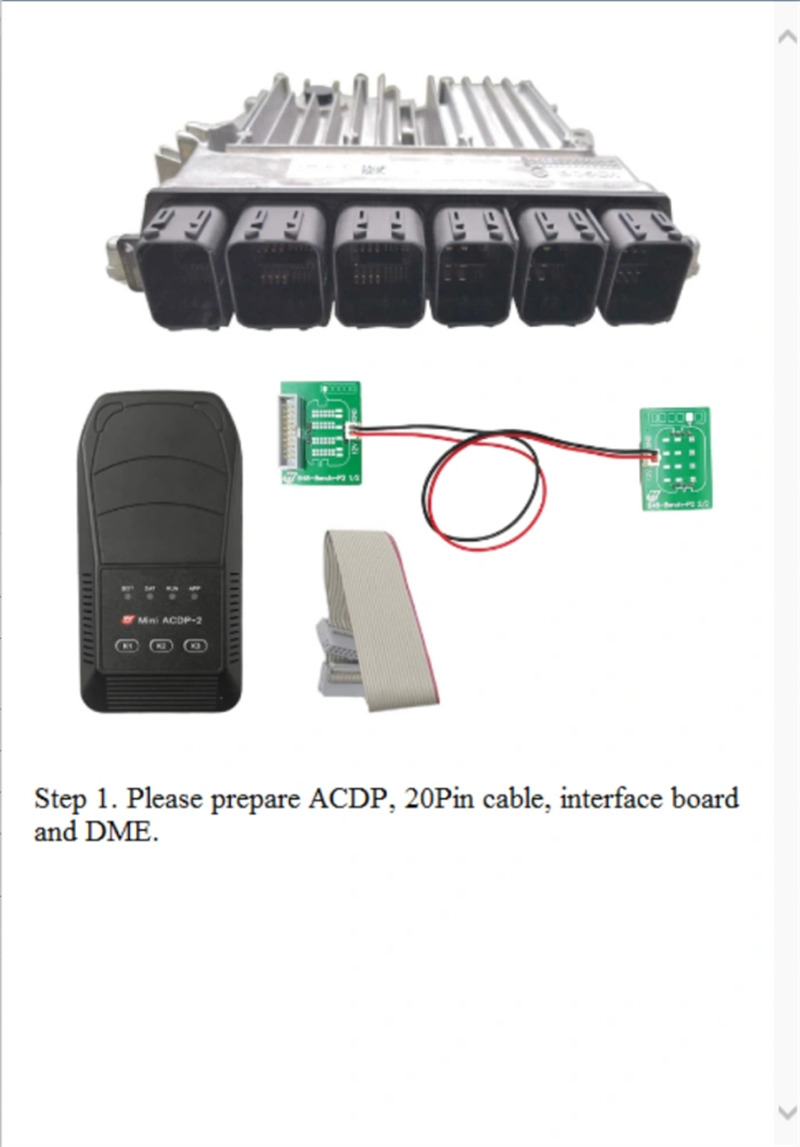
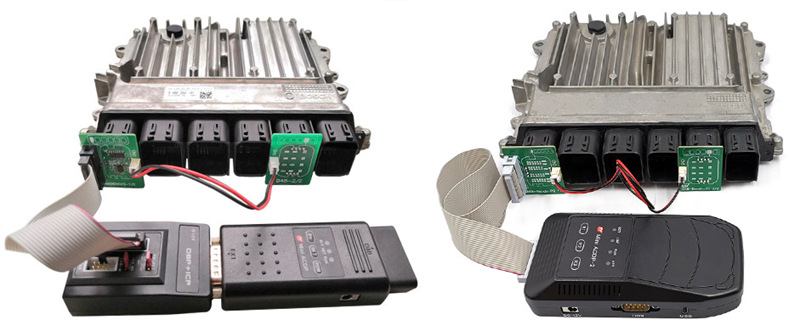
Step 1: Get your ACDP programmer, 20-Pin main cable, B48/B58 Bench Interface Board, and target DME ready.
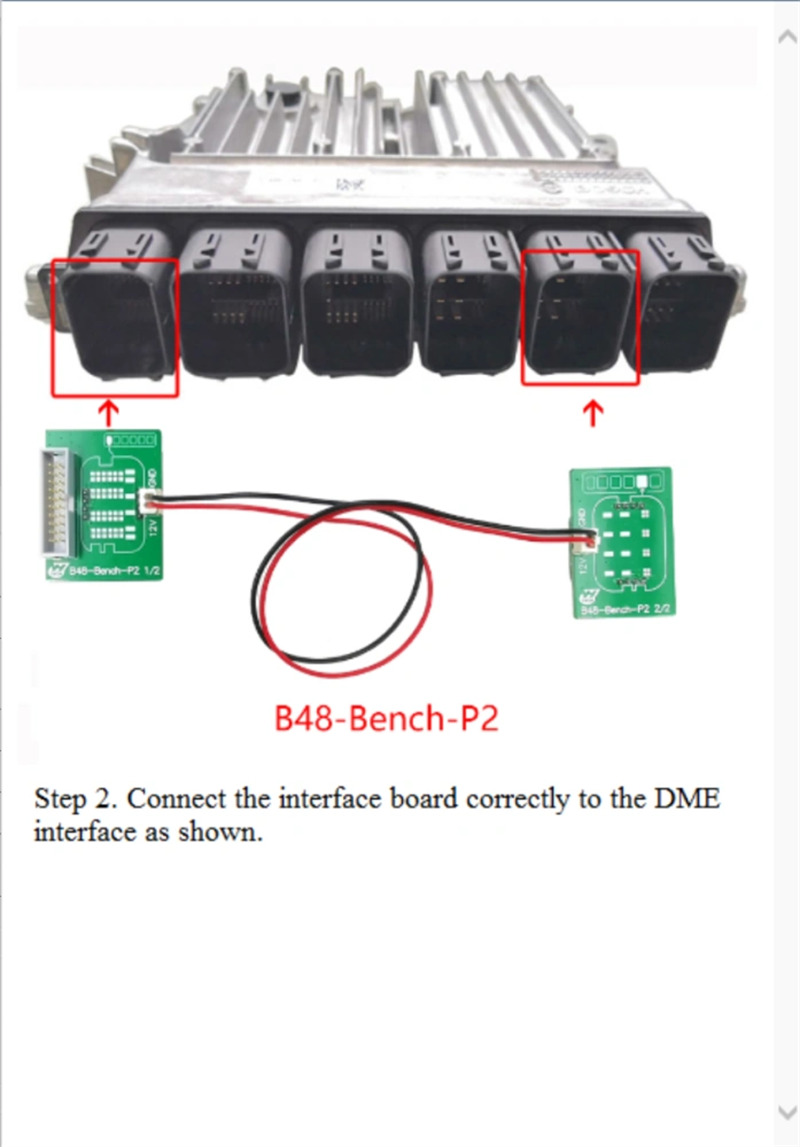
Step 2: Plug the interface board directly into the DME connector interface.
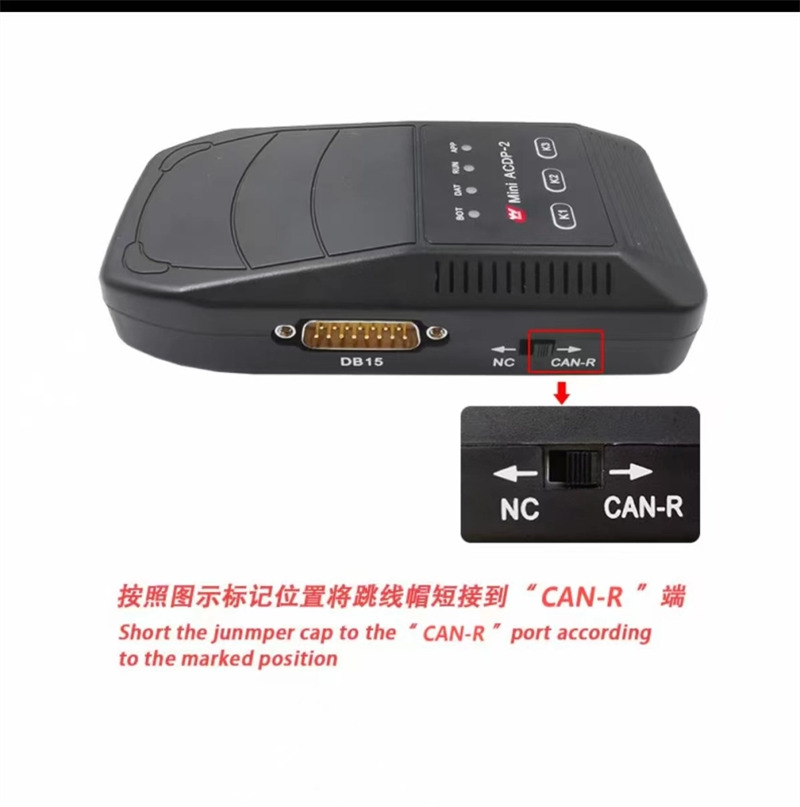
Step 3: Move the jumper cap to the designated CAN-R position on the board. (This is for Mini ACDP2)
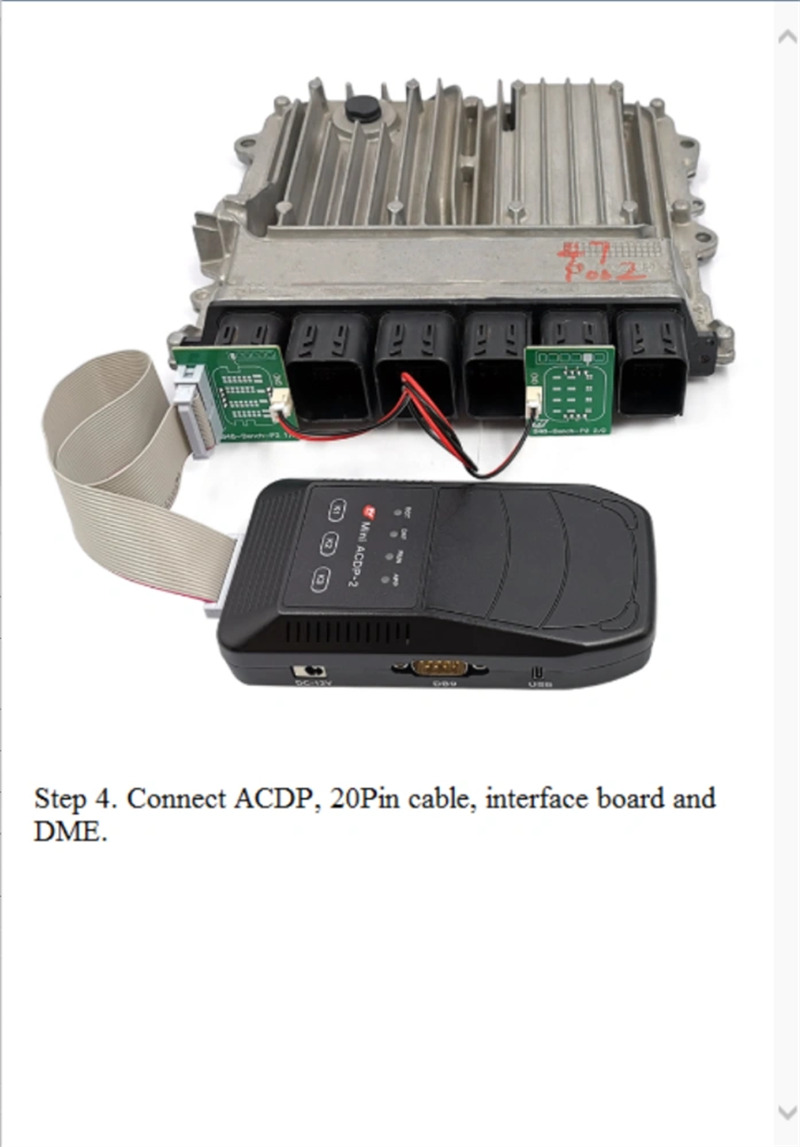
Step 4: Connect ACDP unit to the interface board and power up the setup.
2. ACDP APP Menu Path
- For DME ISN Reading:
Open the app and select BMW -> DME ISN -> BENCH Mode Read/Write DME ISN -> BOSCH DME.
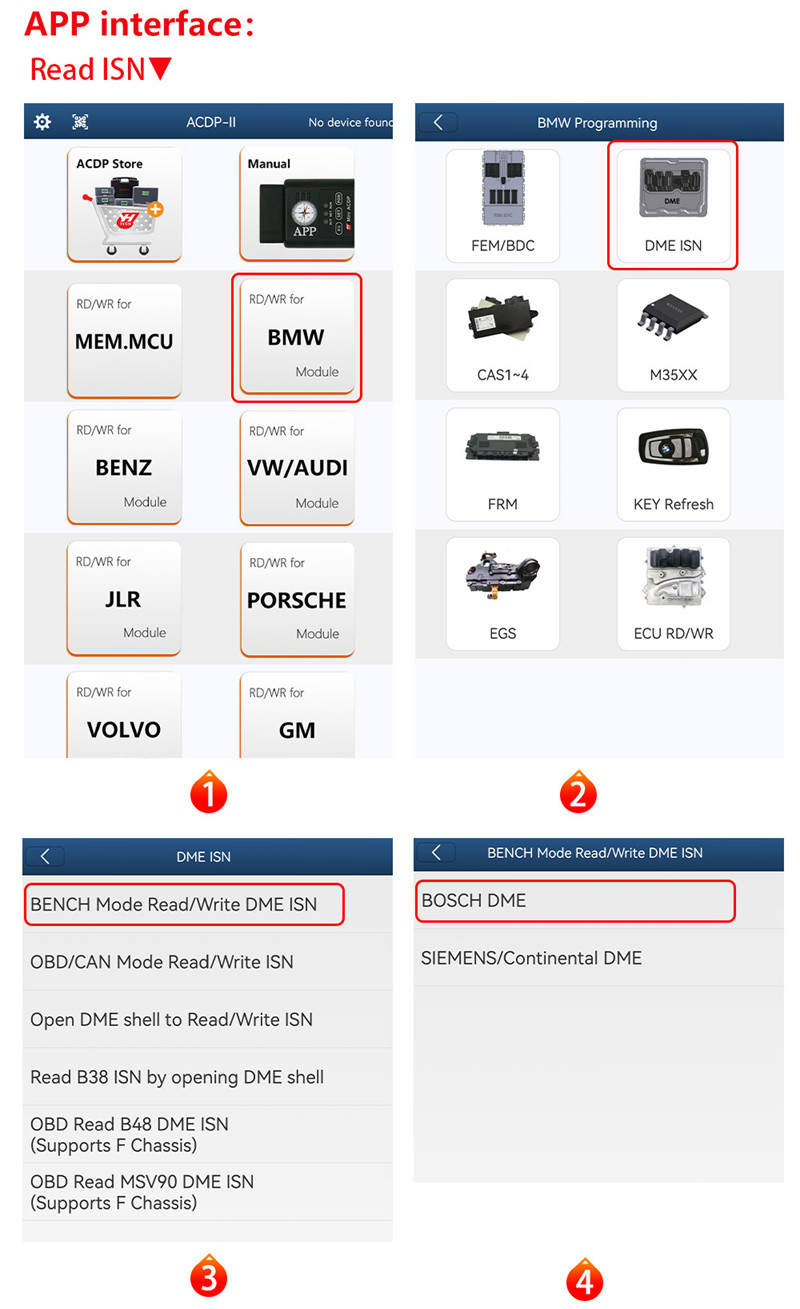
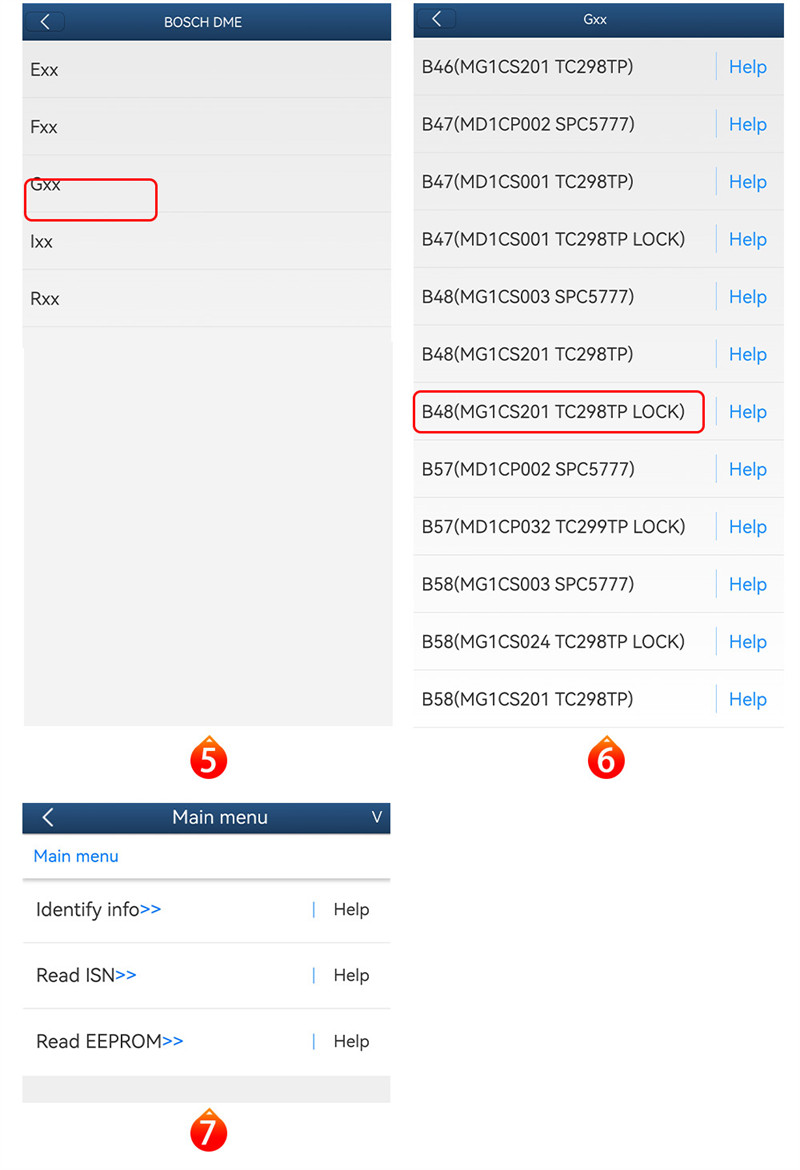
Find your engine type (such as Gxx -> B48 MG1CS201 TC298TP LOCK).
From here, you can identify ECU details, read the ISN, or dump the EEPROM data.
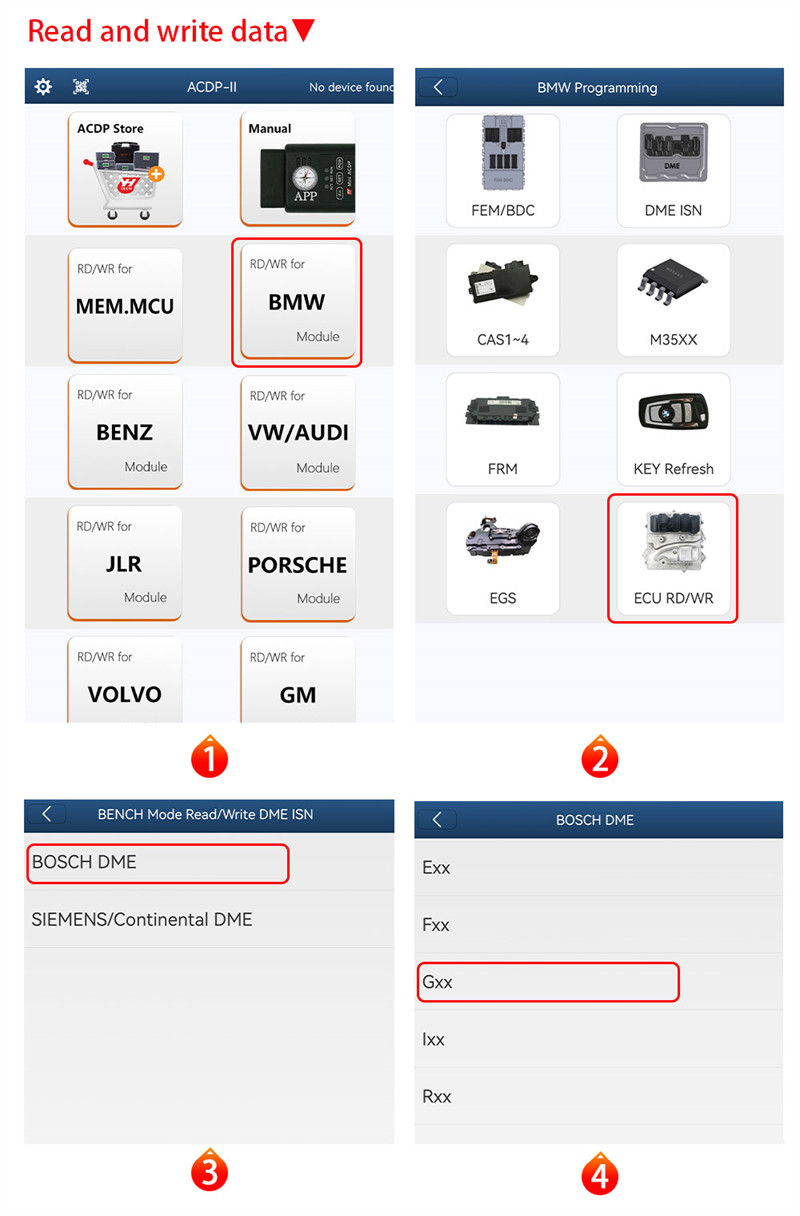
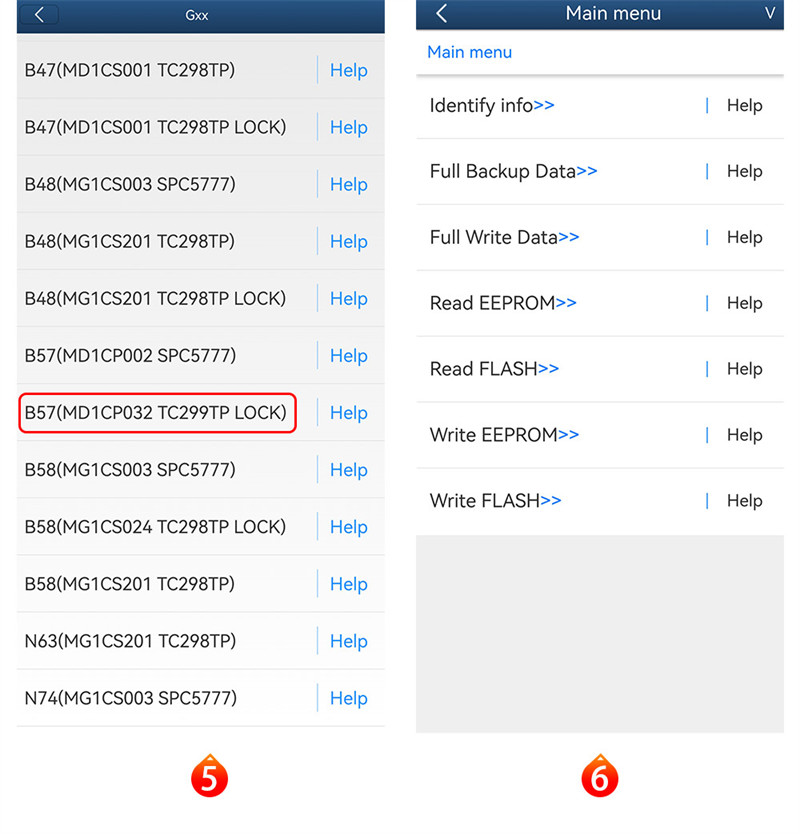
- For Full ECU Read / Write:
Go to BMW -> ECU RD/WR -> BOSCH DME.
Choose your target module (such as Gxx -> B57 MD1CP032 TC299TP LOCK).
You can perform full backup/write operations or read and write EEPROM and FLASH individually.