In this tutorial, we’ll demonstrate how to perform an Oil Service Reset on a 2007 GMC Yukon Denali using TOPDON ArtiDiag600 S diagnostic scanner.
Vehicle Information
2007 GMC Yukon Denali
1. Connect the Scanner
Plug the TOPDON ArtiDiag600 S into the vehicle’s OBDII diagnostic port.
Turn the ignition to the ON position without starting the engine. The scanner will automatically power on and enter the main menu.
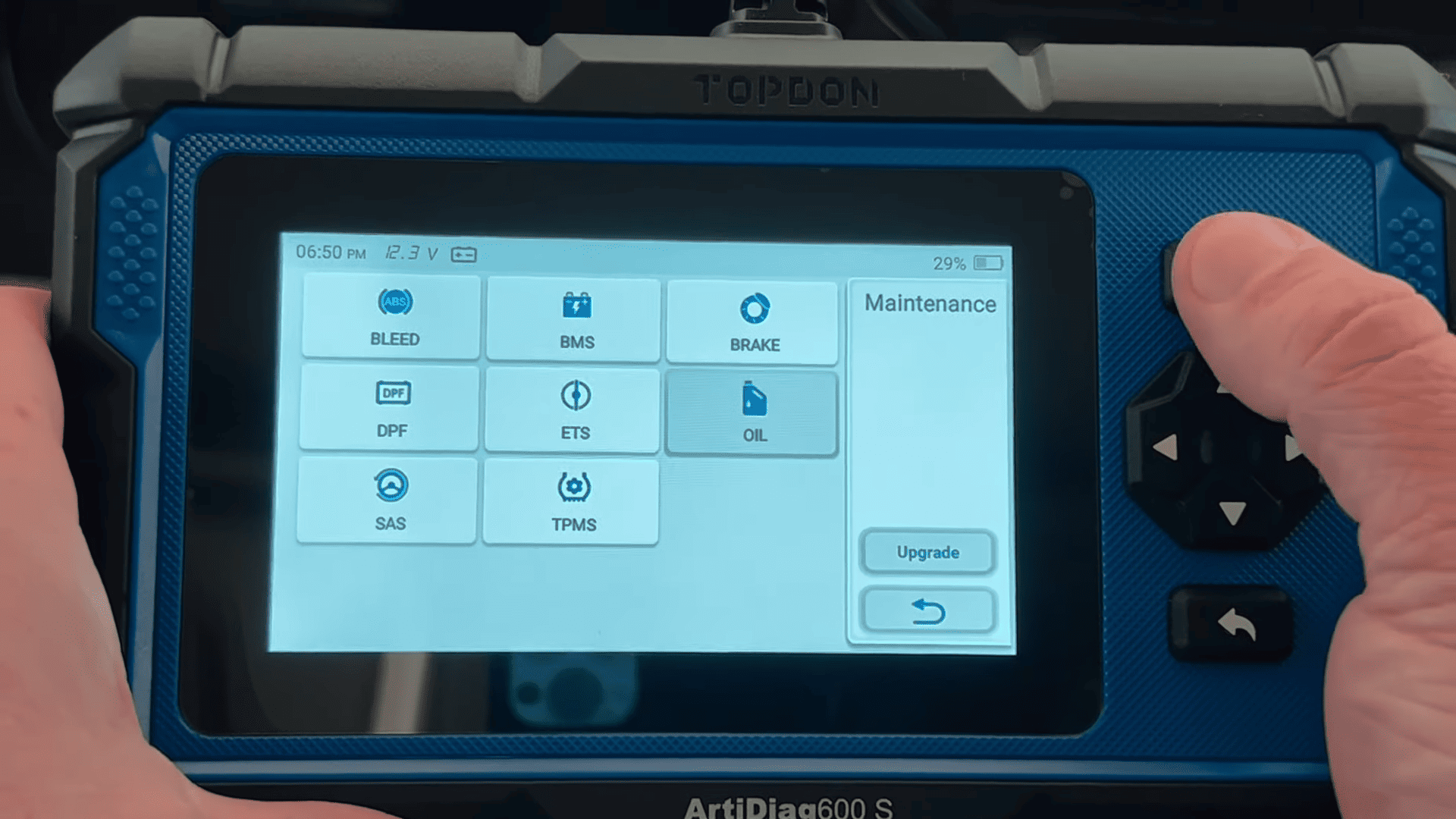
2. Access the Maintenance Menu
TOPDON AD600S provides multiple maintenance functions
Select Oil Reset to continue.
3. Identify the Vehicle
The scanner will establish communication with the vehicle.
Choose [GM]
Turn the ignition ON if prompted and confirm the operation.
The tool also provides two reset methods:
Software Reset – completes the reset automatically using the scanner.
Manual Reset – displays the manual reset procedure without using the diagnostic tool.
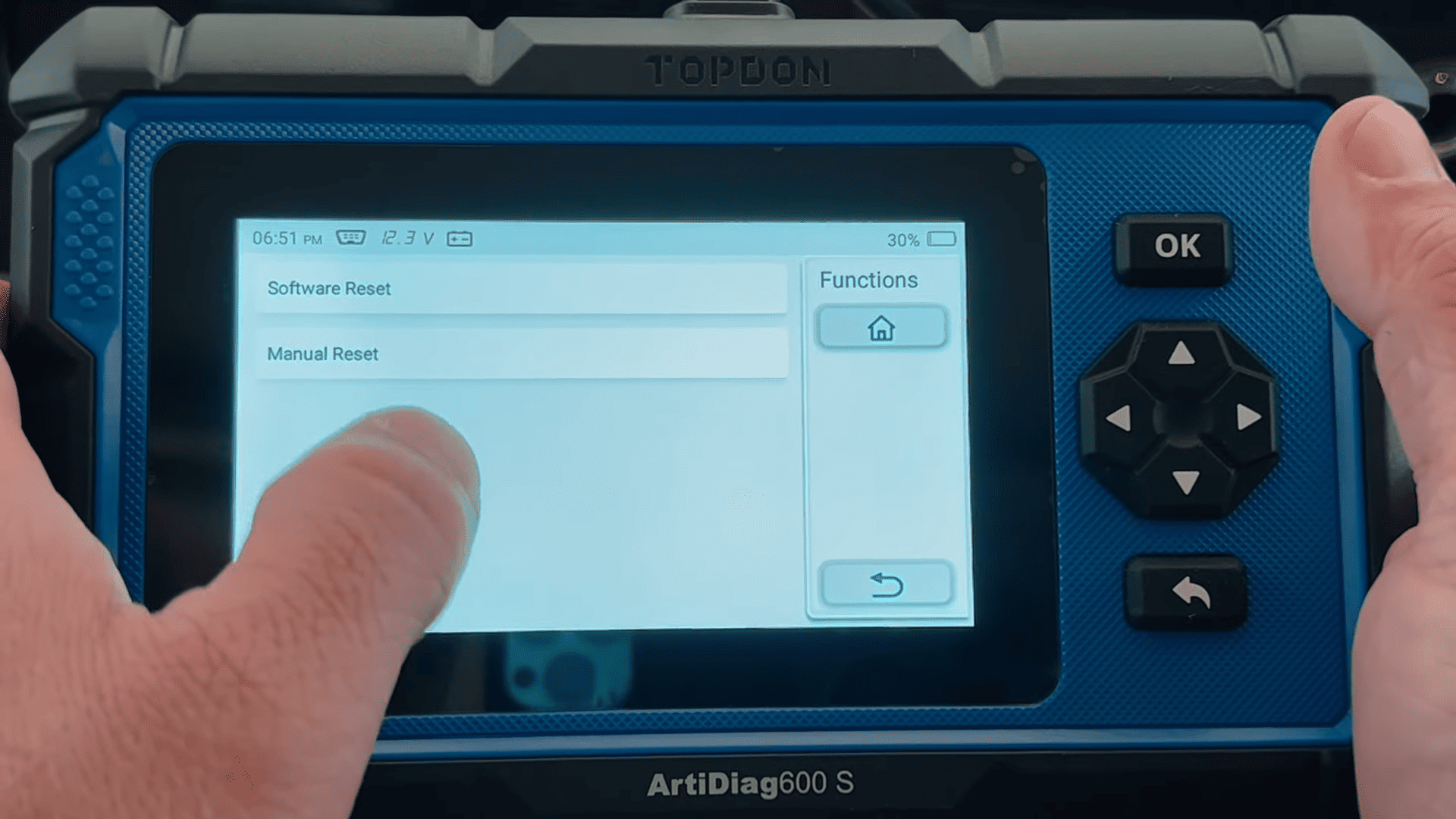
For this tutorial, select Software Reset.
4. Perform Automatic Vehicle Detection
Choose Automatic Scan to let the scanner identify the vehicle automatically.
After the vehicle information is displayed, verify that it is correct and tap OK.
Confirm that:
- Engine is OFF
- Ignition is ON
- Vehicle is stationary
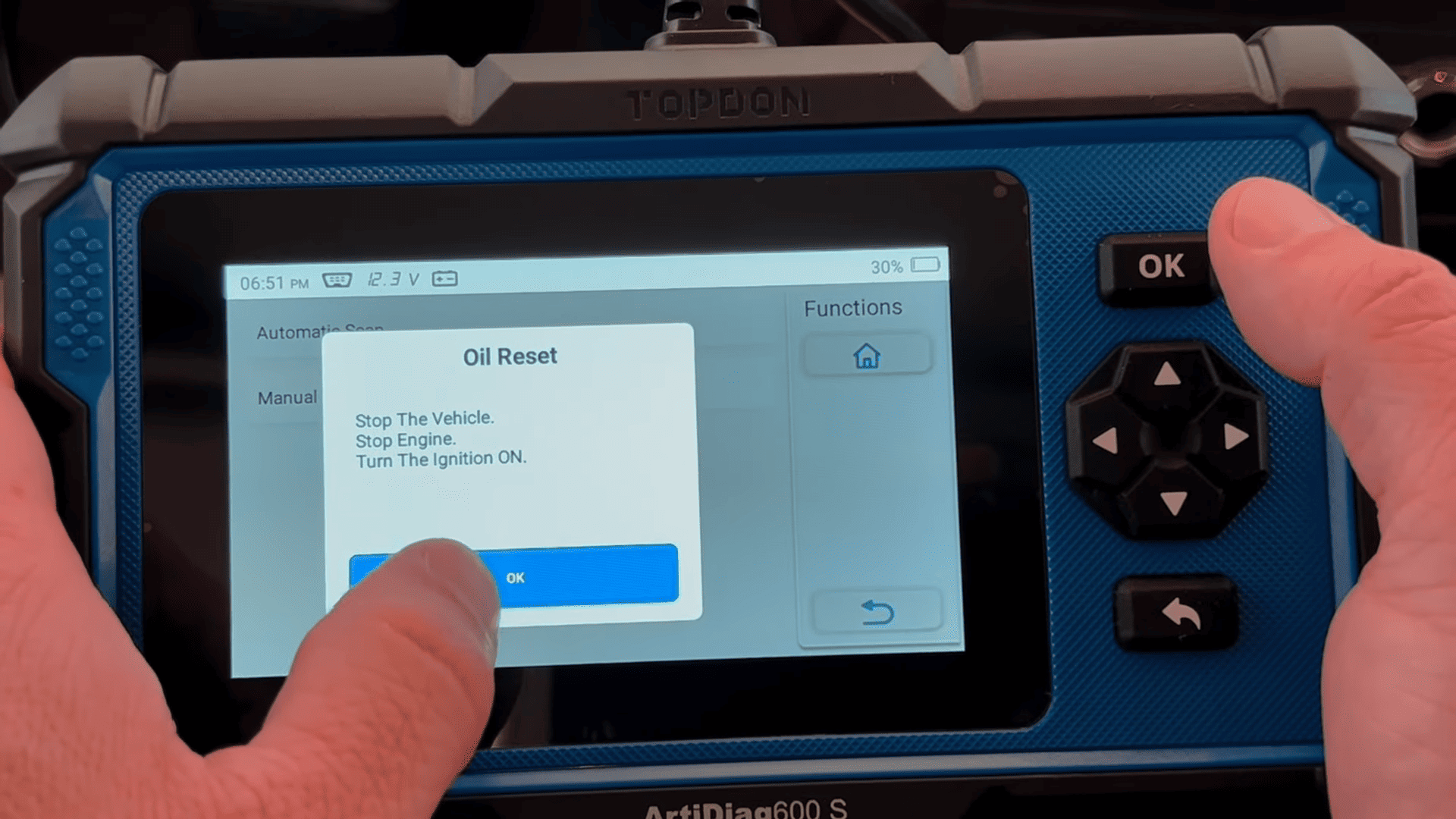
The scanner will then begin the oil reset procedure.
5. Reset the Oil Life
The current oil life percentage is displayed.
Enter the new oil life value.
In this example, enter [100]
Confirm the value and continue.
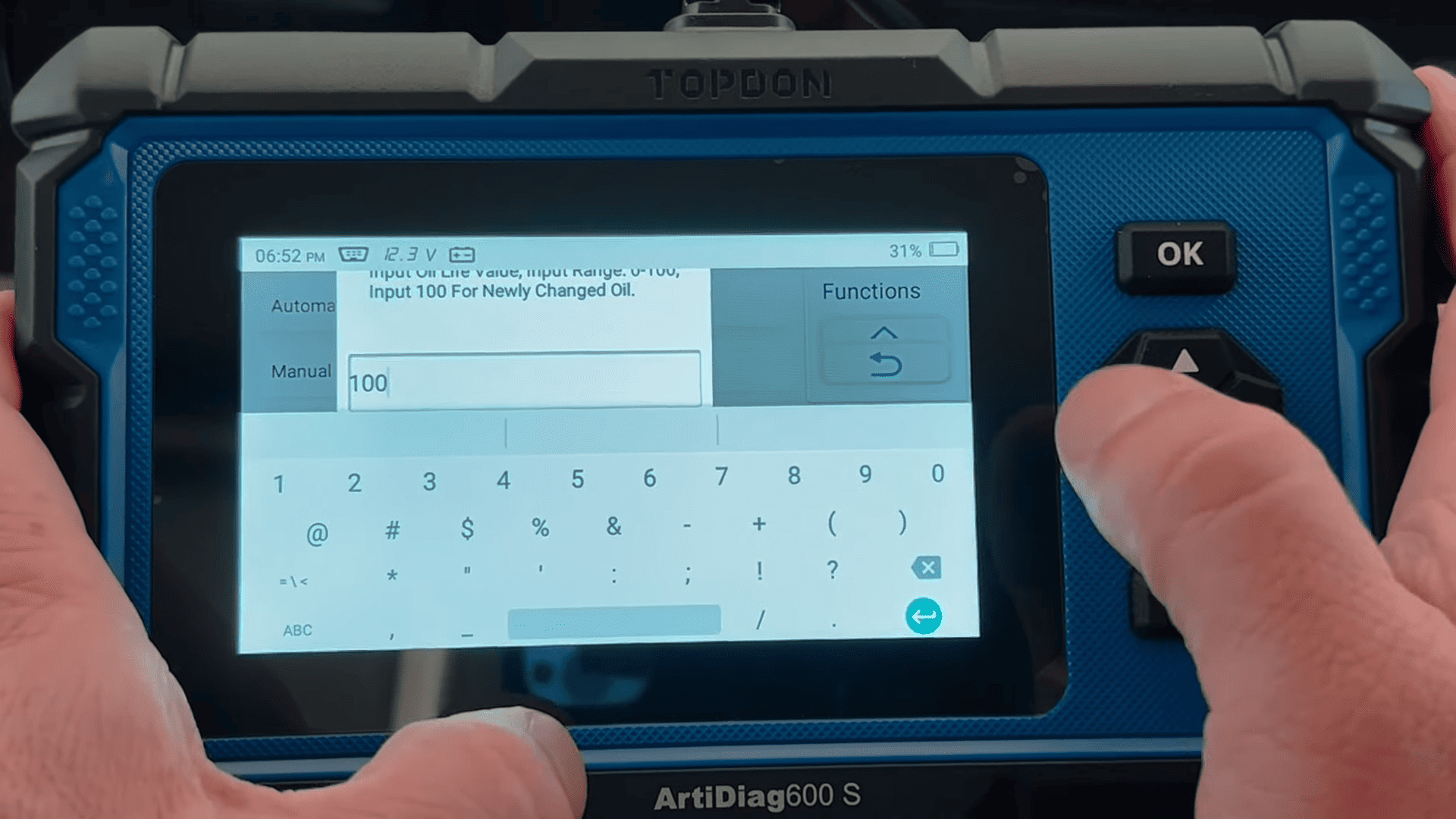
Within seconds, the scanner reports that the oil reset has been completed successfully.
6. Verify the Result
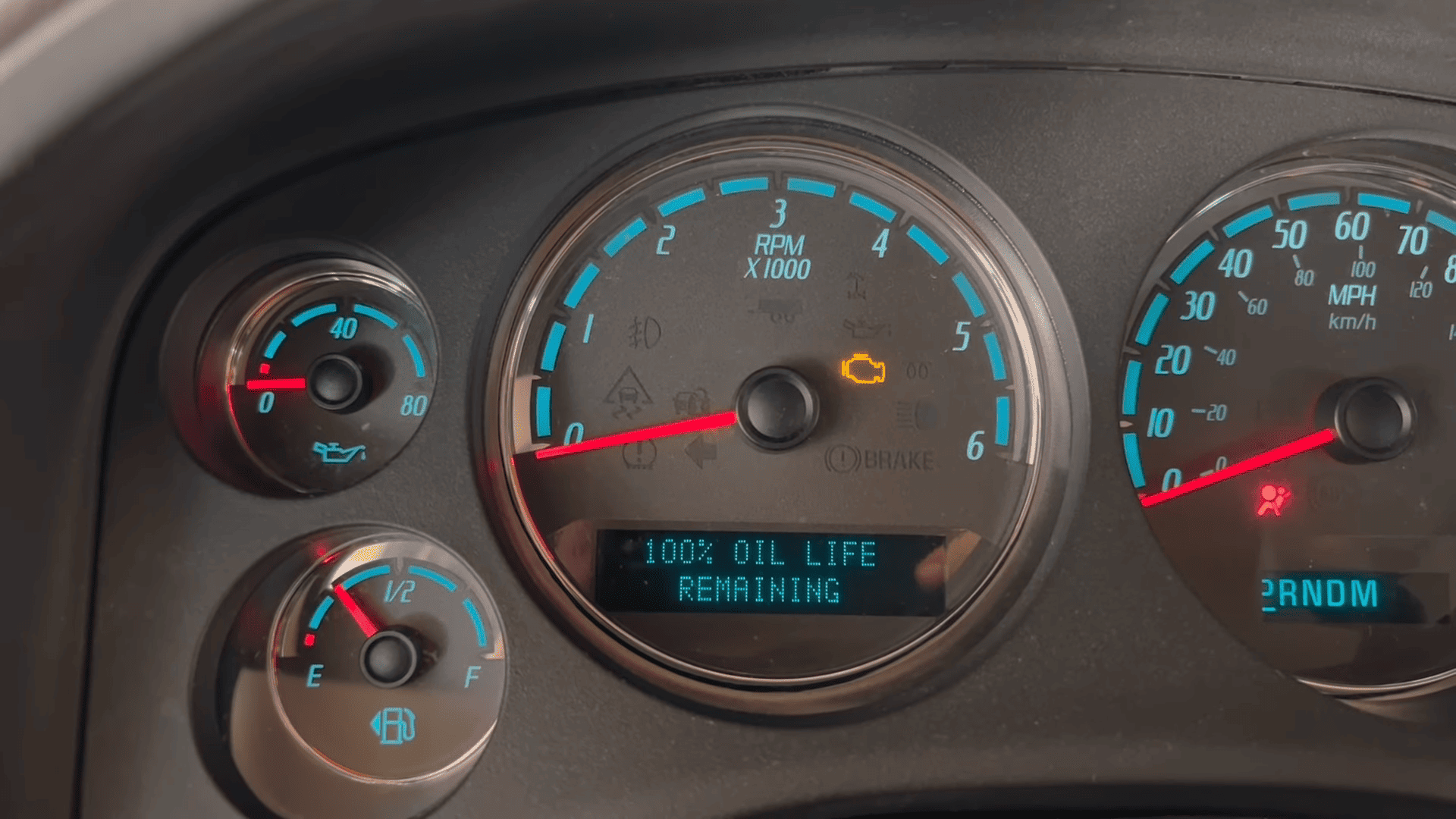
Return to the vehicle information display and check the oil life monitor.
The oil life should now display [100% Remaining]
The “Change Engine Oil Soon” reminder has been successfully cleared.