


Issue and Solution
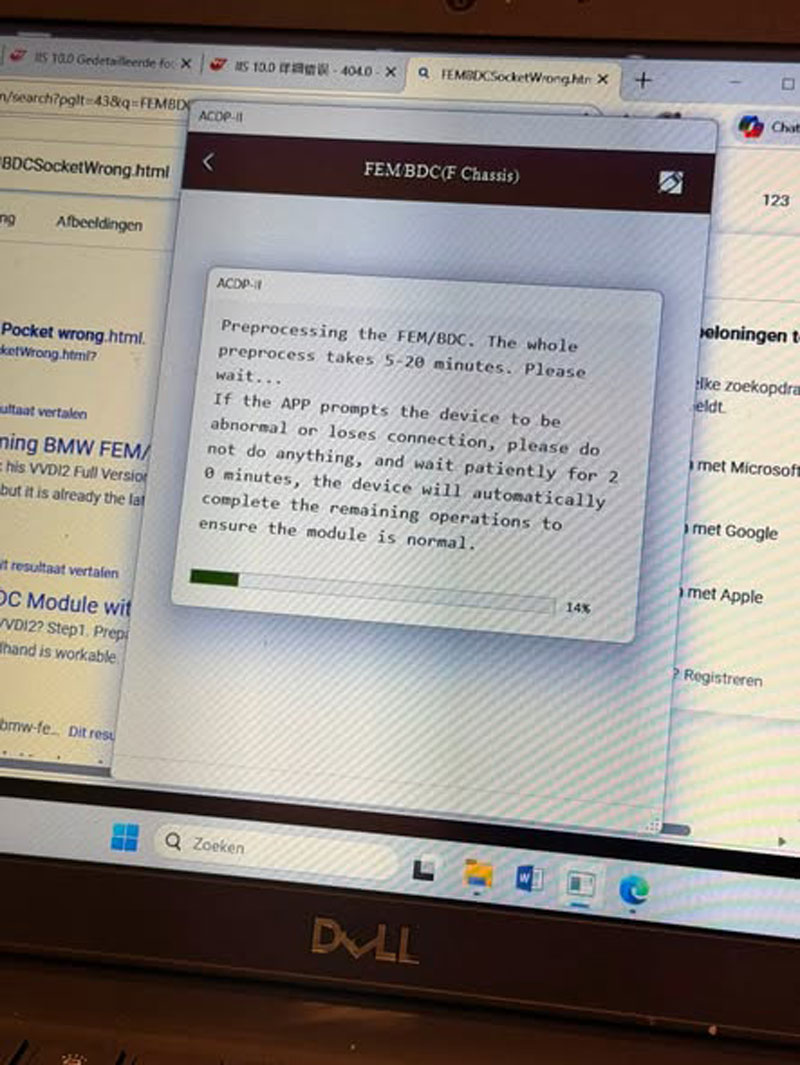
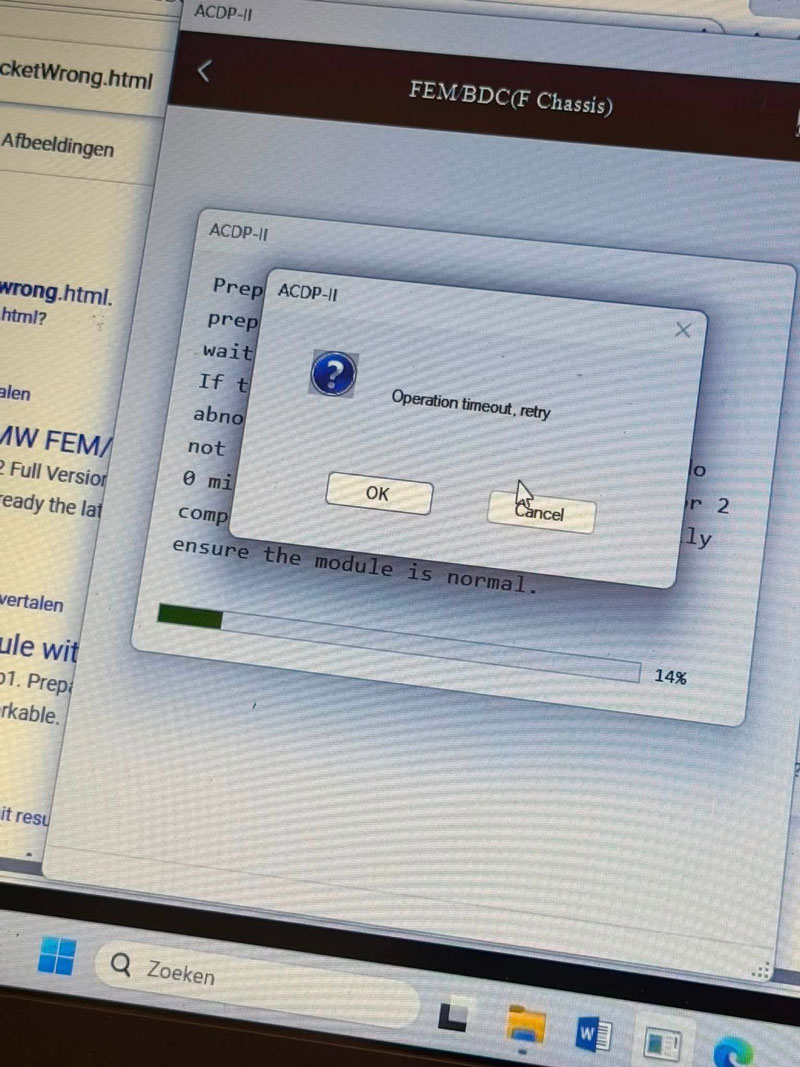
When using YANHUA Mini ACDP Module 2 for BMW FEM key programming, some users may encounter the error message “Operation timeout, retry” after the FEM preprocessing process stops responding during USB communication.
In this case, the system may remain in the USB polling stage for around 20 minutes before displaying the timeout error.
To solve this problem, first identify the FEM module via the OBD connection and check whether the detected version and coding information are normal. Then follow the corresponding solution based on the identification result.
Technical Explanation
The next operation depends on whether the FEM information recognized through OBD is correct.
If the FEM version and code are detected normally, the system can continue with the key programming procedure directly.
However, if the detected information is incorrect or abnormal, the FEM data needs to be restored before continuing the operation.
Follow these steps to troubleshoot the issue:
1. Connect the vehicle and use OBD to identify the FEM module.
2. Check whether the detected FEM version and coding information are correct.
3. If the FEM information is normal, proceed directly with key programming.
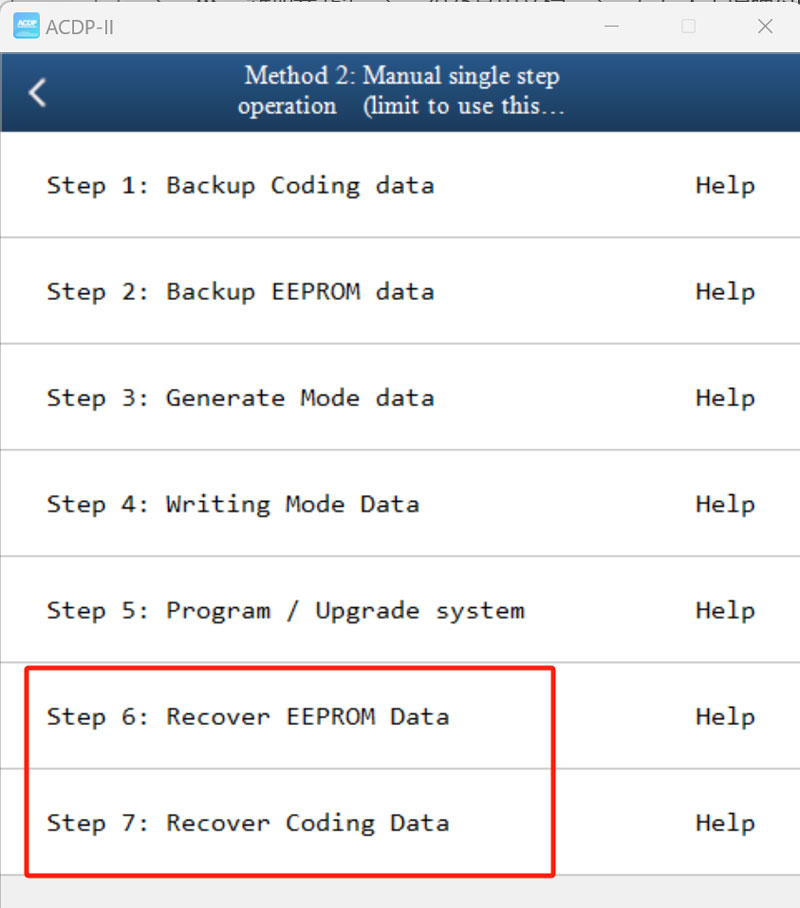
4. If the FEM information is abnormal, use Mini ACDP to restore the following data:
- Recover EEPROM Data
- Recover Coding Data
Final Result
After restoring the required FEM data, the “Operation timeout, retry” error will be resolved, and the BMW FEM key programming process can continue normally.
Contact us
WhatsApp: +86 150 0270 5698
Skype: +86 150 0270 5698
E-Mail: sales@CardiagTool.co.uk