
KEYDIY recently expanded its motorcycle key programming coverage with the new KD-MOTO Adapter for KD-X4 5-in-1 key programmer. This hardware pair handles Add Key and All Keys Lost jobs on Honda, Yamaha, and 3rd Generation Ducati with 8A smart key systems motorcycles.
KEYDIY KD-MOTO Motorcycle Adapter for KD-X4 Motorcycle Key Programming
For example, if you are dealing with a Honda ADV motorcycle where every key is missing, you don’t need to replace the immobilizer unit. You can extract the PIN code directly on the bench and program a fresh key from scratch.
System Overview
- Vehicle Application: Honda ADV350 (K1ZN2)
- Operation Type: All Keys Lost (AKL) PIN Extraction & Transponder Programming
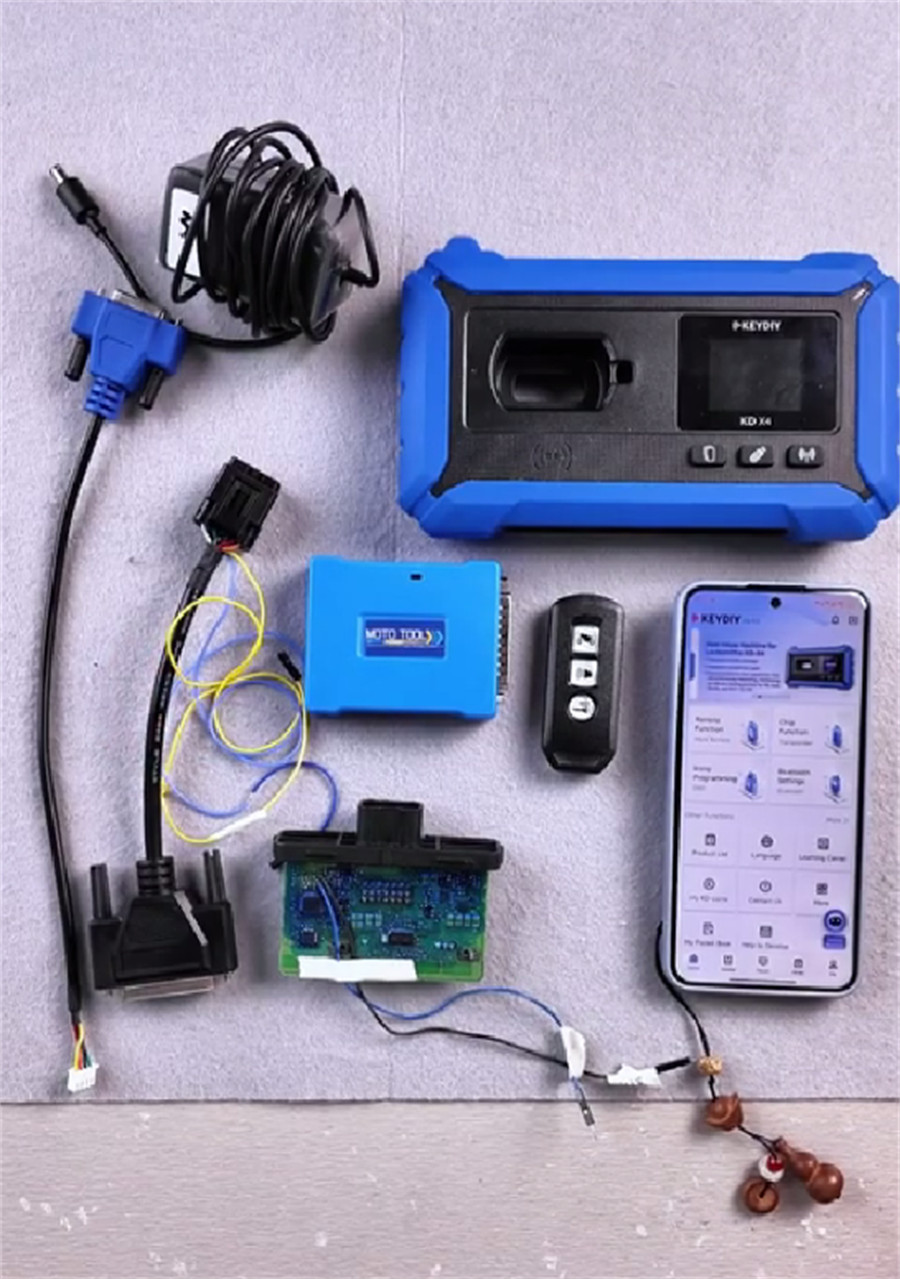
- Hardware Required: KD-X4 Programmer, KD-MOTO Motorcycle Adapter, KD ZB51-3 Smart Key, 12V DC Power Supply, Dedicated Wiring Harnesses.
Step 1: Generate Transponder
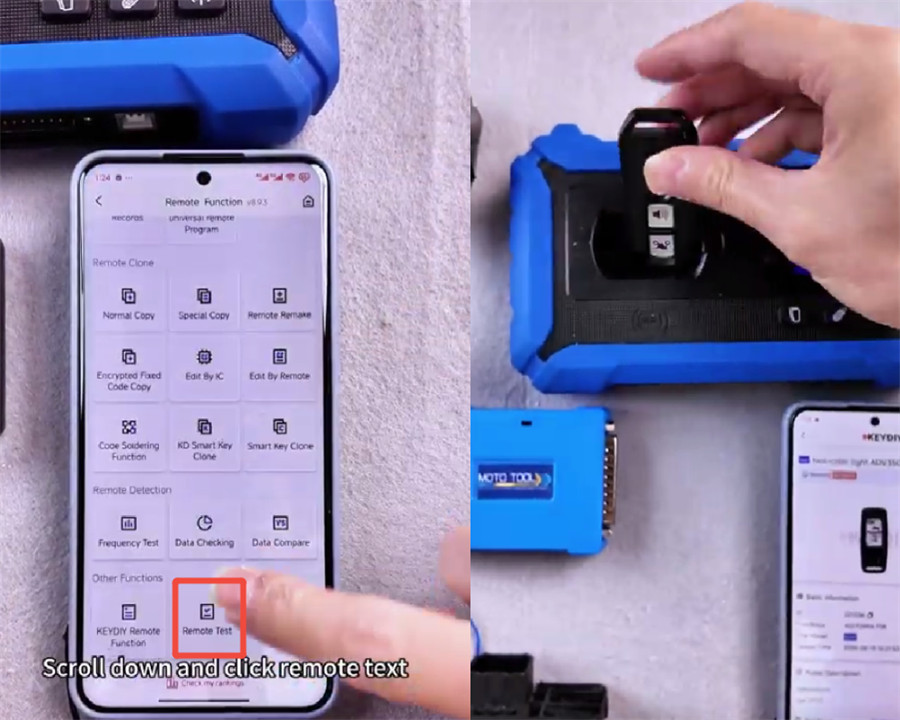
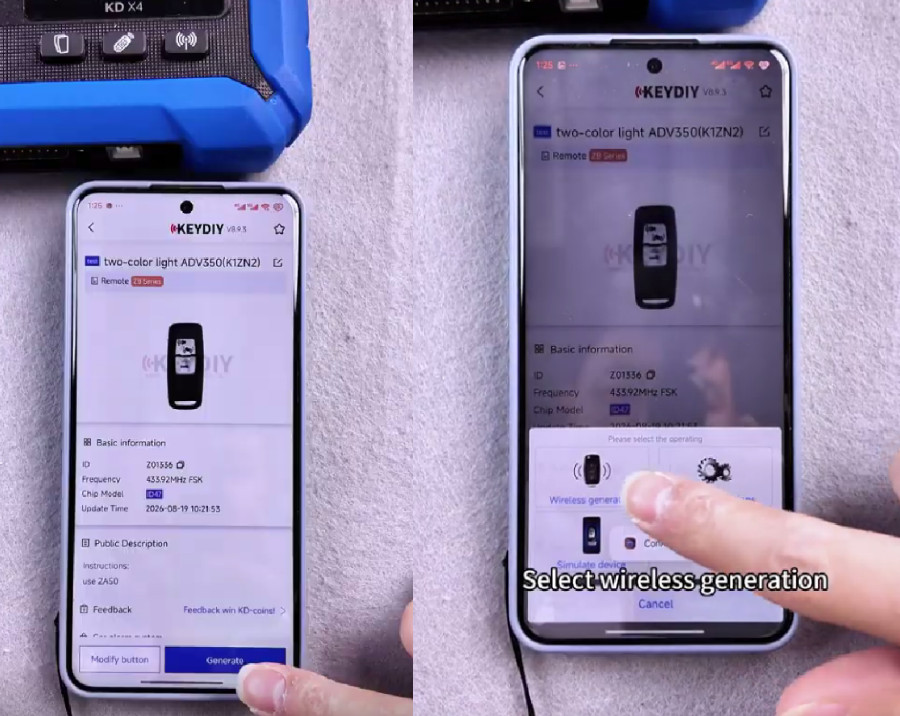
1. Path: Mobile KD App -> Remote Function -> Remote Test -> test -> two-color light ADV350 (K1ZN2).
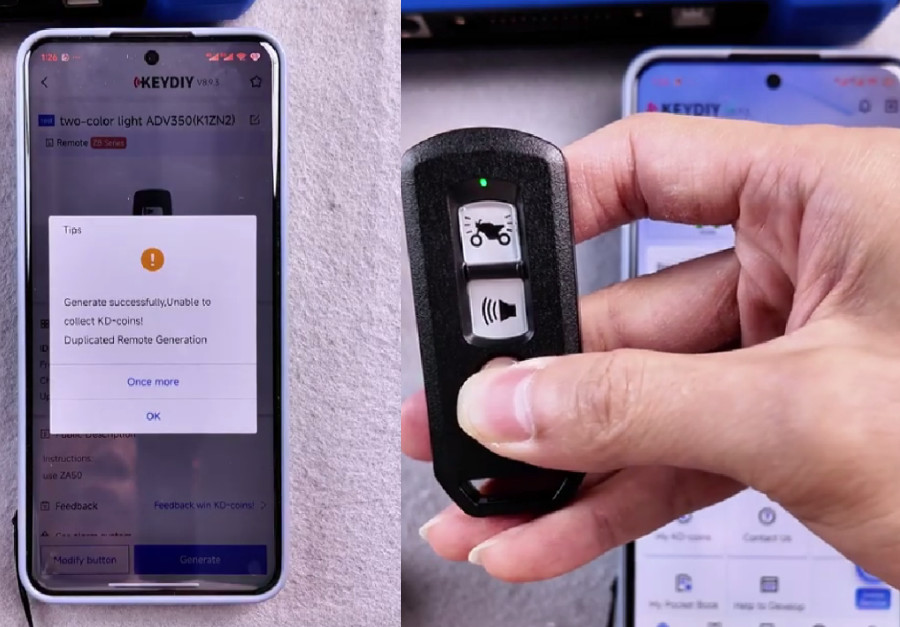
2. Position KEYDIY KD ZB51 key on KD-X4 induction coil. Select Generate -> Wireless generation.
3. Verification: Long-press the smart key button to toggle status LED. Set to Green (Induction ON). Note: Transponder must remain in Induction ON mode.
Step 2: Read PIN Code
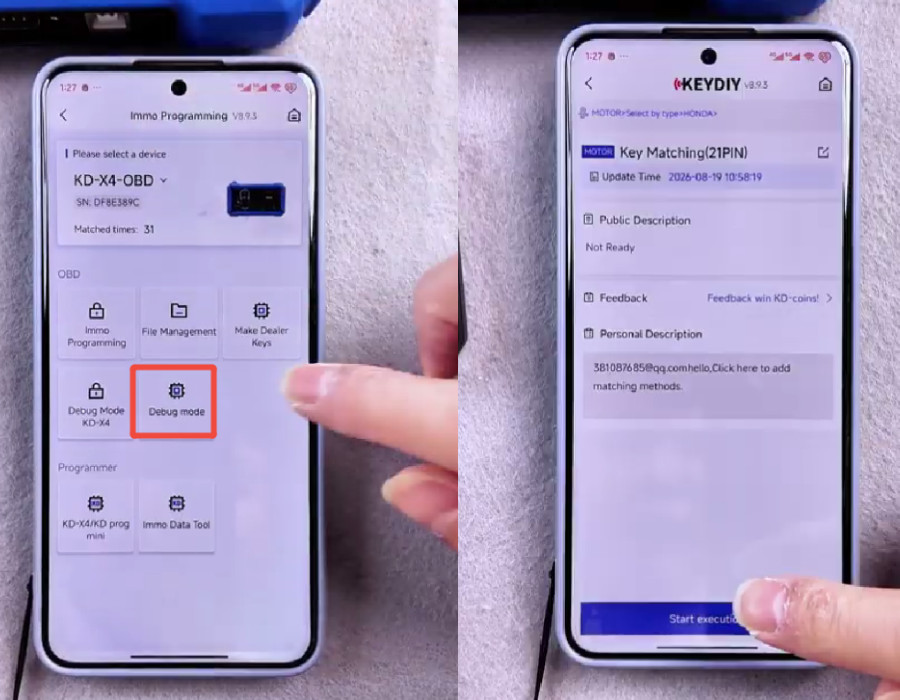
1. Menu Path: IMMO Programming -> Debug mode -> MOTOR -> HONDA -> Key Matching (21 PIN)-> Start execution
2. Refer to target diagram and solder points TOOLS and RST on the IMMO ECU PCB.
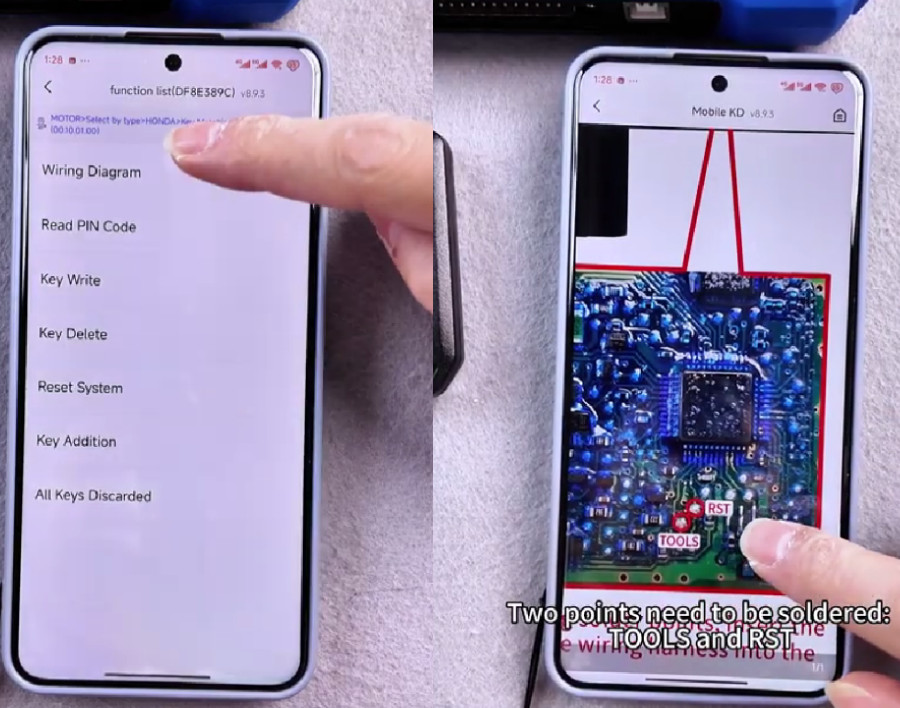
3. Cable Assembly:
- Connect dedicated harnesses to the soldered points.
- Attach the board to KEYDIY KD-MOTO Adapter using the included jumper cable.
- Link KD-MOTO Adapter to KD-X4 programmer.
- Connect 12V DC power to KD-MOTO Adapter.
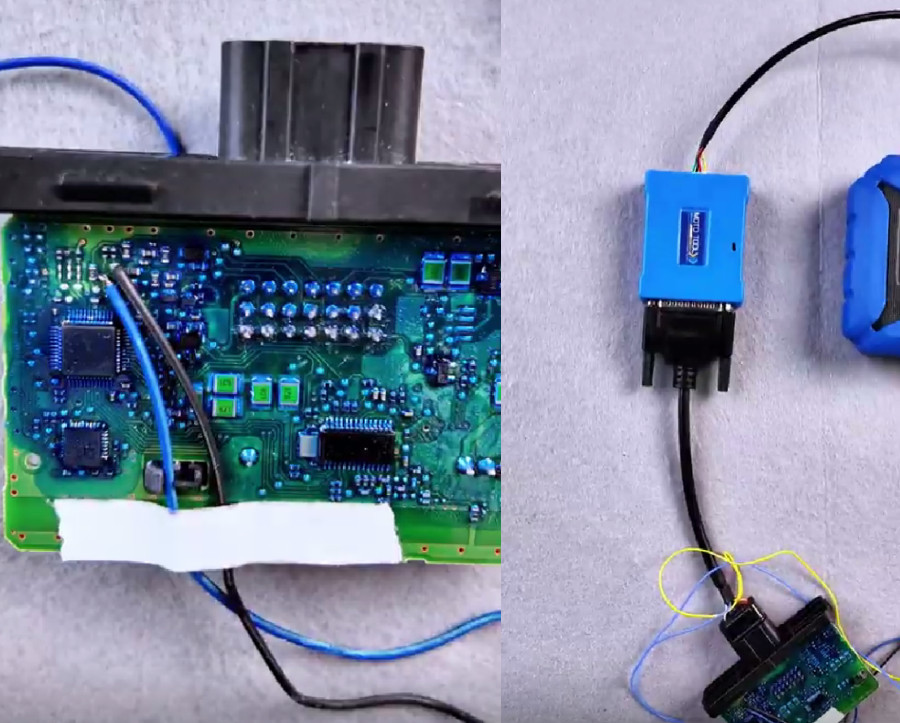
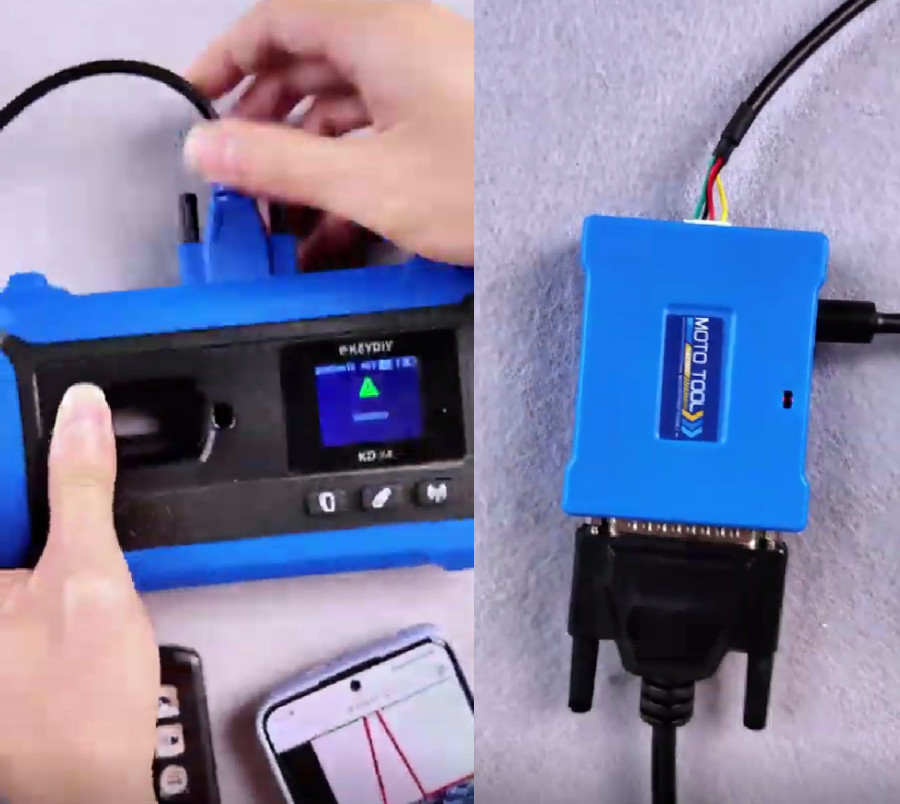
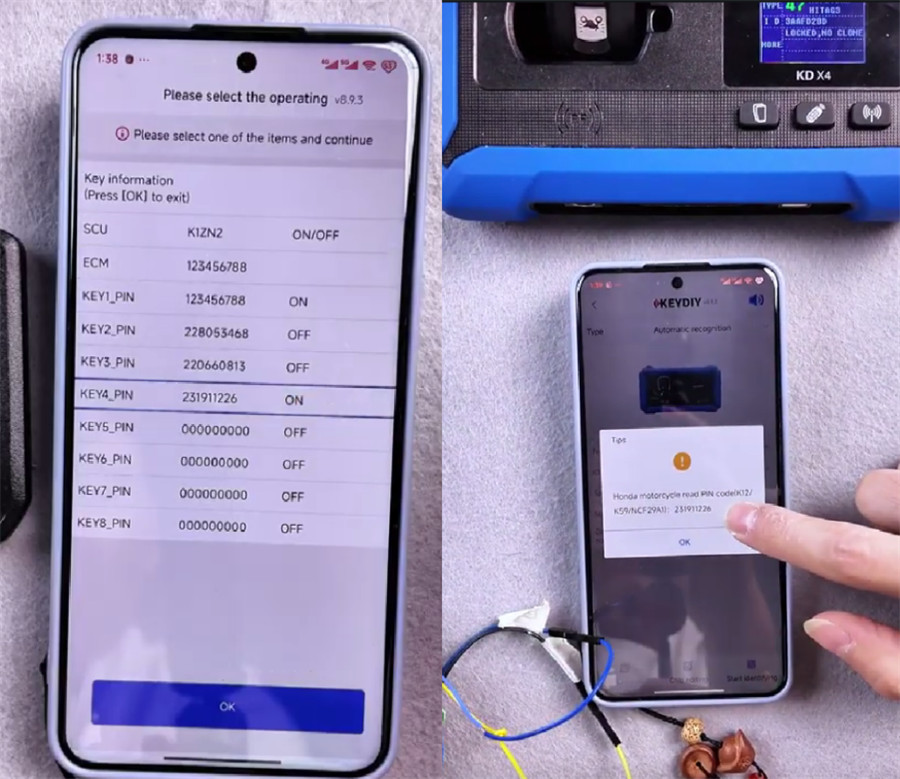
4. Press Read PIN Code. Log the displayed key code values.
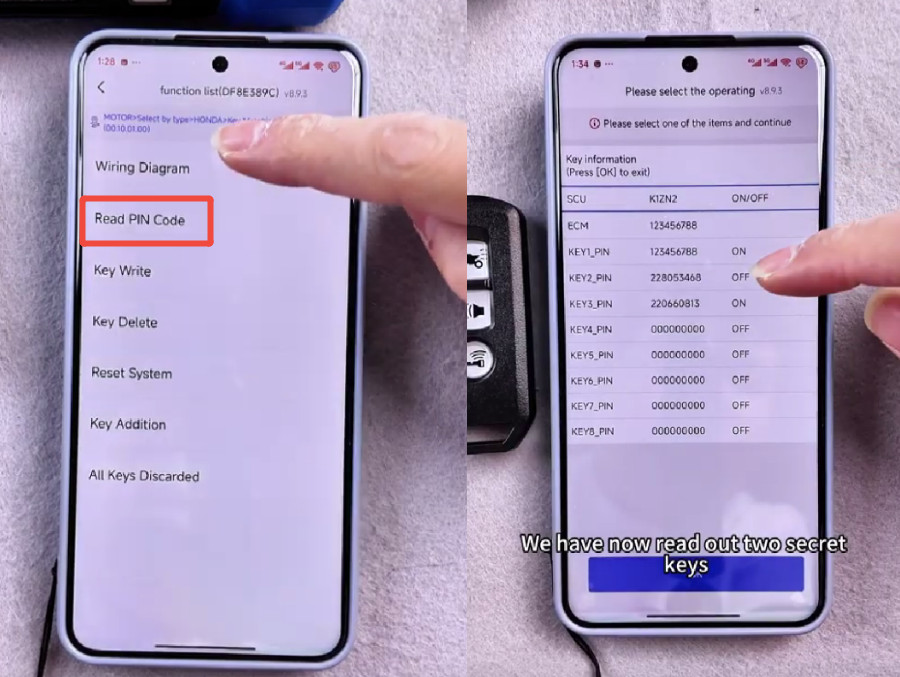
Step 3: Match Key and Confirm Data
1. Select All Keys Discarded. Enter the saved PIN code when prompted.
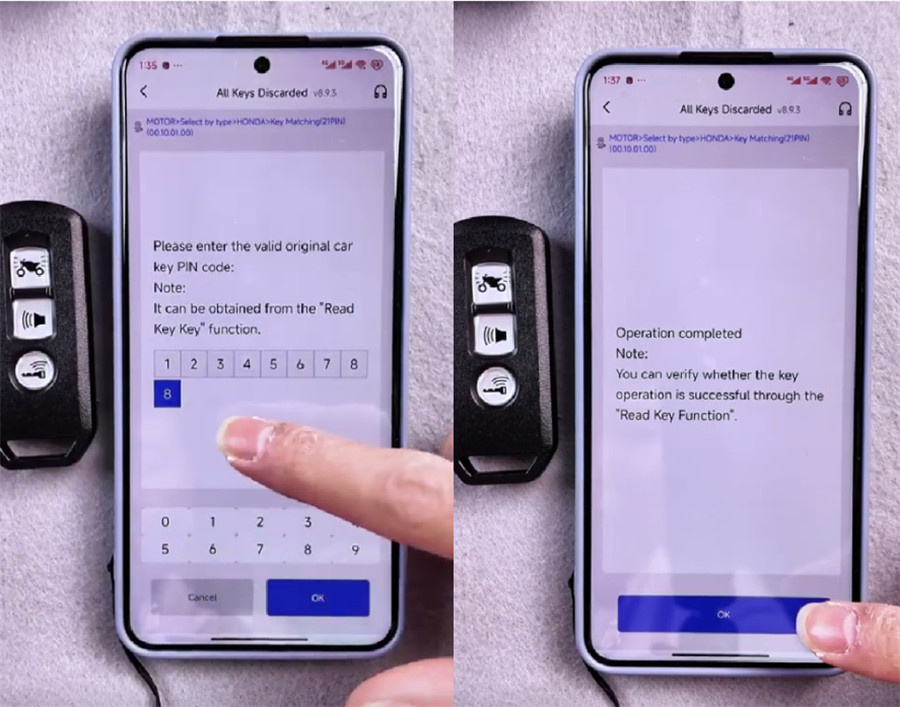
2. Run Read PIN Code again to confirm memory write operations.
3. Access Chip Function on the main screen.
Place the newly matched KD ZB51 Key into KEYDIY KD-X4 key programmer coil.
4. Run Automatic Detection Clone -> Start identifying. Select identified transponder profile and verify PIN data alignment.