


This guide demonstrates the complete workflow using an Audi Bosch MED17.5 TC1766 ECU using OBDSTAR DC706.
Required Equipment
- OBDSTAR DC706
- MP001 Programmer
- High-Power DC Regulated Power Supply
- Main Cable
- Jumper Wires
- Audi Bosch MED17.5 TC1766 ECU
It is recommended to update DC706 software to the latest version before performing any operation.
Step 1: Select the Correct ECU
Power on the DC706 and enter: ECU Flasher → ECM
Use the search function in the upper-right corner to locate the corresponding Audi Bosch MED17.5 TC1766 ECU.
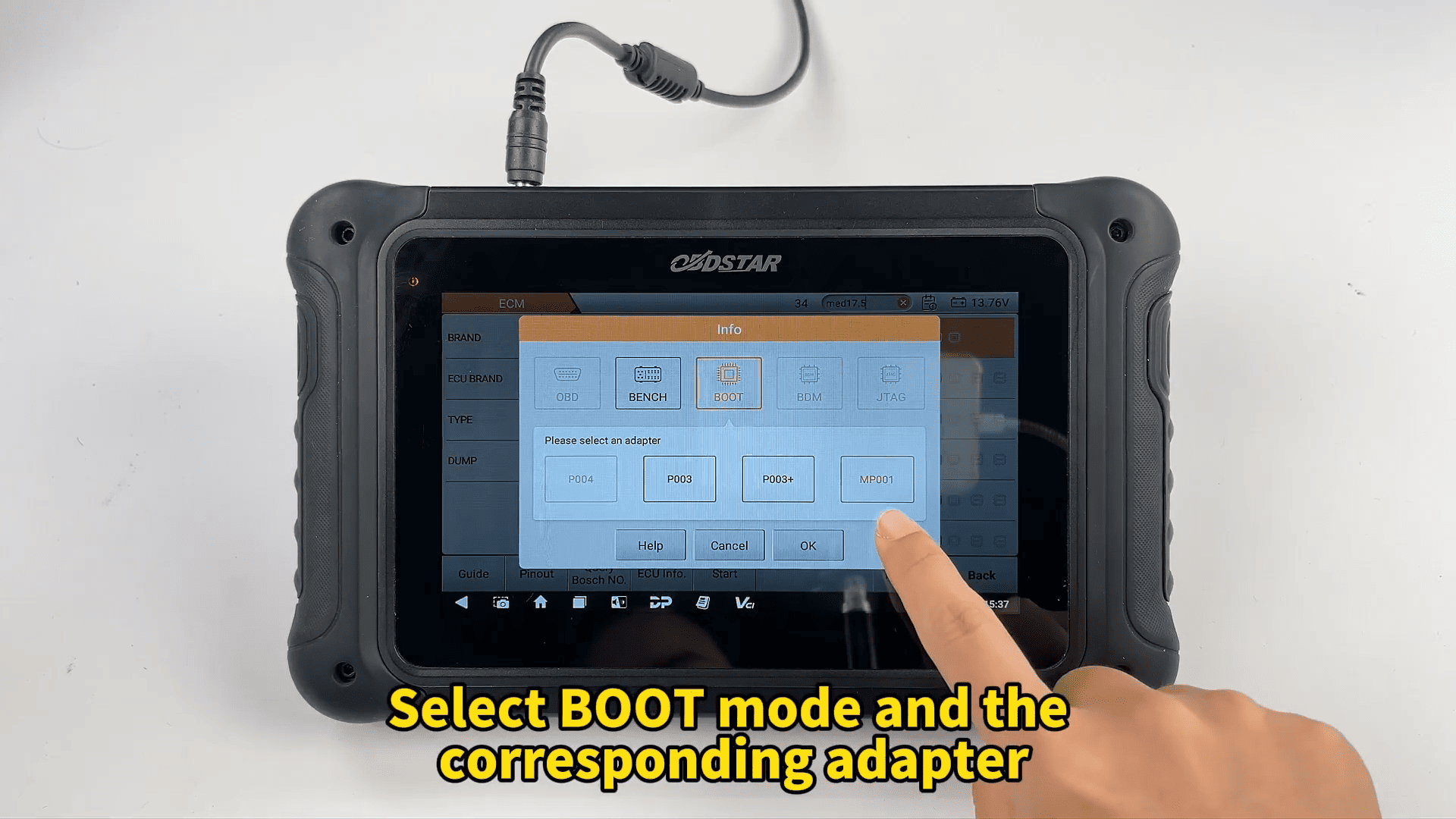
Select [BOOT Mode] and choose the appropriate adapter.
Open the [Guide] menu to review the wiring instructions and connection diagrams before proceeding.
Step 2: Verify the ECU and Complete Wiring
Return to the previous menu and select [ECU Image] to confirm that the physical ECU matches the selected model.
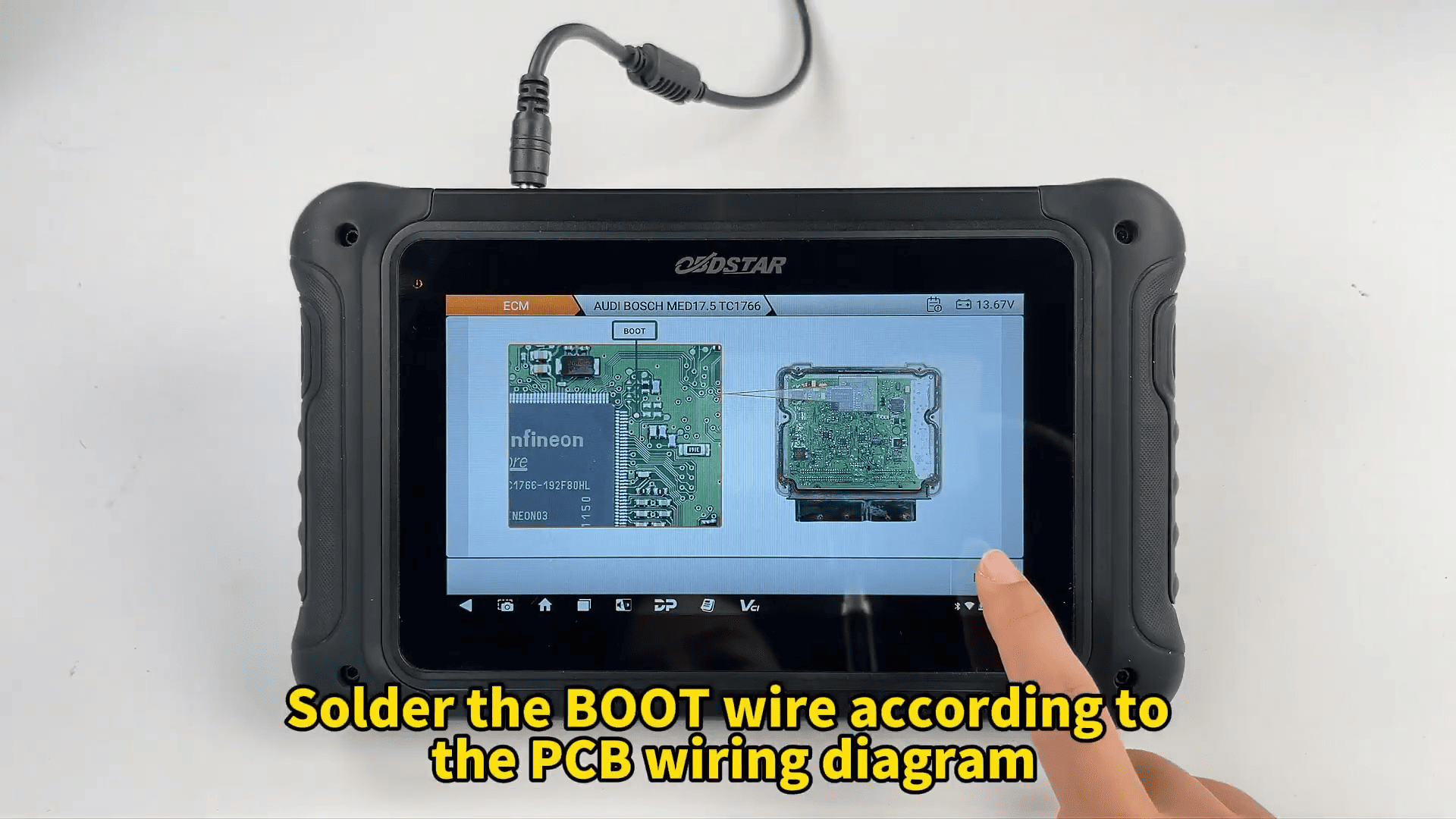
Open [PCB Pinout] and solder the BOOT wire according to the displayed PCB diagram.
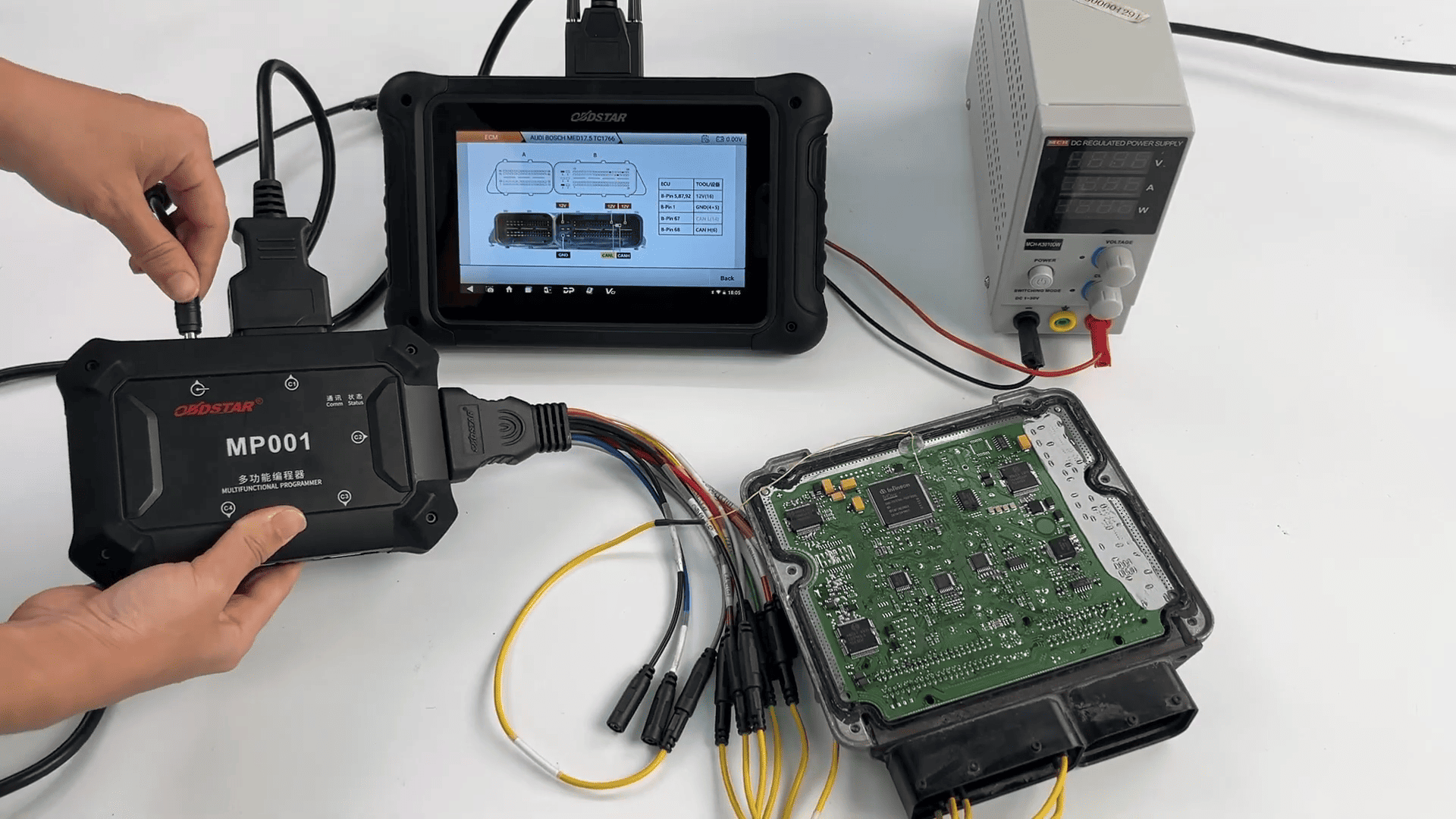
Next, check [Connector Pinout] and complete all wiring connections as instructed.
Connect OBDSTAR MP001 to the DC706 and establish communication with the ECU.
Step 3: Read and Back Up Original ECU Data
After the connection is established, begin reading the ECU.
Create a custom file name for the original ECU backup before saving.
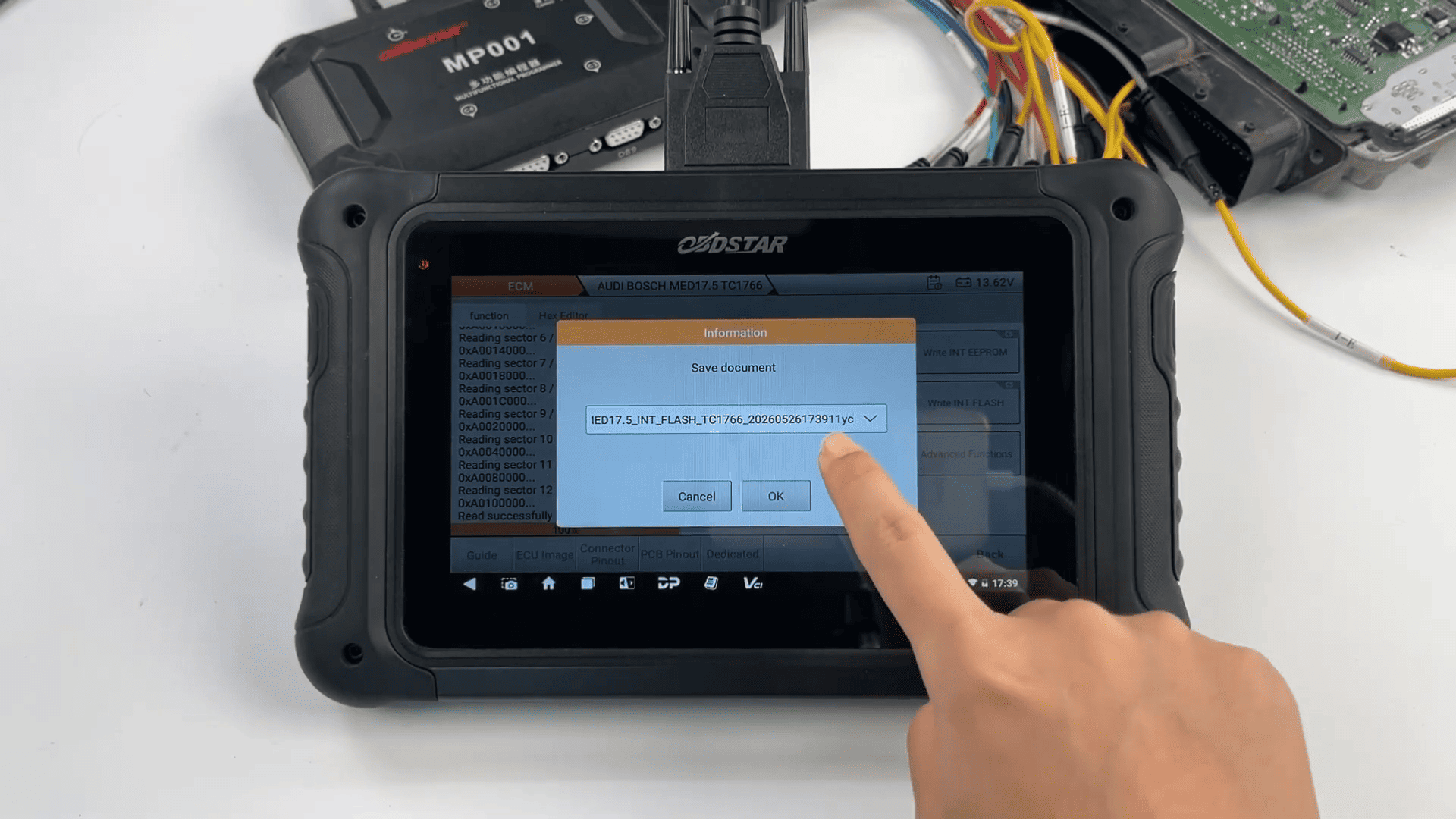
The DC706 will read and store both:
- EEPROM data
- FLASH data
These backup files should be stored safely for future recovery or cloning purposes.
Step 4: Read the Replacement ECU
Disconnect the original ECU and connect the replacement unit.
Repeat the reading procedure to back up the EEPROM and FLASH data from the new ECU.
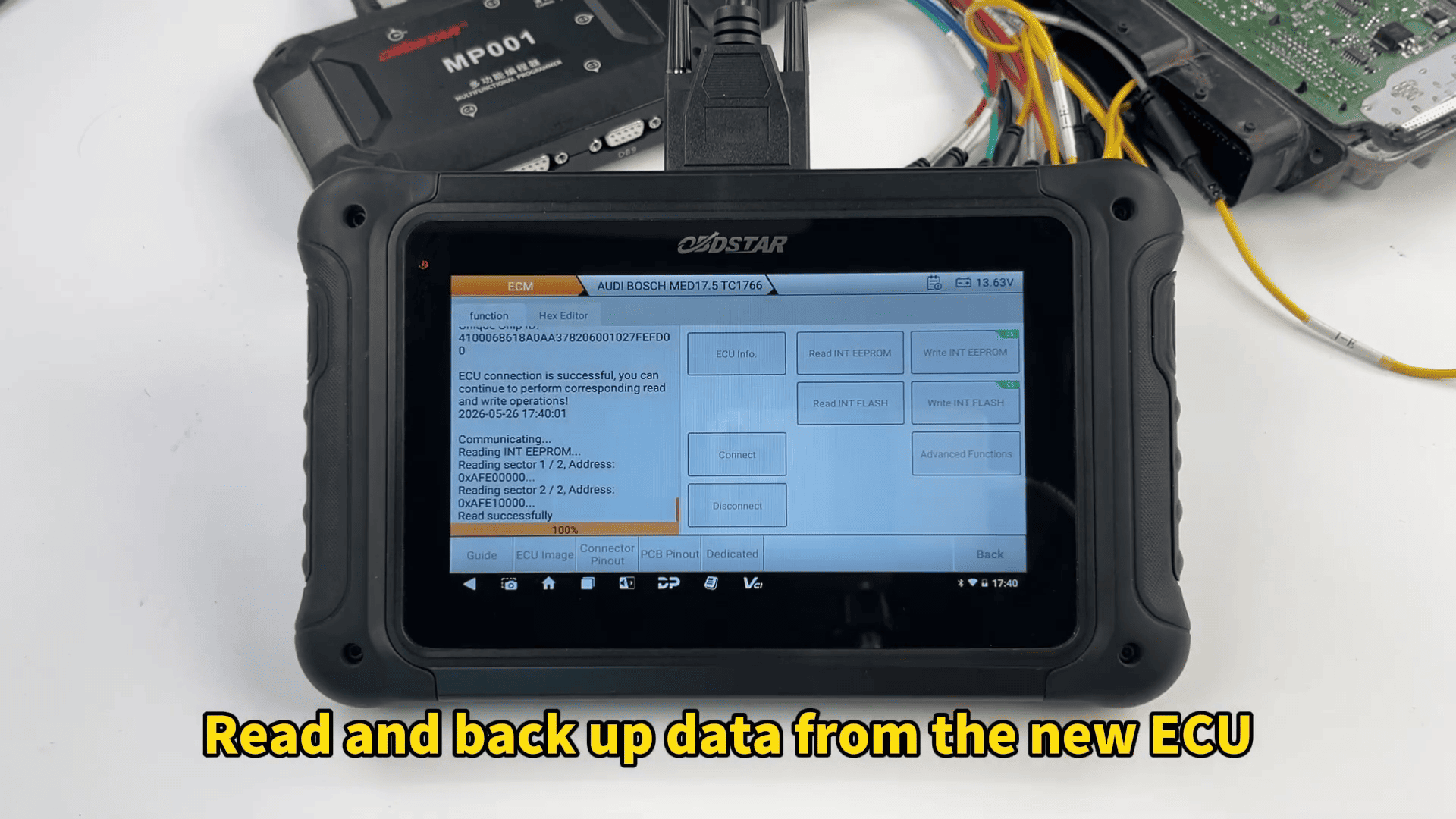
Saving both original and replacement files provides the foundation for a successful clone.
Step 5: Convert EEPROM Data for ECU Cloning
Tap to: Advanced Functions → INT EEPROM Data Convert (CLONE)
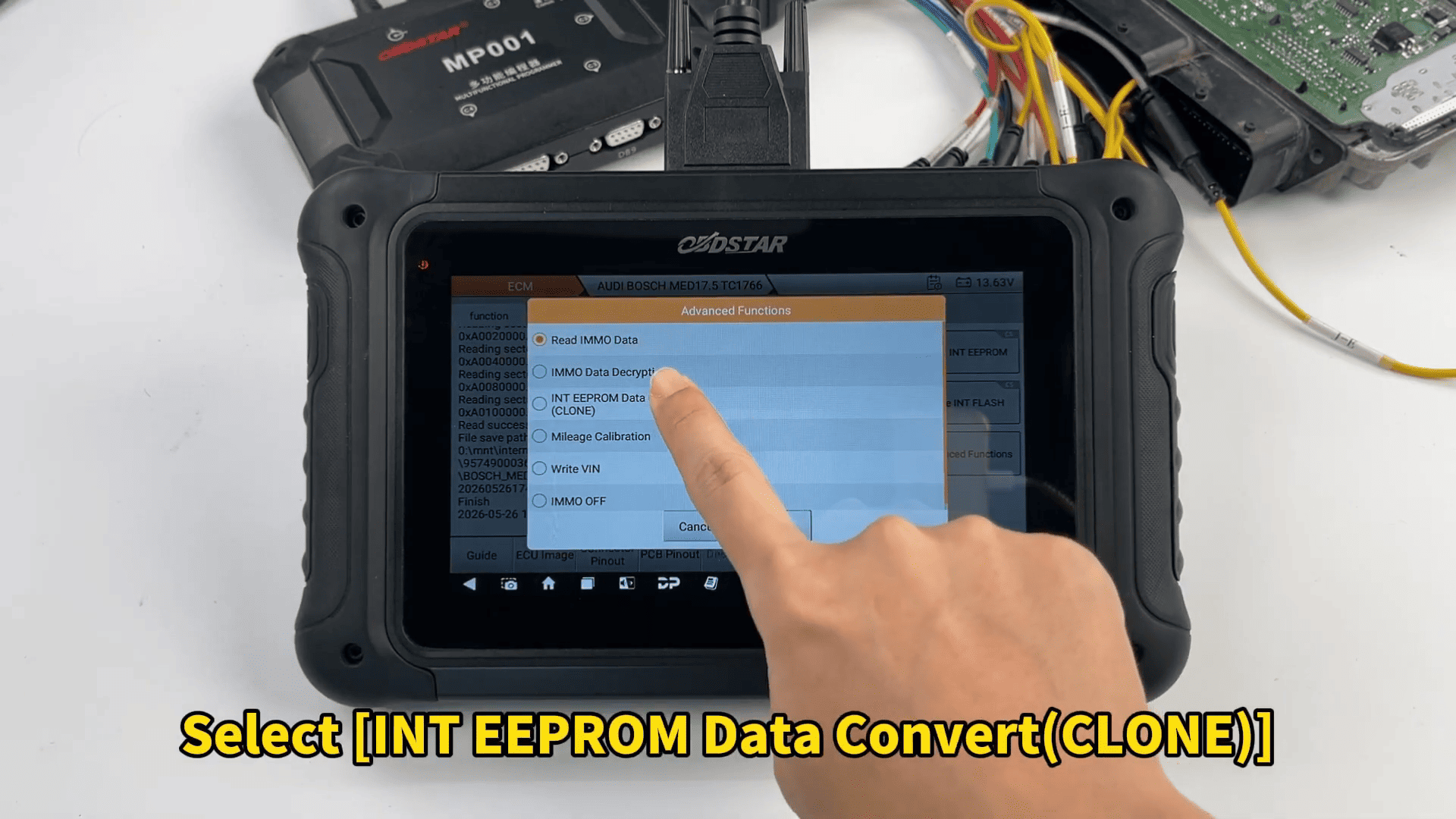
Select the original ECU data and the replacement ECU data to perform the conversion.
DC706 automatically processes the information and generates compatible clone data for the replacement ECU.
Save the converted file after the operation is completed.
Step 6: Write EEPROM and FLASH Data
Select [Load External Data] and load the converted EEPROM file.
Confirm the operation and begin writing.
After EEPROM programming is completed successfully, repeat the same procedure for the FLASH file.
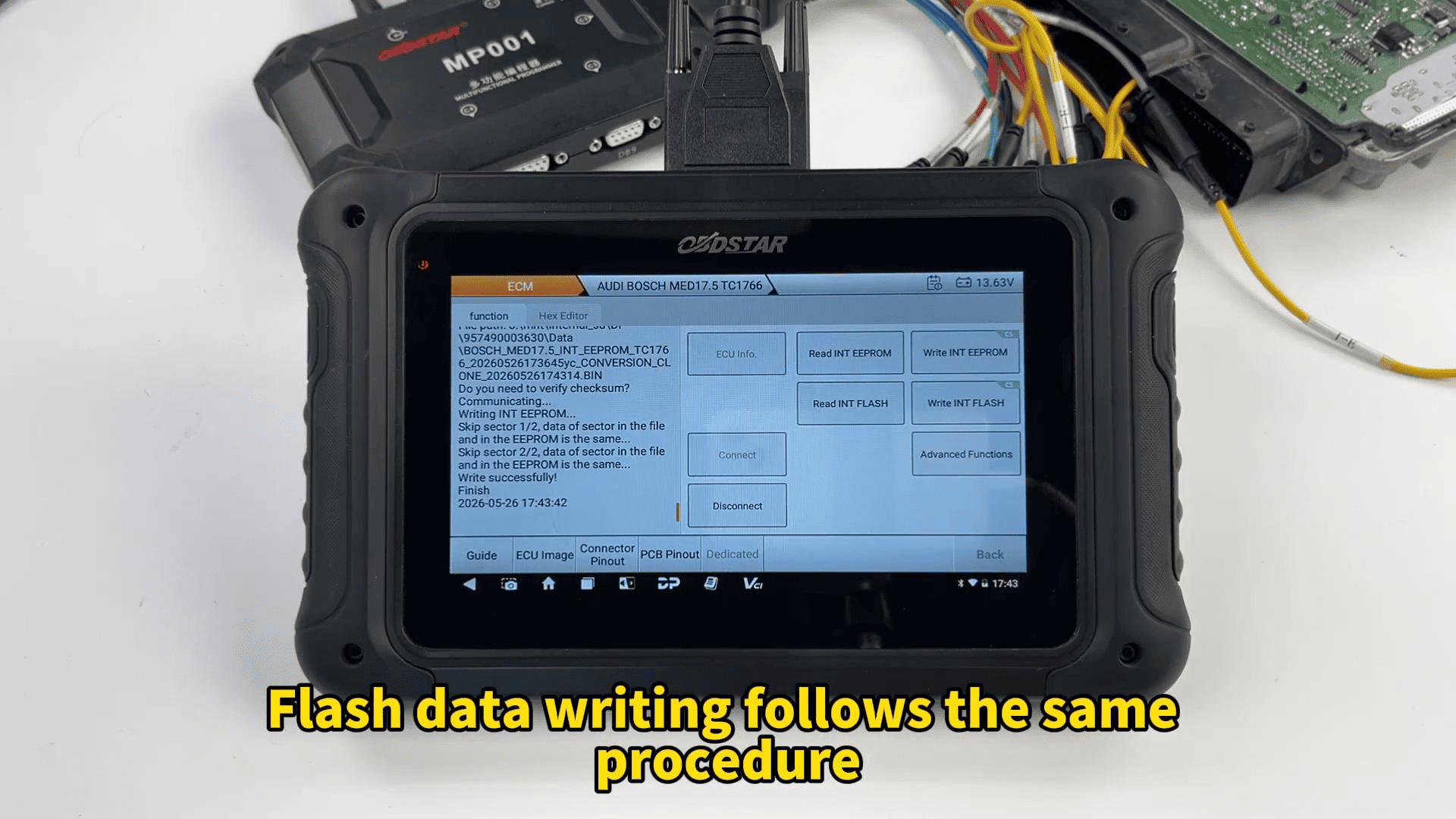
Once both writing operations finish successfully, the replacement ECU contains the converted data from the original module.
Step 7: Read Immobilizer Information
The DC706 also provides advanced functions for accessing security-related data.
Under [Advanced Functions], technicians can:
- Read immobilizer information
- Decrypt anti-theft data
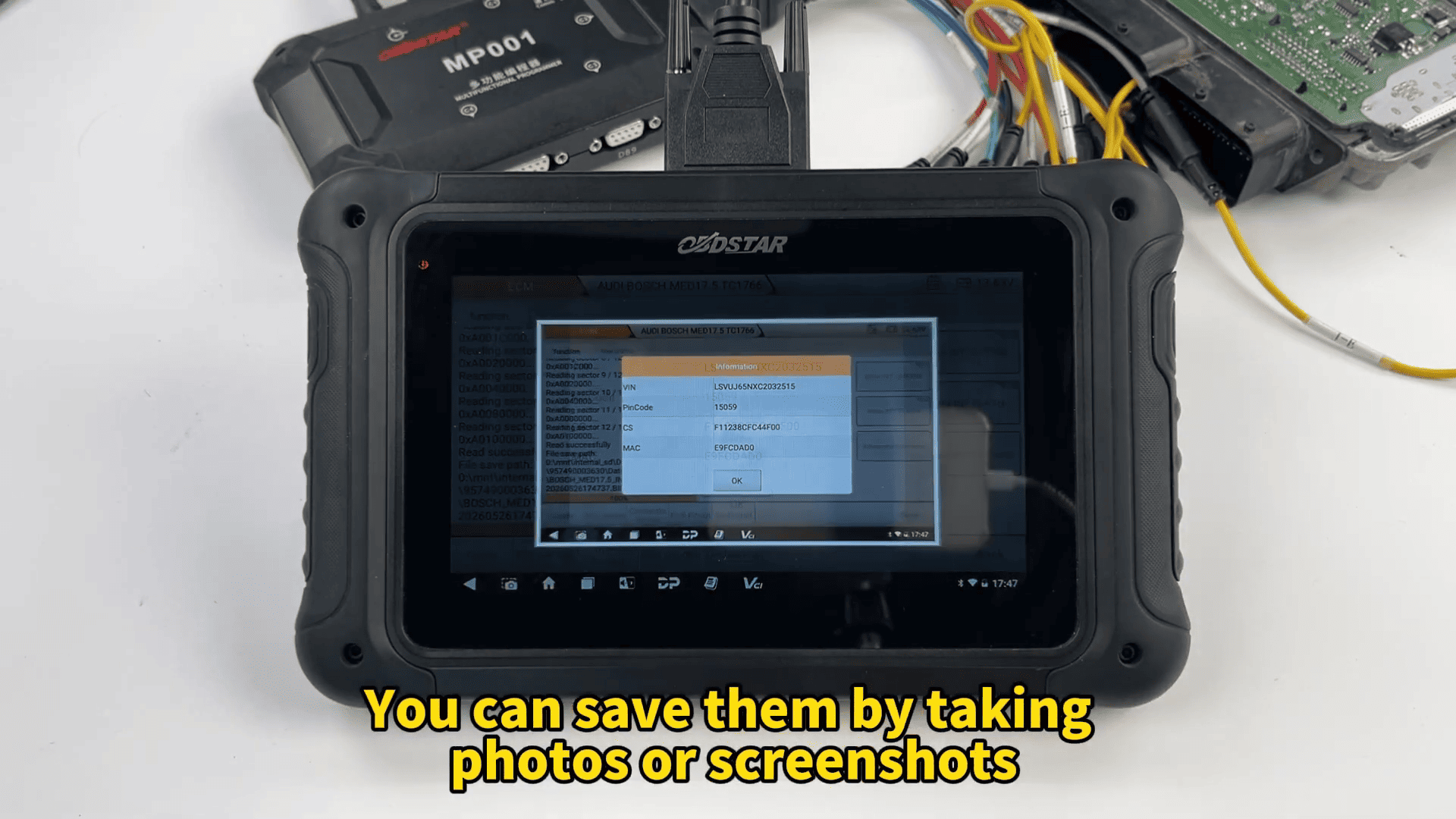
- Obtain VIN information
- Save passwords and CS codes
It is recommended to record this information by taking screenshots or photos for future reference.
Step 8: Perform Mileage Calibration
Enter: Special Functions → Mileage Calibration
Input the desired mileage value and confirm the modification.
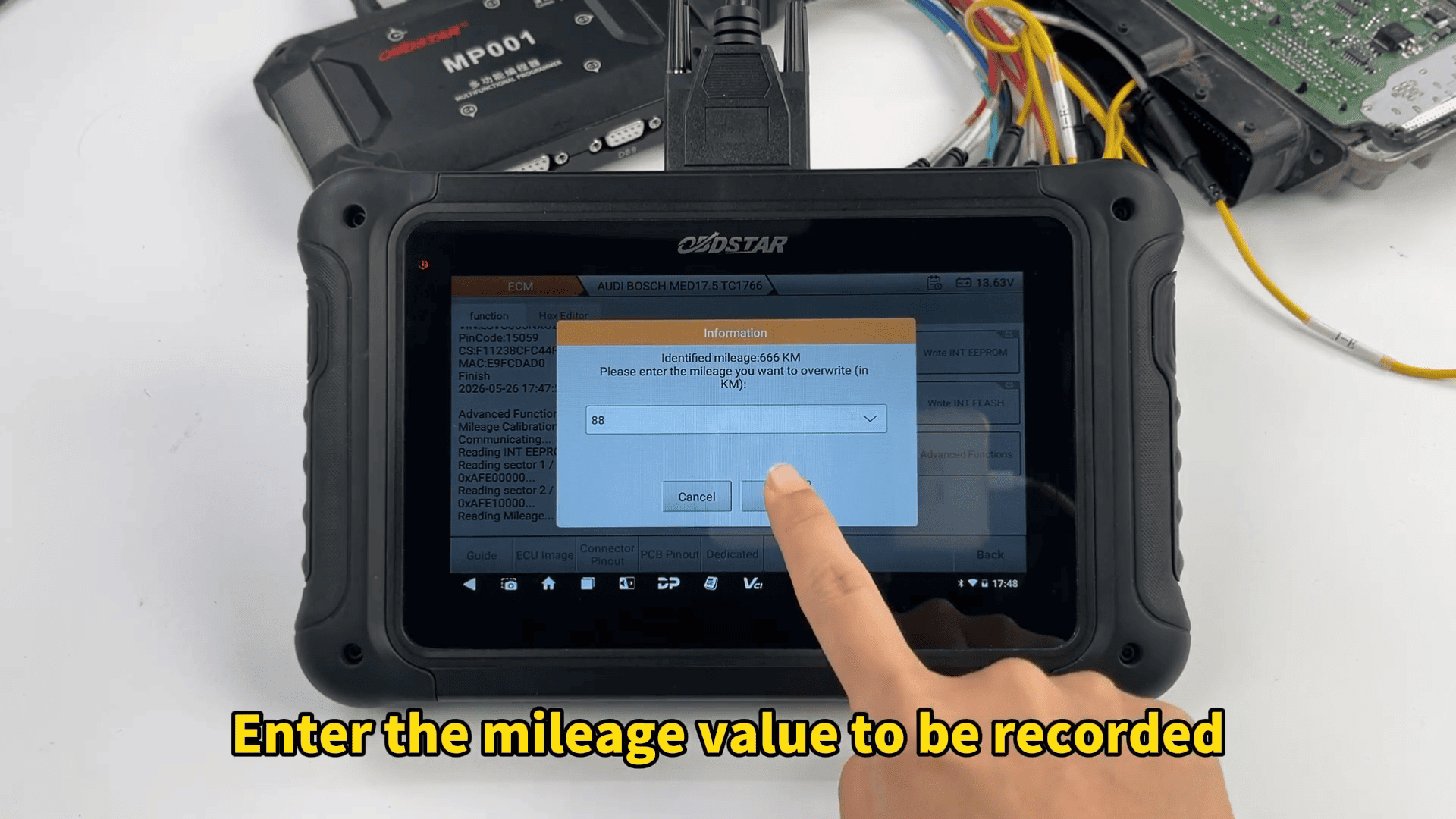
After completion, the ECU will store the updated mileage information.
Step 9: Write VIN Information
Navigate to: Special Functions → VIN Writing
Enter the target VIN and verify all characters carefully before confirming.
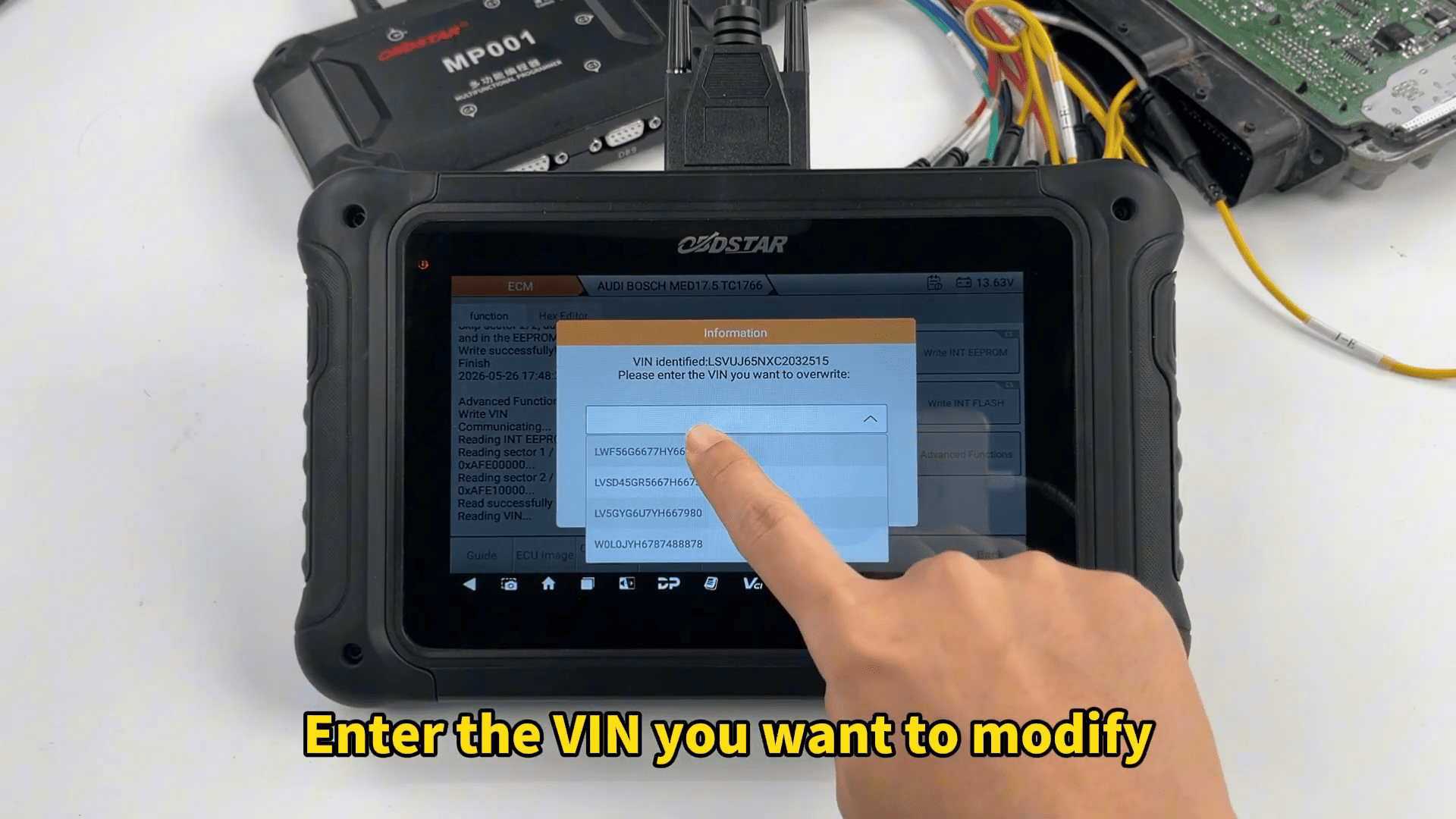
Once completed, the DC706 writes the new VIN successfully into the ECU.
Using OBDSTAR DC706 full version together with the MP001 programmer allows technicians to complete Audi Bosch MED17.5 TC1766 ECU cloning efficiently through BOOT mode.