



Yanhua officially released a free upgrade for new JLR.
Now you can turn off the 2018+ Jaguar Land Rover (JLR) active anti-theft alarm using Yanhua Mini ACDP / ACDP2 with Module 24 authorization and required PCAN/PTCU/PECU cable. It’s designed for all-keys-lost situation, the new function helps restore OBD communication when the vehicle’s anti-theft alarm prevents normal diagnostics after the door has been opened with a lock-opening tool.
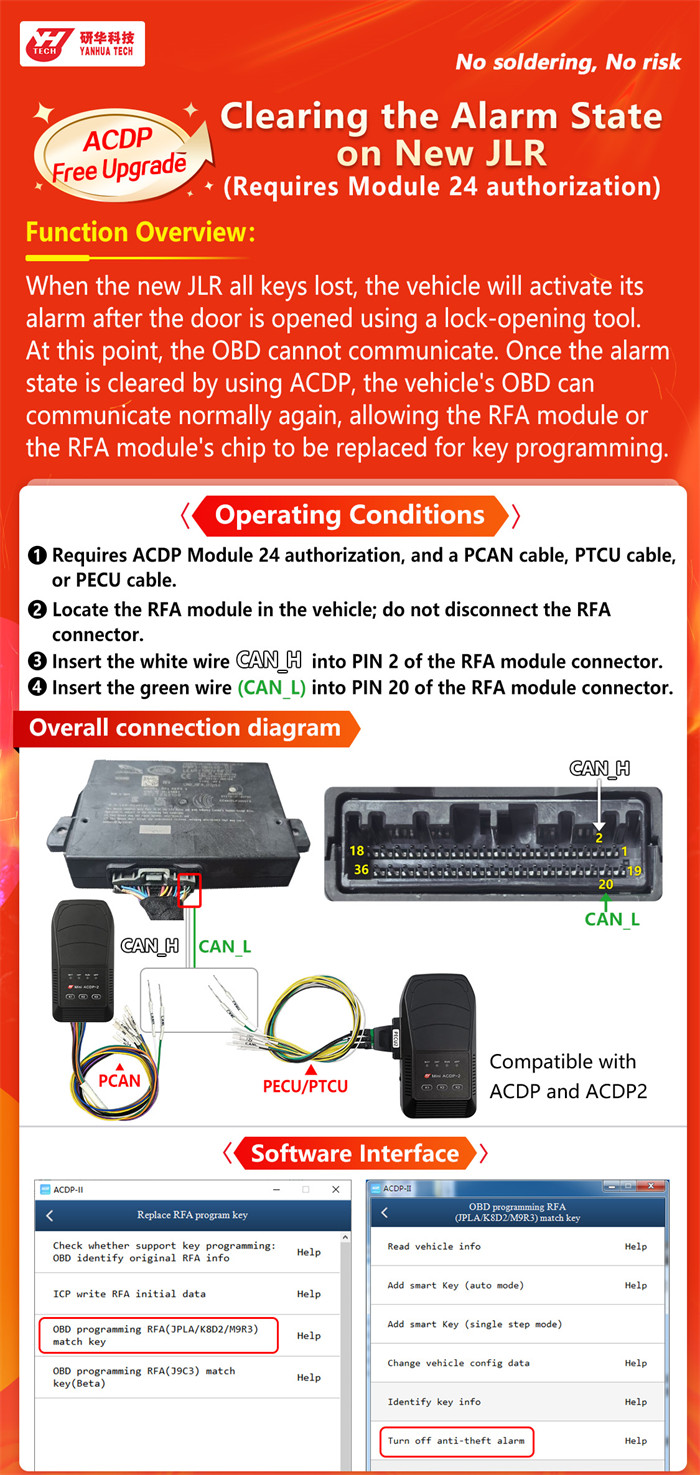
Follow the direct wiring and menu steps below:
Required Equipment
- Yanhua ACDP-1or ACDP-2
- ACDP Module 24 License
- PCAN, PTCU, or PECU cable
Note: You can get the cables from the specific Mini ACDP Modules and may not require a separate purchase.
- PCAN Cable: Included in Yanhua Module 3
- PECU Cable: Included in Yanhua Module 18
- PTCU Cable: Included in Yanhua Module 19/ Yanhua Module 36
If you do not own the above module, you need to buy the cable separately.
Wiring Steps
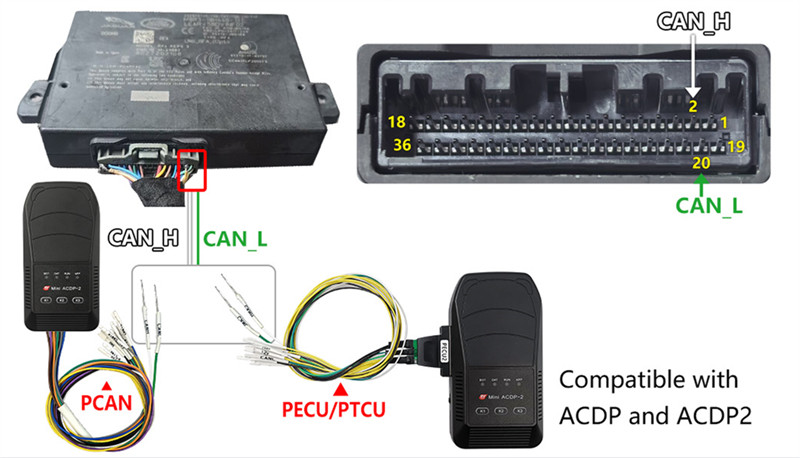
- Locate the RFA (Remote Frequency Actuator / KVM) module inside the vehicle.
- Do not disconnect the main RFA connector.
- Insert the white wire (CAN_H) into PIN 2 of the RFA module connector.
- Insert the green wire (CAN_L) into PIN 20 of the RFA module connector.
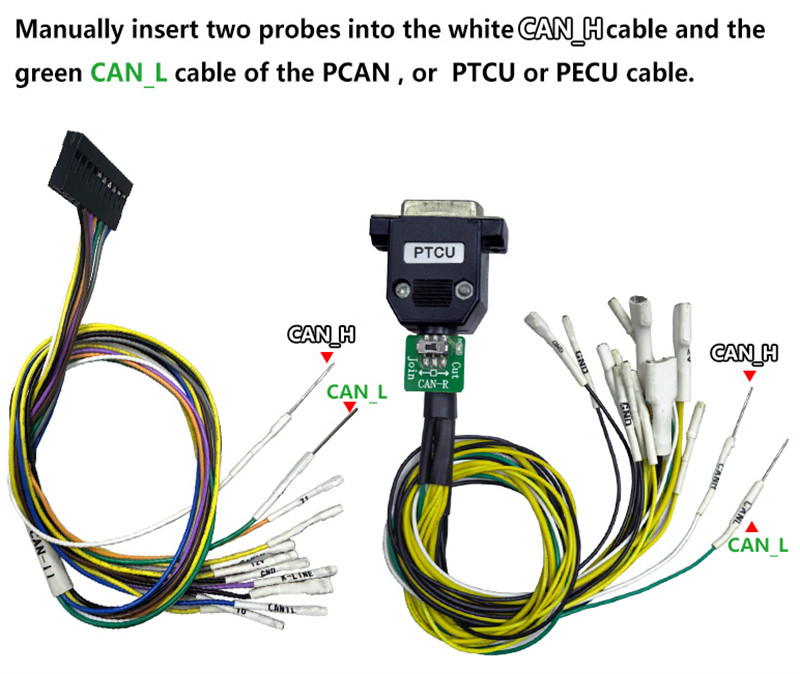
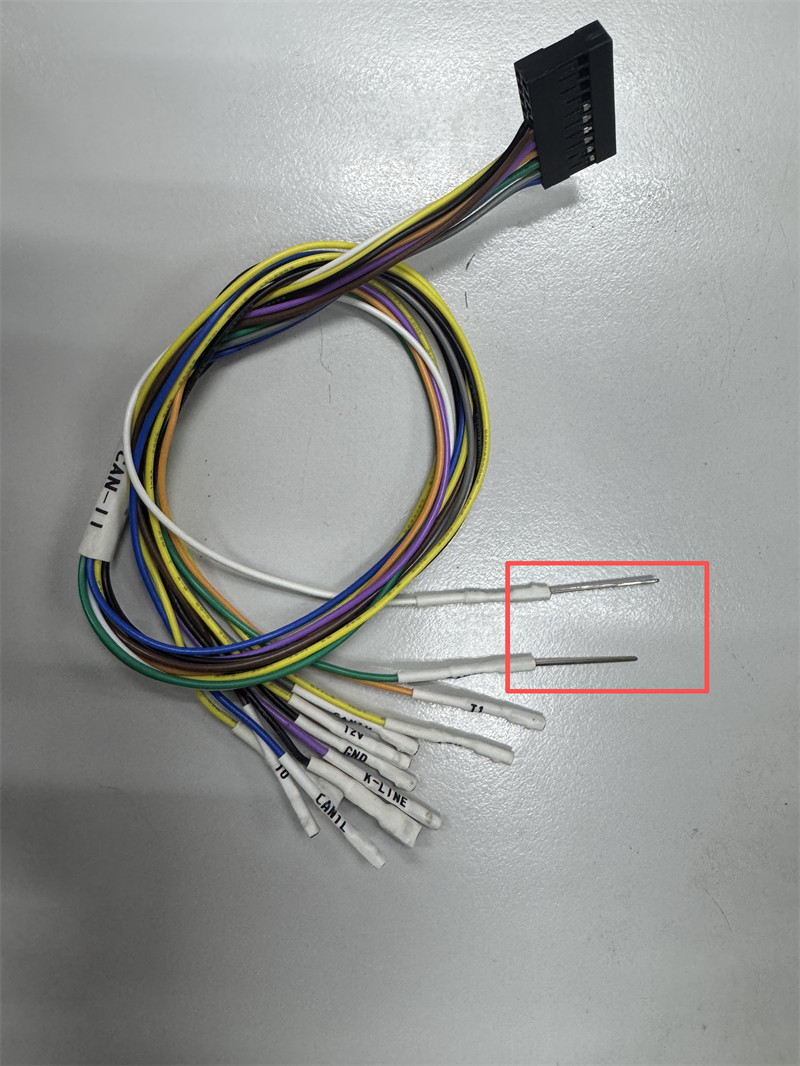
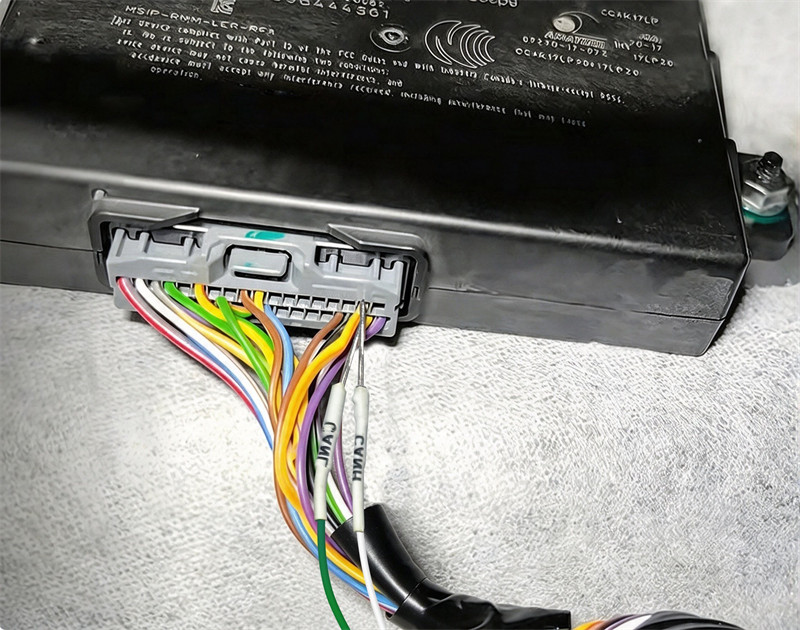
Software Menu Path
Navigate through the ACDP application using the following menu structure:
- JLR IMMO -> Program smart key (2018–) -> Replace RFA Program key -> OBD Programming RFA -> Turn off anti-theft alarm
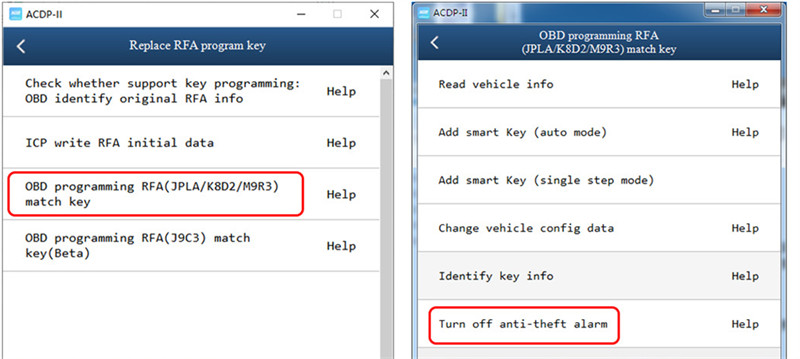
Once the anti-theft alarm state is cleared via this RFA connection, normal OBD communication is restored so you can proceed with key programming or RFA service.