
YANHUA MINI ACDP Module 47 supports duplicating keys for supported 2018+ JLR vehicles without removing the RFA module. This procedure uses an ID-changeable aftermarket/universal key together with the BAV-KEY adapter.
Connect and Identify the Vehicle
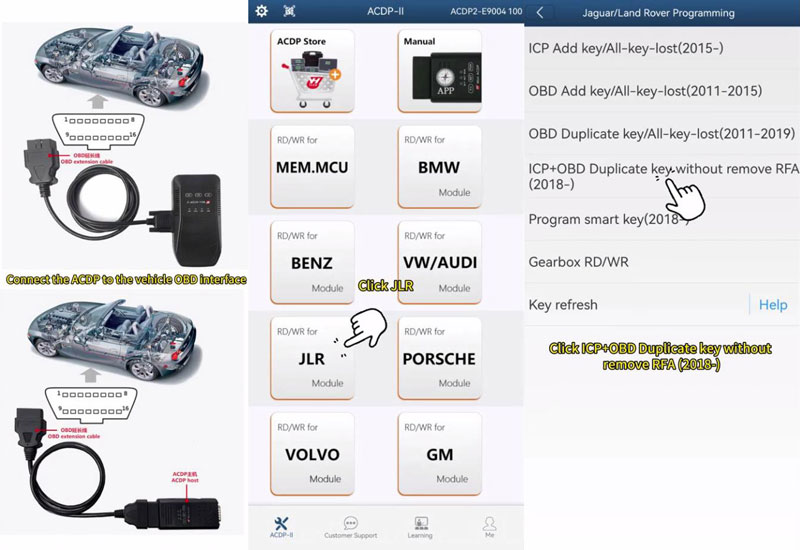
- Connect MINI ACDP to the vehicle through the OBDII port and use the standard ACDP power adapter (12V, ≥2.5A). Switch on the ignition and make sure the instrument cluster is illuminated.
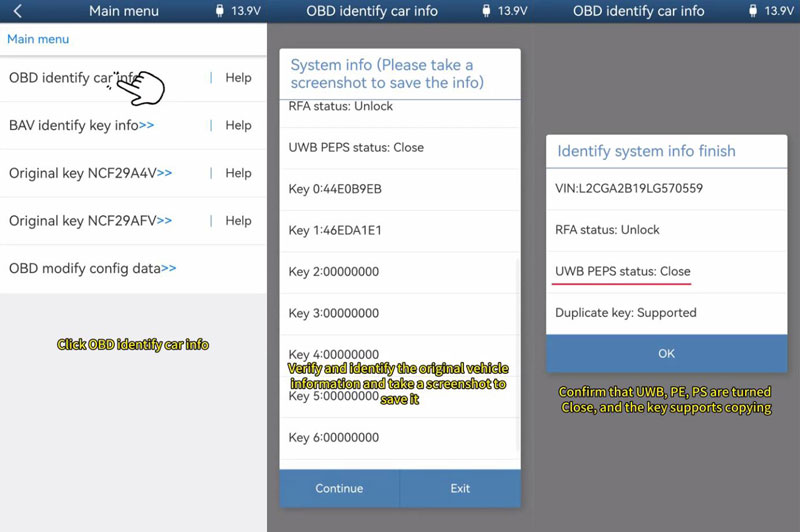
- Open the ACDP APP and confirm that the programmer is properly bound. Navigate to JLR >> ICP+OBD Duplicate key without remove RFA(2018-) >> OBD Identify Car Info.
- Check the detected vehicle information, save a screenshot for reference, and tap Continue. Make sure UWB, PE, and PS are disabled and verify that the key supports the duplication function.
Identify the Original and Universal Keys
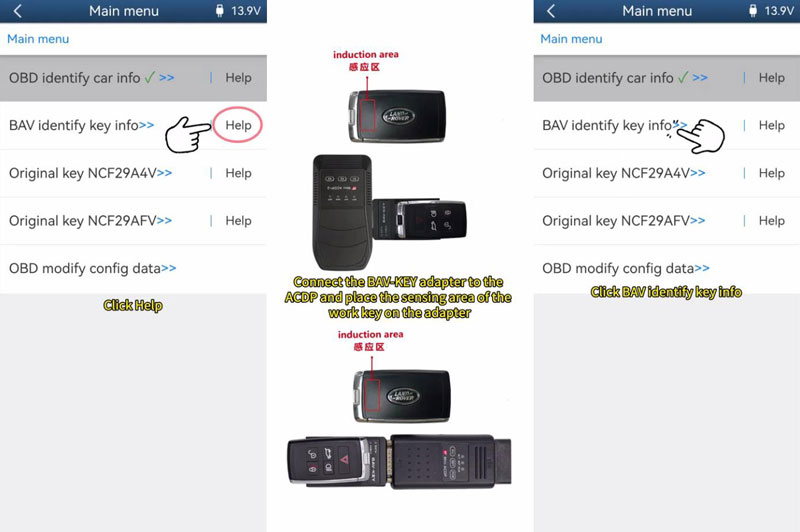
- Select BAV identify key info >> Help >> OK. Connect the BAV-KEY adapter to the MINI ACDP and correctly position the sensing area of the original key on the adapter.
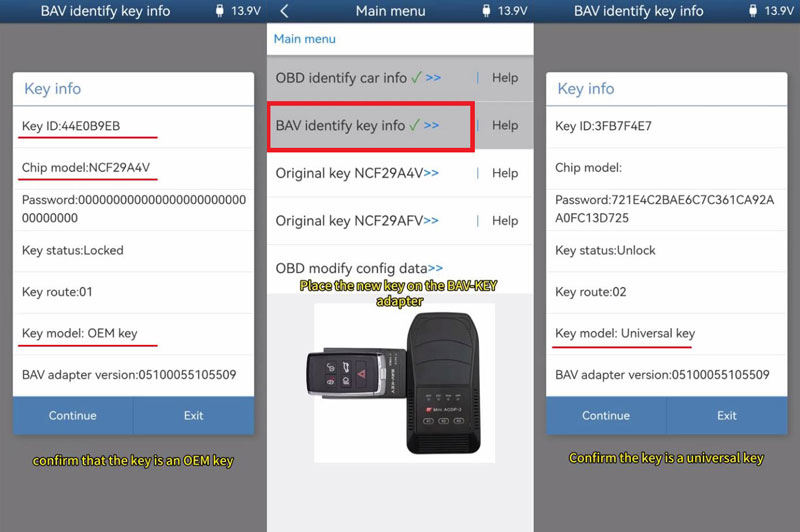
- Check the original key ID and chip model. Confirm that it is an OEM key, save a screenshot, and continue until the key information has been successfully identified.
- Place the new key on the BAV-KEY adapter and select BAV identify key info. Tap OK >> Continue, then verify that the new key is an ID-changeable universal key.
Read the Original Key Data
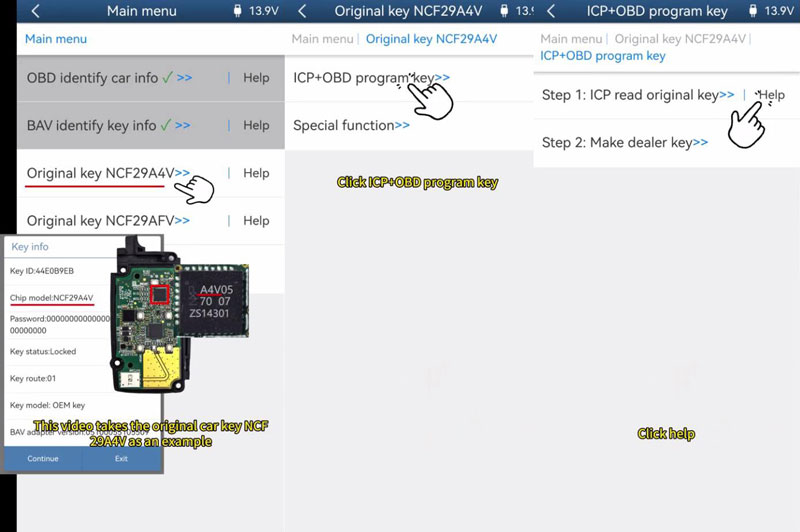
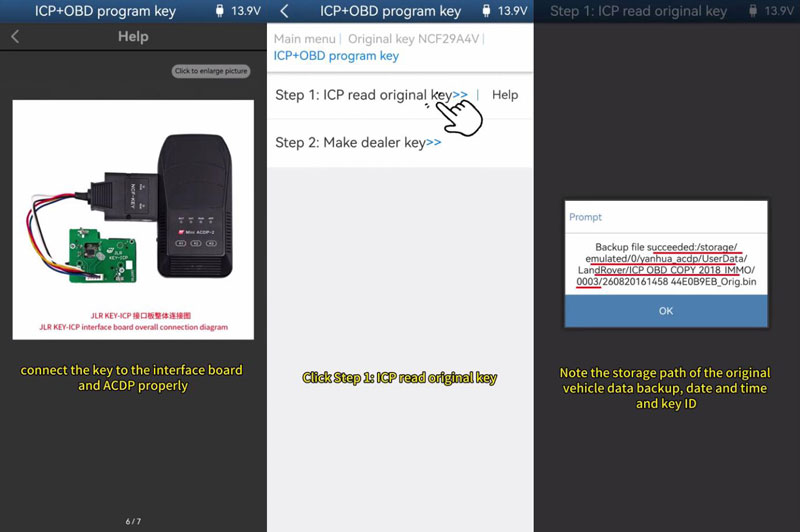
- Disassemble the original key and select the appropriate option according to the chip marking or the chip model detected by the system. For an NCF29A4V key, select ICP+OBD program key >> Step1. ICP read original key >> Help.
- Follow the help diagram to connect the key to the interface board and MINI ACDP correctly. Tap OK >> Continue and confirm the original key information.
- Allow the system to read the key data. When the process is complete, tap OK and save the original key data. Make sure the backup file has been saved successfully.
Generate the Dealer Key
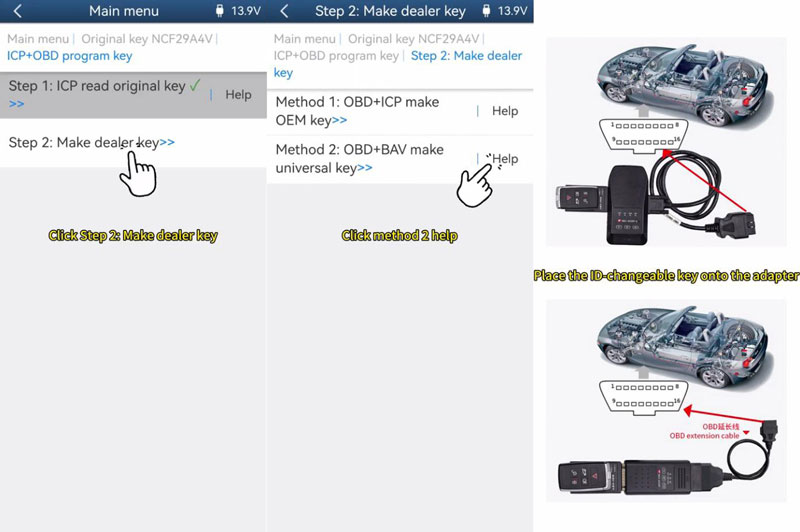
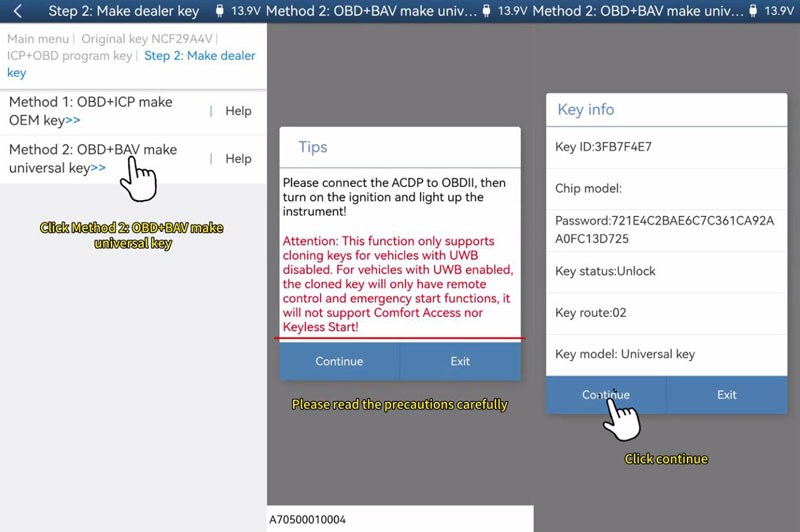
- Select Step2. Make dealer key >> OBD+BAV make universal key >> Help. Read the precautions carefully, then place the ID-changeable key on the BAV-KEY adapter.
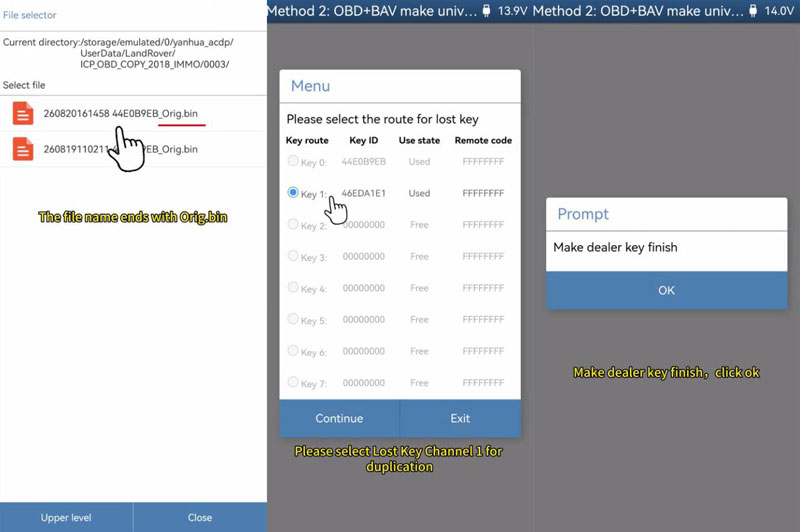
- Verify the original vehicle information. Connect the MINI ACDP to the BAV-KEY adapter and position the universal key correctly. Check the key information, select the saved original key data, and confirm the detected IMMO information.
- Select Lost Key Channel 1 for duplication. The grayed-out channel is assigned to the working key and cannot be selected. Tap Continue and wait for the dealer key generation process to finish. Do not disconnect the equipment or unplug any cables during programming.
Important: UWB must be disabled for this key duplication function. If UWB remains enabled, the duplicated key will only support remote control and emergency start; Comfort Access and Keyless Start will not be available.
Verify the New Key
Reassemble the original key and test both the original and newly duplicated keys on the vehicle. Confirm that the vehicle starts normally and that the basic key functions operate correctly.