


In this demonstration, we use OBDSTAR G3 Full Version to add a smart key to a 2020 Ford Escape directly through the OBD port.
Vehicle Information
- Vehicle: Ford Escape
- Year: 2020
- System: Proximity Smart Key
- Device: OBDSTAR G3 Full Version
After connecting OBDSTAR X300 Classic G3 to the vehicle’s OBD port:
1. Enter the IMMO menu.
2. Select [Ford] → [Ford Asia] → [Escape] → [Proximity] → [2020].
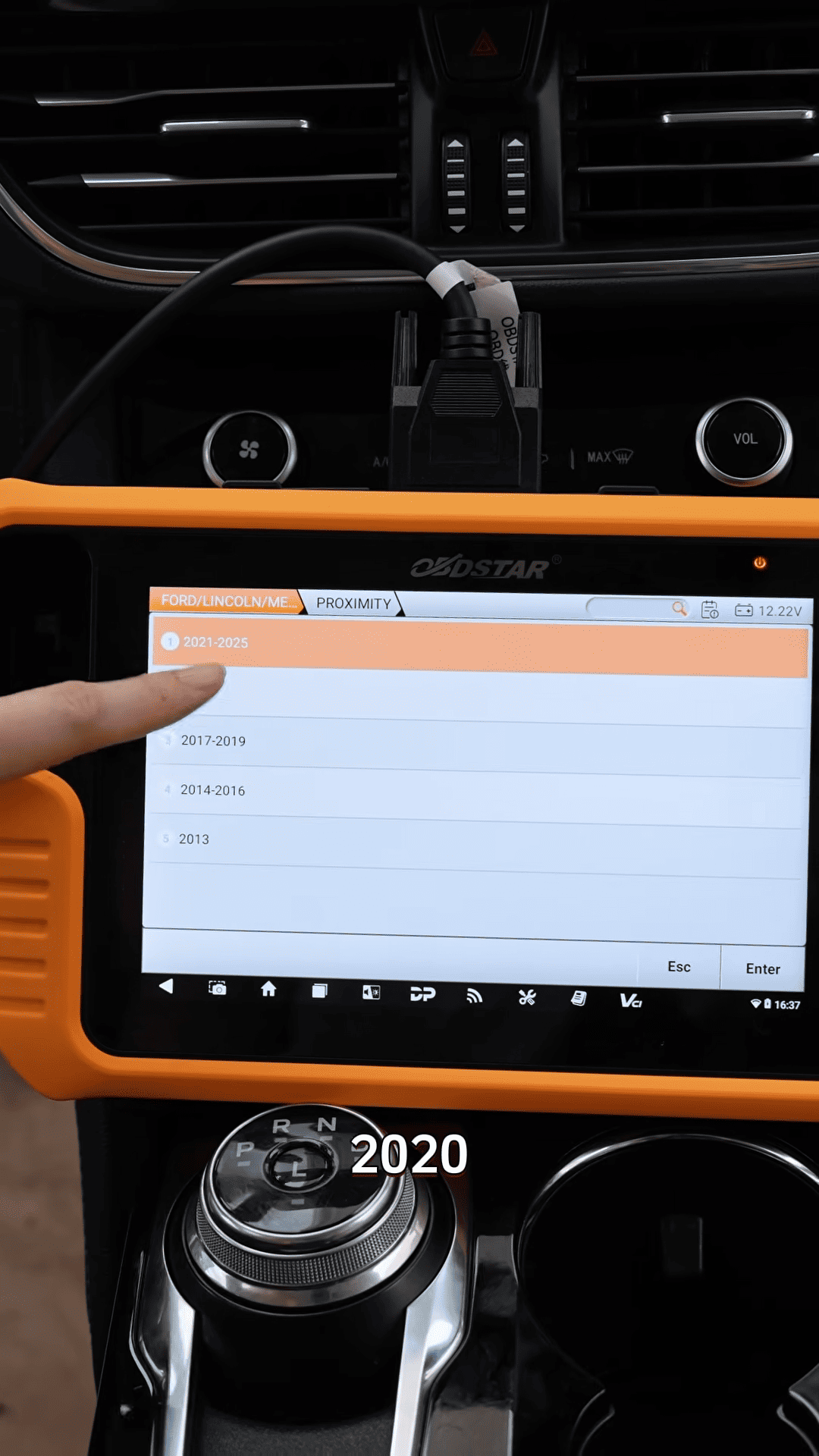
3. Check the current number of programmed keys.
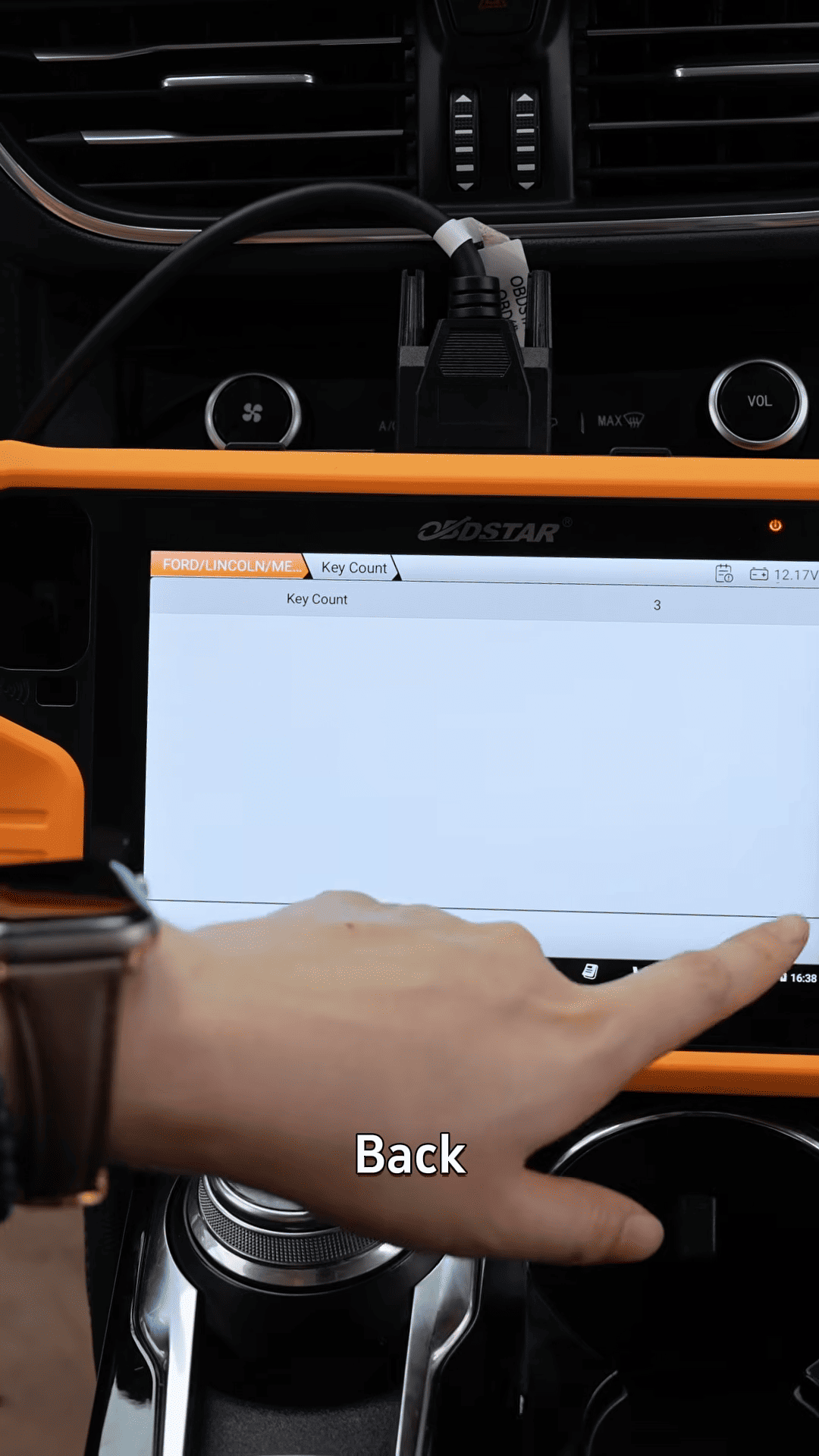
4. Select the key programming function.
5. Follow the on-screen prompts.
6. Turn the ignition off when requested.

7. Place the new key into the designated slot.

8. Continue following the prompts until programming is completed.
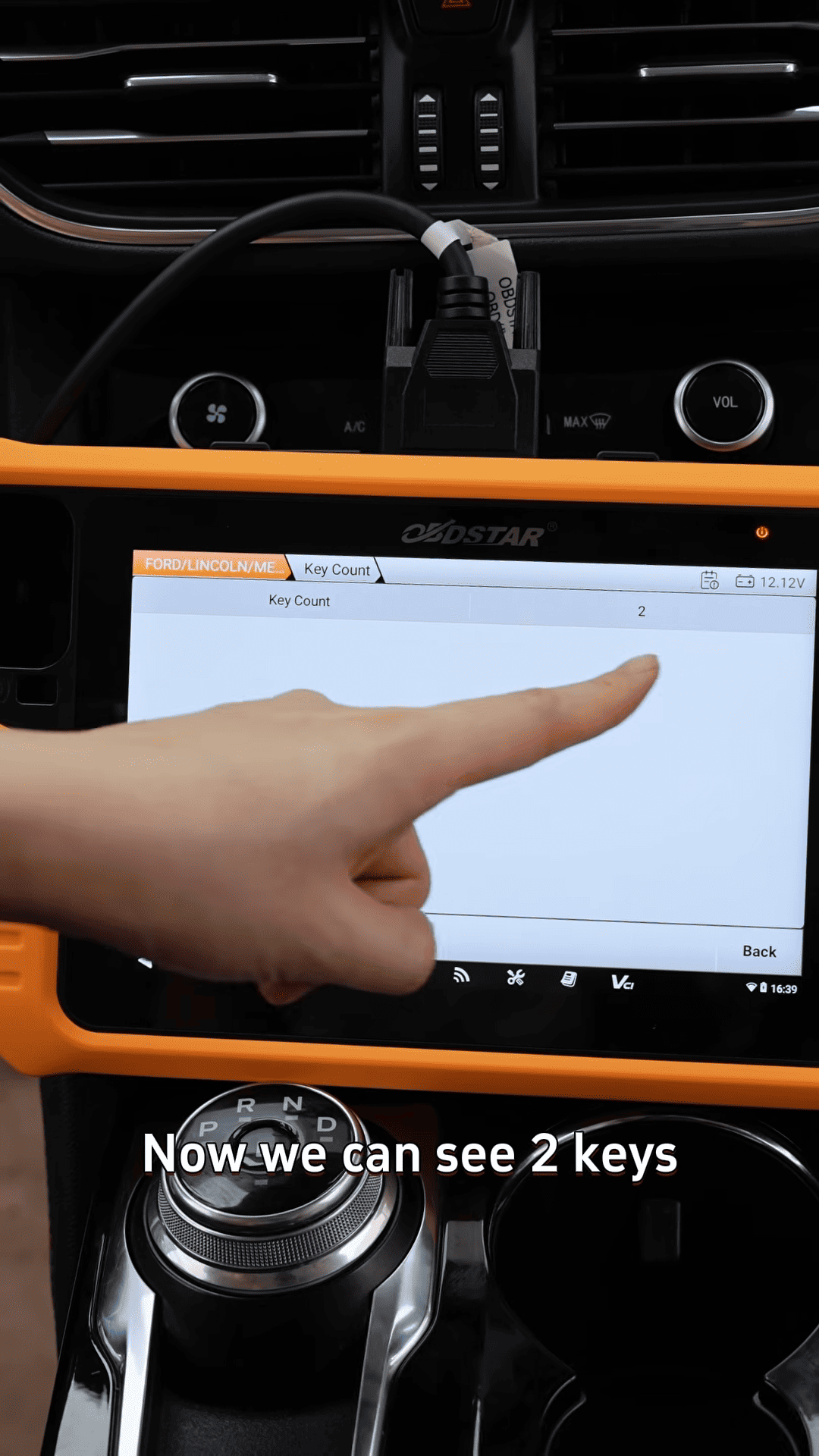
Once the procedure is finished, verify the key count again. In this case, the vehicle successfully increased from one key to two programmed keys.
Interesting Observation
Unlike some Ford models that require disabling the active alarm system before key programming, this particular 2020 Ford Escape did not require any additional alarm-related procedures. The new key was added successfully through OBD alone, making the process even faster.