


Autel diagnostic tablets are widely used by professional technicians for vehicle diagnostics, system scanning, and maintenance tasks. Popular models such as Autel MK908 PRO II, Autel IM608, and Autel Ultra Lite provide powerful functions for modern vehicles. However, users may occasionally encounter system prompts or connection issues during operation.
This guide explains the most common Autel diagnostic tablet troubleshooting problems and provides practical solutions. If your Autel scanner is not working properly, the following FAQs can help you quickly identify and solve the issue.
1. Autel Tablet Shows Current Language Is Not Authorized
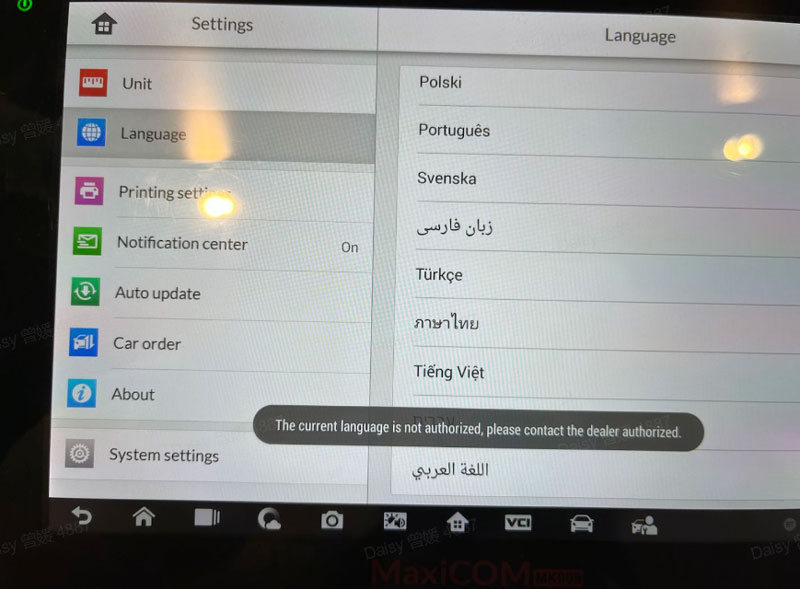
Some users may see the message “The current language is not authorized please contact the dealer authorized” when starting their Autel diagnostic tablet.
Solution
Try the following steps to solve the problem:
- Restart the Autel diagnostic tablet and check whether the message disappears.
- Open the Update application and click Refresh in the top right corner.
- Go to Settings and reselect the correct system language.
- If the problem continues, perform a factory reset from the system settings and then set the language again.
2. Autel Scanner Unable to Communicate with Control Unit
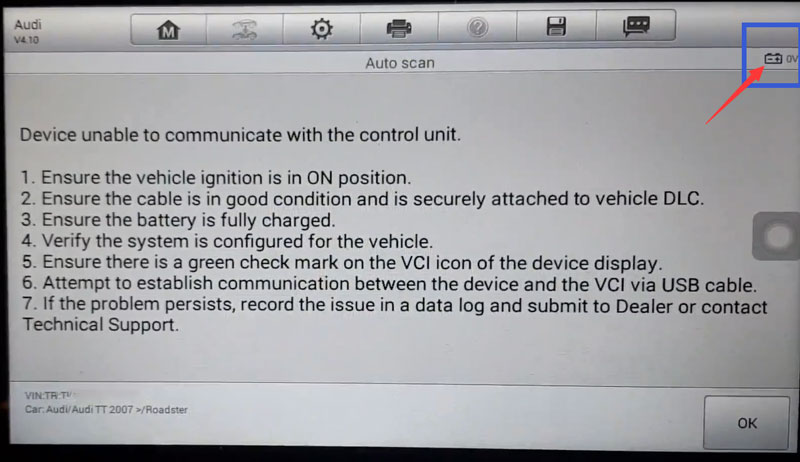
Another common Autel scanner troubleshooting issue occurs when the device cannot communicate with the vehicle control unit.
Before diagnosing further, check the voltage value displayed on the screen.
Voltage Shows 0V
- If the voltage reads 0V, the scanner is not receiving vehicle power or cannot communicate properly.
Possible solutions include:
- Check whether the VCI is connected through Bluetooth.
- Try connecting the VCI to the tablet using a USB cable.
- Update the VCI firmware to the latest version.
- Inspect the OBD cable for possible damage.
Voltage Shows 12V
If the voltage displays 12V, the device is receiving vehicle power normally.
In this case:
- Try running an EOBD diagnosis.
- If the EOBD test works, upload the diagnostic logs.
- If it fails, send the log files to technical support for analysis.
3. Autel Diagnostic Tablet Bluetooth Cannot Connect
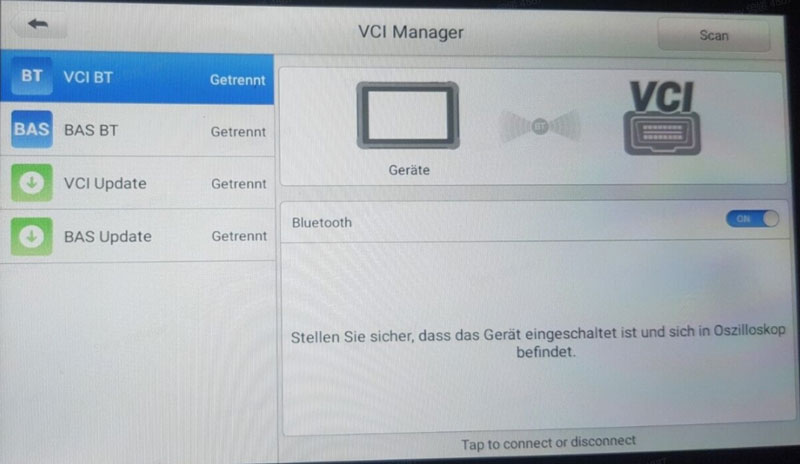
Sometimes the Autel diagnostic tablet Bluetooth connection may fail when pairing with the VCI device.
Troubleshooting Steps
Delete the current Bluetooth pairing in Settings.
Reconnect the tablet with the VCI device.
Test the connection using a USB cable to confirm hardware functionality.
Update the VCI firmware if necessary.
If the VCI cannot connect to any tablet, the hardware may require inspection.
4. Autel VIN Decoding Failed During Vehicle Identification
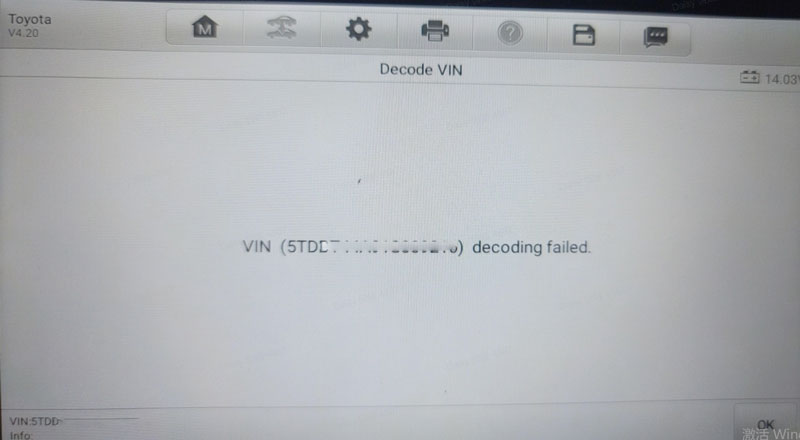
During vehicle detection, the Autel tablet may show a VIN decoding failed message.
This usually occurs when:
- The ECU does not store VIN information
- The vehicle model does not support AutoVIN
- The VIN decoding database does not support that vehicle
Solution
Select the vehicle manually by choosing:
- Vehicle brand
- Model
- Production year
- Engine type
- Manual selection allows the diagnostic process to continue normally.
5. Can Autel Diagnostic Tablets Unlock VW SFD Gateway
Many technicians ask whether Autel diagnostic tablets can unlock the Volkswagen SFD gateway.
In most cases, unlocking the SFD gateway requires purchasing an SFD token before performing related operations.
Once the token is activated, the technician can access protected systems for diagnostics and programming.